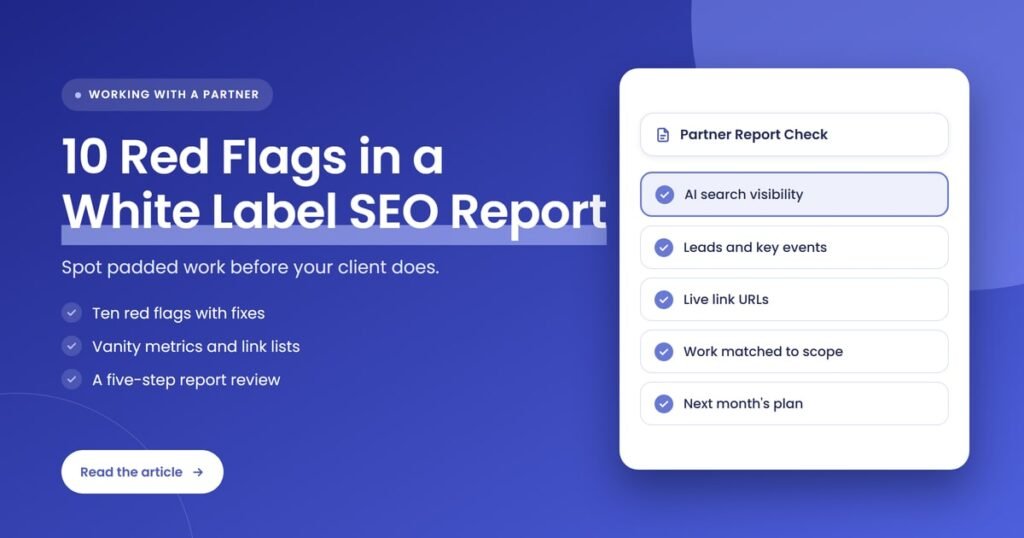
Quick answer: A weak white label SEO report hides thin work behind big numbers. Watch for reports with no AI search visibility, vanity metrics in place of leads, average position without context, link lists you can’t verify, content counted by volume, activity with no URLs, copied commentary, screenshots instead of data access and vague methods.
Key takeaways
- A partner’s report should let you check every claim yourself: each page changed, each link built and each metric traced to its source.
- Reports that skip AI search are now out of date. Search Console shows AI Overviews and AI Mode impressions for every site.
- Impressions, keyword counts and average position are useful only next to leads, key events and a clear explanation.
- A link list without live URLs and dates is a claim, not proof of work.
- Most red flags are fixed with one question to your partner. How they answer tells you more than the report itself.
What is a white label SEO report?
A white label SEO report is the monthly report a fulfillment partner prepares for an agency’s client, carrying the agency’s branding instead of the partner’s. It shows the work delivered, the search visibility gained and the leads produced, so the agency can present results as its own and renew the retainer.
Because the client never meets the partner, the report is often the only evidence the agency has that the work was done. That makes it the agency’s risk, not the partner’s. If the report is padded, your client finds out from their own numbers months later, and your brand is the one on the cover. Our guide to what a white label SEO partner does each month covers the work a report should reflect.
How did we choose these 10 red flags?
We chose these red flags by asking one question of every line in a partner report: can the agency verify it, and does it connect to the client’s leads? Each flag below fails that test in a way that is common, easy to miss in a busy month, and simple to fix with the right request.
The criteria behind the list:
- Verifiable: can you open the page, the link or the data source and confirm it?
- Relevant: does the metric relate to calls, forms, bookings or sales?
- Current: does the report reflect how search works in 2026, including AI Overviews, AI Mode and AI assistants?
- Consistent with Google’s guidance: does the work follow Google’s spam policies and its advice on hiring an SEO?
| # | Red flag | What it looks like | What to ask for instead |
|---|---|---|---|
| 1 | No AI search visibility | Rankings and traffic only, with no mention of AI Overviews, AI Mode or ChatGPT | Search Console AI impressions plus a fixed set of tracked prompts |
| 2 | Vanity metrics first | Impressions, keyword counts or domain scores on page one, with no leads | Key events, calls and forms from organic search at the top |
| 3 | Average position with no context | One sitewide average position, shown as a win | Positions for an agreed list of priority terms |
| 4 | Link lists you can’t verify | Domain names, scores or totals with no live URLs | Full linking URL, target page, anchor and date for each link |
| 5 | Links that break spam policies | Paid placements, link swaps or networks of low-value sites | How each link was earned, and the sponsored label on paid ones |
| 6 | Activity with no proof | “Ongoing on-page optimization” with no pages named | Each task matched to the scope, with URLs |
| 7 | Content counted by volume | Number of posts and total word count as the result | Published URLs, the search each targets and its early performance |
| 8 | Copy-paste commentary | The same summary every month, and no next steps | What changed, why, and the plan for next month |
| 9 | Screenshots instead of data | Cropped charts with no access to Search Console or analytics | Access to the source data for the agency |
| 10 | Secretive methods or ranking promises | “Proprietary techniques” and promised positions | A plain explanation of the work and realistic timelines |
What are the 10 red flags in a white label SEO report?
The 10 red flags in a white label SEO report are missing AI search visibility, vanity metrics, average position without context, unverifiable links, links that break Google’s spam policies, activity without proof, content counted by volume, copied commentary, screenshots instead of data access, and secretive methods or ranking promises.
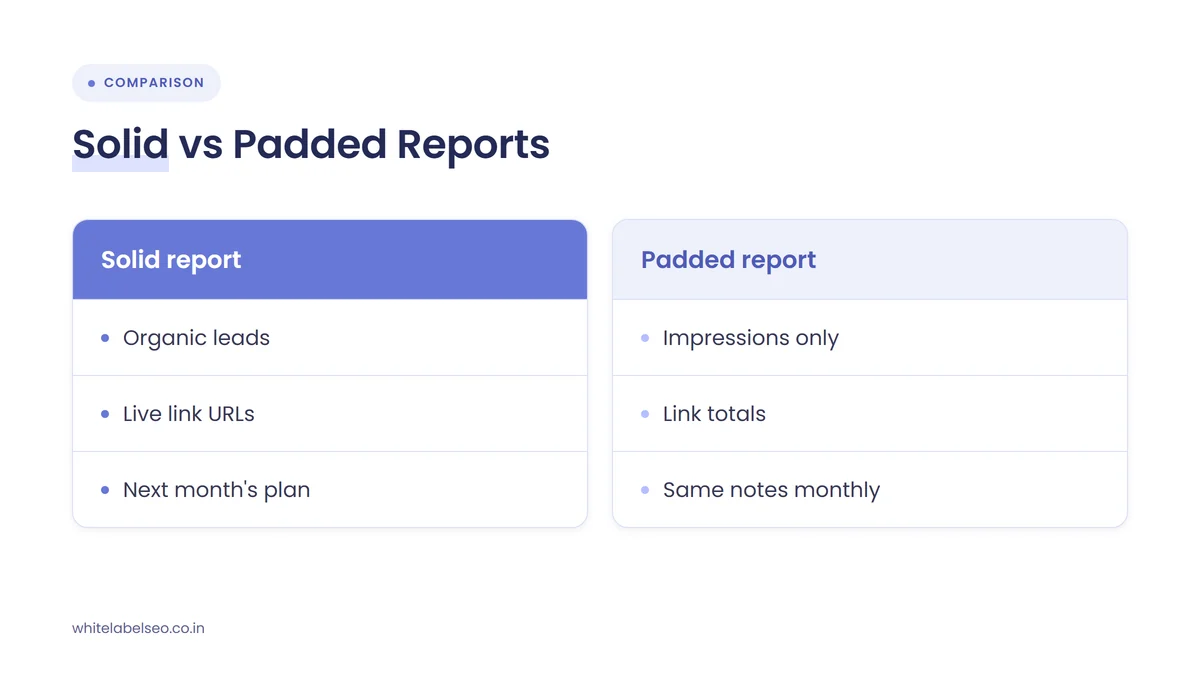
1. The report has no AI search visibility
A report with no AI search visibility misses a growing share of how clients get found. Google’s Search Console now shows impressions from AI Overviews and AI Mode for every site, so a 2026 report that covers only blue-link rankings and sessions leaves out data the partner already has free access to.
Google introduced generative AI performance reports in Search Console in June 2026 and rolled them out to all sites worldwide by August 31, 2026. The report counts impressions, not clicks, so it shows whether a client’s pages appear in AI answers, not how much traffic those answers send. That is still worth reporting, because clicks are falling where AI answers appear: Ahrefs found in February 2026 that an AI Overview correlates with a 58% lower average clickthrough rate for the top-ranking page.
Search Console does not cover ChatGPT, Perplexity or Gemini. For those, ask your partner to track a fixed list of prompts each month. AgencyAnalytics suggests reporting four measures per AI engine: visibility, position in the answer, sentiment and citations. Our post on what to report differently in a zero-click world goes further into the metrics.
2. Vanity metrics sit on page one and leads are missing
Vanity metrics are numbers that rise easily but say little about revenue, such as total impressions, the count of keywords ranked or third-party domain scores. When they lead the report and leads, calls or bookings are missing, the partner is reporting what looks good rather than what the client pays for.
Impressions are a good example. Google counts an impression whenever a result appears on the current page of results, even if the searcher never scrolls to it. A page can gain thousands of impressions for loosely related searches without winning a single new customer.
Clients have already moved on. In the AgencyAnalytics 2026 Marketing Agency Benchmarks Report, 44% of agencies said conversions are the single metric clients care about most, against 6% for traffic. Ask your partner to put organic leads at the top, measured as key events in Google Analytics, which Google defines as actions that are particularly important to the success of the business.
3. Average position is reported with no context
Average position across all queries is one of the easiest numbers to misread. Search Console averages the top position a site held for every query where it earned an impression, so the figure can move because the site started appearing for new, low-value searches, not because priority terms improved.
Google’s own example shows how the math works: a site’s position is averaged only across queries where it actually appeared. Add hundreds of long-tail queries at position 40 and the average drops. Lose them and it “improves”. Neither change tells the client anything about the searches that bring in customers.
The fix is simple. Agree a list of priority terms at onboarding, then report positions for that list every month, with the location and device you checked from.
4. The link list can’t be verified
An unverifiable link list names domains, totals or third-party scores but leaves out the exact page each link sits on. Without the live linking URL, the target page, the anchor text and the date, the agency cannot confirm the links exist, are indexed or point where the client needs them.
Don’t rely on Search Console to fill the gap. Google says its Links report isn’t a comprehensive list of every link and shows a sample, so a new link may not appear there for some time, if at all. The partner’s own list has to carry the proof.
Ask for a spreadsheet, not a chart: one row per link, with the full URL, so you can open a sample each month. Our guide to white label link building that clients can see explains what good link reporting looks like.
5. The links look bought, swapped or networked
Links that break Google’s spam policies put the client’s site at risk, however good the numbers look. Google treats links created mainly to manipulate rankings as link spam, including paid links that pass ranking credit, excessive link exchanges and low-value content created mostly to carry links.
Signs to look for in the list: the same handful of sites every month, guest posts on sites that publish on every topic, footer or sidebar links, and pages that exist only to link out. Google’s policy allows paid links when they are marked with a rel="sponsored" or rel="nofollow" attribute, so a partner buying placements should say so and label them.
Ask how each link was earned. A partner doing real outreach or digital PR can explain the angle that won the link. A partner buying from a network usually can’t.
6. Activity is listed with no URLs or quantities
Activity with no proof is a work log written as categories, such as “on-page optimization” or “technical improvements”, with no pages named and no quantities. If the report doesn’t show which URLs changed and how that matches the agreed scope, the agency cannot tell a busy month from an empty one.
Every line in the work section should map to a line in the scope. If the retainer includes four optimized service pages a month, the report should list four URLs and what changed on each. Gaps between scope and delivery are often the first sign of trouble, which we cover in more detail in client churn warning signs and when to audit a partner’s deliverables.
7. Content is counted by volume, not by quality
Content counted by volume reports the number of posts or total words published as if output were the result. Google’s guidance rewards helpful, people-first content and treats mass-produced pages made to manipulate rankings as scaled content abuse, so a high word count proves nothing on its own.
Google’s spam policies name generative AI tools used to produce many pages that add no value for users as one example of scaled content abuse. AI-assisted drafting isn’t the problem. Unreviewed volume is.
A useful content section lists each published URL, the search or question it targets, who reviewed it, and early signs of performance such as impressions and AI search appearances. If the partner can’t tell you why a post exists, the client won’t see value in it either.
8. The commentary is copied month to month
Copy-paste commentary is a summary that reads the same every month and could fit any client. It usually ends without next steps. When the written analysis doesn’t explain what changed, why it changed and what the partner will do about it, the agency has numbers but no story to tell the client.
Compare two months side by side. If the paragraphs match apart from the figures, nobody analyzed the account. Good commentary is specific: which pages gained or lost, which search features changed, what the partner thinks caused it, and the plan for next month. When rankings move without a confirmed Google update, our guide on what agencies should tell clients shows the kind of explanation to expect.
9. You get screenshots instead of access to the data
Screenshots instead of data mean the report shows cropped charts from Search Console or analytics but the agency has no access to the source. Date ranges, filters and comparisons can’t be checked, so the agency has to trust the picture. A partner with nothing to hide should share the underlying data.
The client’s Search Console and Google Analytics properties should belong to the client, with the agency holding access. If the partner needs access too, grant it from your side. That way you can open any chart in the report, change the date range and confirm it says what the report claims.
10. The methods are secret or rankings are promised
Secretive methods and ranking promises are the oldest red flags in SEO, and they still show up in partner reports as “proprietary techniques” and promised positions. Google’s guide to hiring an SEO warns against both, and no one controls which sources Google ranks or AI answers cite.
Google’s advice is direct: “Be careful if a company is secretive or won’t clearly explain what they intend to do.” It also warns against providers who promise first place in search results. A good partner explains its process in plain English and sets timelines in ranges, not promises.
How do you review a partner’s SEO report step by step?
Review a partner’s SEO report by comparing the work section against the agreed scope, opening a sample of the URLs and links it lists, checking the metrics against Search Console and analytics, confirming AI search visibility is covered, and sending your questions in writing. Run the same checks every month so gaps stand out.
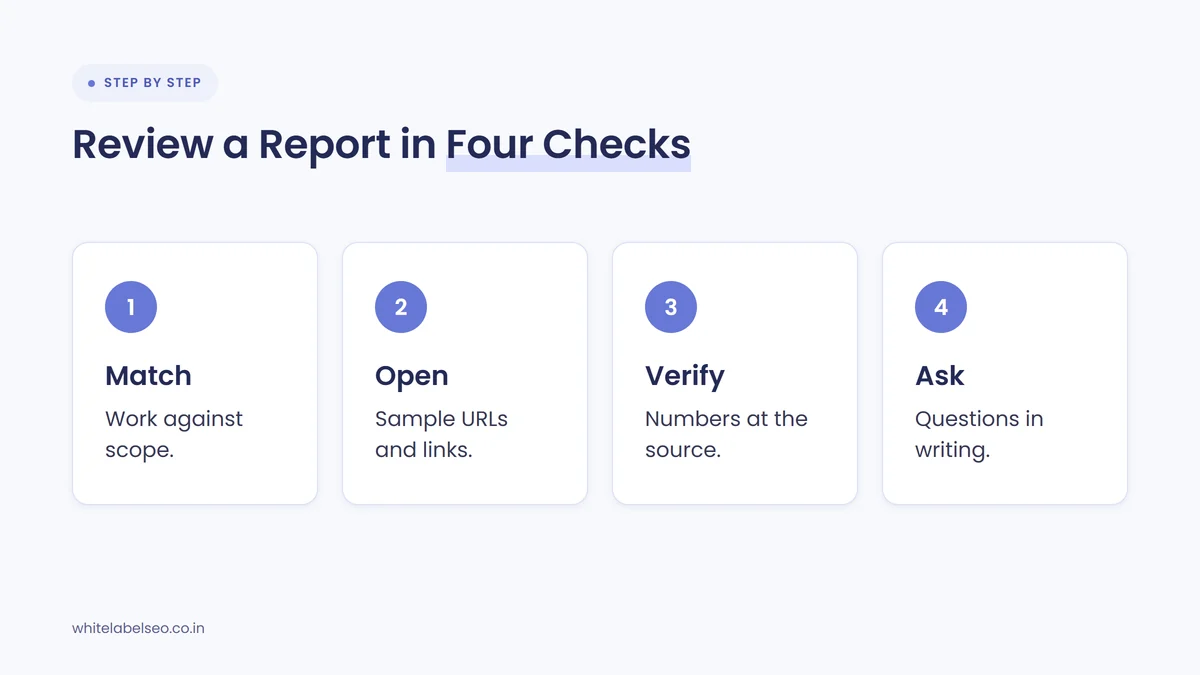
- Match the work to the scope. Put the scope and the work section side by side. Every deliverable should appear with a quantity and a URL.
- Open a sample. Pick a few changed pages, published posts and new links. Confirm they are live and match the description.
- Check the numbers at the source. Open Search Console and Google Analytics for the same date range. Confirm the totals, the priority-term positions and the organic key events.
- Confirm AI search coverage. Look for Search Console’s AI impressions and the tracked prompt results for ChatGPT, Perplexity and Gemini.
- Send questions in writing. List anything you couldn’t verify. A written answer gives you a record, and the speed and clarity of the reply is part of the review.
What should a solid white label SEO report include?
A solid white label SEO report includes the work completed with URLs, organic leads and key events, positions for agreed priority terms, AI search visibility from Search Console and tracked prompts, a verifiable link list, specific commentary on what changed, and the plan for next month. All of it should be checkable from source data.
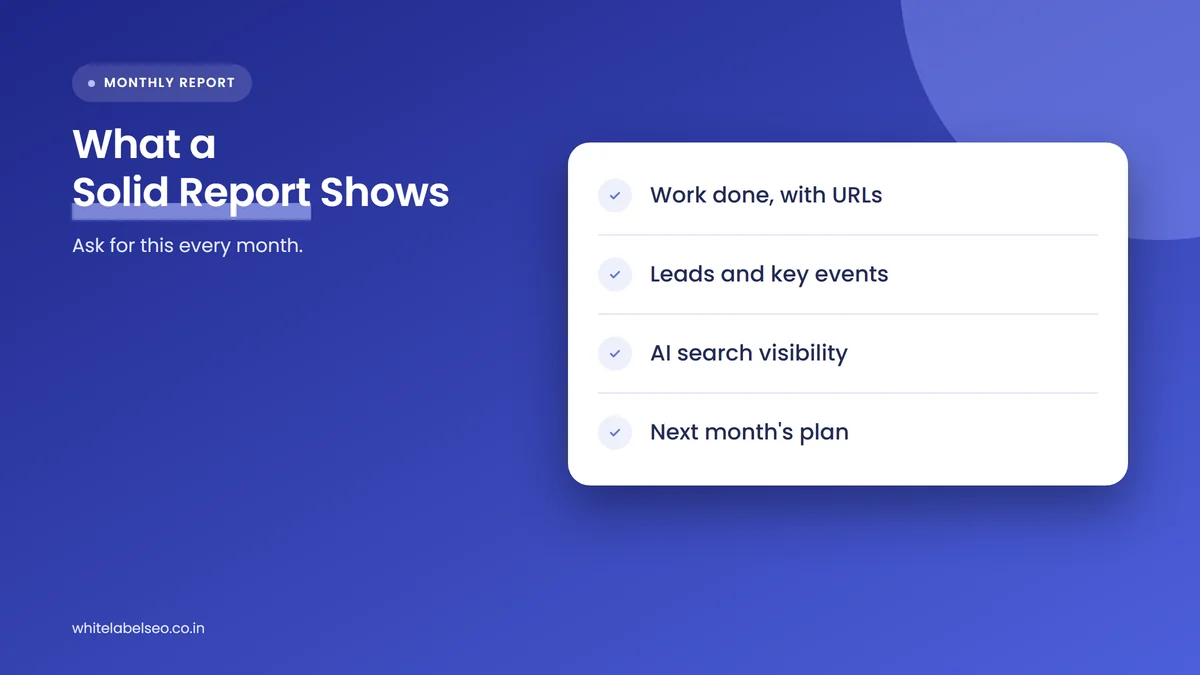
| Report section | What it should show | Where you verify it |
|---|---|---|
| Outcomes | Organic calls, forms, bookings or sales, month on month | Google Analytics key events, call tracking |
| Work completed | Each deliverable from the scope, with URLs | The live pages |
| Priority terms | Positions for the agreed list, with location and device | Search Console or a rank tracker |
| AI search visibility | AI Overviews and AI Mode impressions, plus tracked prompts | Search Console AI report, prompt tracking tool |
| Links | Full linking URL, target, anchor and date for each link | The live linking pages |
| Commentary and plan | What changed, likely causes and next month’s work | Compare with last month’s plan |
If you resell the report under your brand, check that it reads well for a business owner, not just for you. A client should understand the first page without a call.
What should you do when a partner’s report shows red flags?
When a partner’s report shows red flags, raise them in writing, ask for the missing evidence, and set a deadline for a corrected report. One flag is usually a process gap a good partner fixes quickly. Several flags across months, or vague answers to direct questions, are a reason to test another partner.
- Separate format from substance. Missing AI search data or a weak layout is a format issue. Links you can’t find or pages that weren’t changed are a delivery issue.
- Check the next report. A partner that takes the feedback seriously changes the report the following month.
- Test before you switch. If you need a new partner, run a small paid trial on one account first. Our guide to running a pilot project before you commit to a partner shows how to set one up.
Frequently asked questions
What is the biggest red flag in a white label SEO report?
The biggest red flag is work you can’t verify. If the report lists links, pages or content without live URLs, or shows charts you can’t check against Search Console and analytics, you are trusting the partner’s word. Every other problem is easier to fix once the agency can see the source data.
Should a white label SEO report include AI search visibility in 2026?
Yes. Search Console now reports impressions from AI Overviews and AI Mode for every site, so leaving them out means ignoring free data. A good report also tracks a fixed set of prompts in AI assistants such as ChatGPT, Perplexity and Gemini, because Search Console does not cover them.
How do I check whether backlinks in a report are real?
Ask for one row per link with the full linking URL, target page, anchor text and date. Open a sample each month to confirm the links are live and point where the report says. Don’t rely on the Search Console Links report alone, because Google says it shows a sample rather than every link.
Are impressions a vanity metric?
Impressions are useful as a leading indicator, but they become a vanity metric when they lead the report without leads beside them. Google counts an impression whenever a result appears on the page of results, so impressions can rise for searches that never bring in a customer.
How often should I review a partner’s SEO reports?
Review every monthly report before it goes to the client, using the same short checklist each time. Do a deeper review every quarter, comparing three months of reports side by side to spot copied commentary, repeated link sources and gaps between the agreed scope and the work delivered.
What should you do next?
Take last month’s partner report for your largest client and run it against the 10 red flags and the four review steps above. Write down every claim you couldn’t verify, send the list to your partner, and judge the reply as much as the report. If you’d like a partner whose reports carry live URLs, AI search visibility and leads, see how our white-label SEO services work at White Label SEO.
Want partner reports you can check line by line?
At White Label SEO, we deliver white-label SEO services under your agency’s brand, with reports built around the work done, the leads earned and AI search visibility. Talk to us about the reporting your clients need.
Sources
- Google Search Central Blog, “Introducing Search Generative AI performance reports in Search Console”, June 3, 2026. https://developers.google.com/search/blog/2026/06/gen-ai-performance-reports
- Search Engine Journal, “Google Search Console AI Reports Rolled Out Worldwide”, August 31, 2026. https://www.searchenginejournal.com/google-search-console-ai-reports-rolled-out-worldwide/587836/
- Google Search Central, “AI features and your website”, last updated December 10, 2025. https://developers.google.com/search/docs/appearance/ai-features
- Ahrefs, “Update: AI Overviews Reduce Clicks by 58%”, February 4, 2026. https://ahrefs.com/blog/ai-overviews-reduce-clicks-update/
- AgencyAnalytics, “How to report AI search visibility to clients: 4 metrics that matter”, September 14, 2026. https://agencyanalytics.com/blog/ai-search-visibility
- Search Engine Journal, “Organic Traffic Dropped? What to Tell Clients & the AI Visibility Metrics to Report Instead”, August 11, 2026. https://www.searchenginejournal.com/organic-traffic-dropped-what-to-tell-clients-the-ai-visibility-metrics-to-report-instead-spa/584388/
- Search Console Help, “What are impressions, position, and clicks?”, accessed November 3, 2026. https://support.google.com/webmasters/answer/7042828
- Google Analytics Help, “Conversions vs. key events in Google Analytics”, accessed November 3, 2026. https://support.google.com/analytics/answer/13965727
- Search Console Help, “Links report”, accessed November 3, 2026. https://support.google.com/webmasters/answer/9049606
- Google Search Central, “Spam policies for Google web search”, last updated August 28, 2026. https://developers.google.com/search/docs/essentials/spam-policies
- Google Search Central, “Creating helpful, reliable, people-first content”, last updated October 5, 2026. https://developers.google.com/search/docs/fundamentals/creating-helpful-content
- Google Search Central, “Do you need an SEO?”, last updated June 5, 2026. https://developers.google.com/search/docs/fundamentals/do-i-need-seo