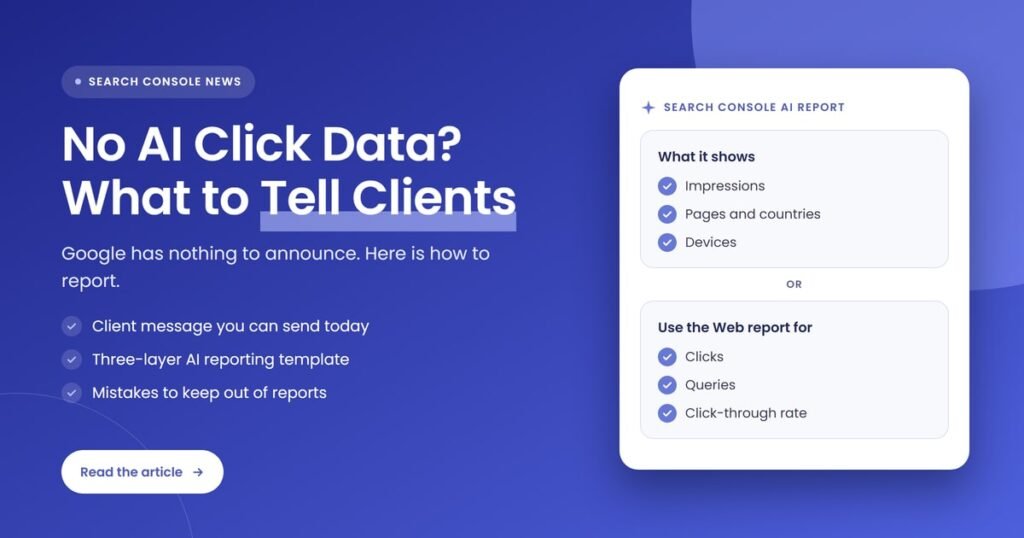
Quick answer: Tell clients the truth: Search Console’s generative AI report shows impressions by page, country and device, but no clicks or queries, and Google has announced no plans to add them. Report AI impressions as a visibility signal, pair them with total organic clicks and leads, and keep a short list of tracked prompts for context.
Key takeaways
- Google’s Search Console generative AI performance report covers AI Overviews and AI Mode and measures impressions only. It has no clicks, no CTR and no query data.
- On November 2, 2026, Search Engine Roundtable reported that Gary Illyes implied click and query data are not coming to the report. Illyes said Google has nothing to announce yet, and John Mueller questioned that reading.
- Clicks from AI features are not lost. Google counts them in the standard Performance report under the Web search type, but you cannot separate them out.
- The honest client message is simple: AI impressions show visibility, total clicks show traffic, and leads show value. No single report gives all three.
- Set this expectation in writing now, before a client asks why their “AI traffic” number is missing from the monthly report.
What did Google say about click data in the Search Console AI report?
Google has not promised click or query data for the AI report. After a LinkedIn post quoted an unnamed Googler at a Search Central Live event saying the data was expected, Gary Illyes replied that Google had not phrased it that way and had nothing to announce yet. Search Engine Roundtable read that as clicks not coming soon.
The exchange happened in a LinkedIn comment thread and was covered by Barry Schwartz at Search Engine Roundtable on November 2, 2026. According to that report, the original post quoted a Googler saying clicks and queries are the data site owners ask for most, and that the speaker expected it to come to Search Console without knowing when. Illyes responded that the team is keen to share more data that makes sense for site owners, but has nothing to announce.
The picture is not one-sided. Search Engine Roundtable notes that John Mueller replied on Bluesky that reading the comment as a no was odd, which leaves the door open. So the accurate position for agencies today is this: no click or query data exists in the AI report, Google has made no commitment to add it, and nobody outside Google knows the timeline.
What is the Search Console generative AI performance report?
The generative AI performance report is a Search Console report that shows how often links to a site appeared in Google’s generative AI features, currently AI Overviews and AI Mode. Google launched it in June 2026 for a subset of sites and rolled it out to all websites worldwide as of August 31, 2026.
Google’s Search Console Help page defines an impression in this report as how many times links to your site were shown to a user in a generative AI feature on Google Search. A separate report covers generative AI features in Discover. Here is what the Search report gives you, and what it leaves out, based on Google’s own documentation.
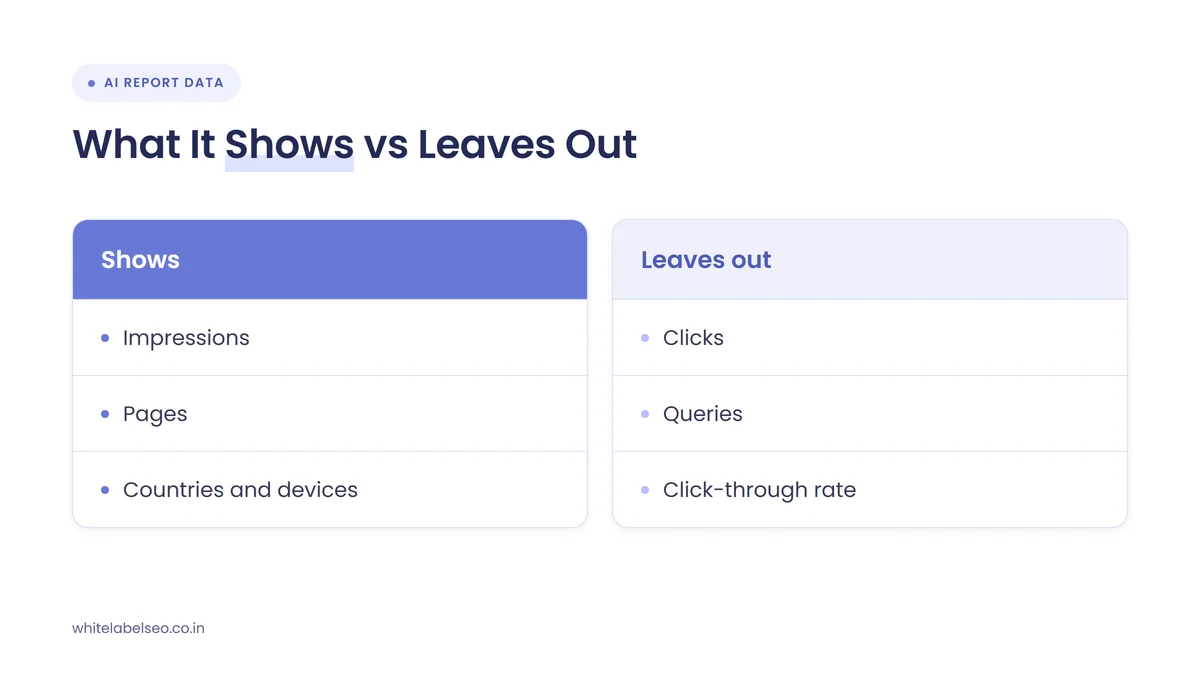
| Data point | In the AI report? | What Google’s documentation says | What it means for client reports |
|---|---|---|---|
| Impressions | Yes | Times links to the site were shown in AI Overviews or AI Mode | Your main AI visibility number |
| Pages | Yes | Final URL after redirects, assigned to the canonical URL | Shows which pages earn AI visibility |
| Countries | Yes | Country where the search came from | Useful for multi-market clients |
| Devices | Yes | Desktop, tablet or mobile | Helps explain mobile versus desktop trends |
| Search type | Yes | Text-based web searches or multimodal searches such as Google Lens and Circle to Search | Separates image-led discovery from typed questions |
| Clicks and CTR | No | Not part of the report. AI feature clicks are counted in the overall Performance report under Web | Report total organic clicks instead |
| Queries | No | Not part of the report | Use tracked prompts and standard query data for context |
A few documented quirks matter when you build a client report from this data:
- Chart and table totals can differ. The chart counts by property, so several links from one site in a single AI answer count once. The page table counts by URL.
- Recent data can change. The newest data may be preliminary and can shift over the next few hours.
- Exports need care. Values shown as “~” or “-” become zeros when exported, and the usual 1,000-row table limit applies.
- Small sites may not see it. The report may not appear if a site has too few generative AI impressions.
Who is affected by the missing click data?
Every agency that reports on Google search performance is affected, and resellers feel it most. White-label partners and the agencies they serve build monthly reports for clients who now read about AI search in the news and expect a number for it. Without clicks or queries, the AI report cannot answer “how much traffic did AI send us?”
Three groups notice it first:
- Agencies selling AI search visibility as a line item. If the proposal promised AI search results, the client will want proof that goes beyond impressions.
- Clients with falling clicks and steady rankings. They want to know whether AI answers are taking their traffic, and the report can only show half of that story.
- Resellers using automated dashboards. Templates that pull a single “AI traffic” figure will either show nothing or show a misleading estimate.
SEO consultant Bryan Ashbaugh summed up the frustration many practitioners share in a post on X:
“Here’s what Google’s Search Console AI report gives you: pages and impressions. That’s it.”
Bryan Ashbaugh (@bryashbaugh) on X, November 2, 2026 (source)
He is right about the main limit. Countries, devices and search type are there too, but none of them tell a client what happened after the impression.
Do AI Overviews and AI Mode send clicks at all?
They do send some clicks, but Google does not show how many in the AI report. The most recent public estimate comes from a small single-site case study by Cyrus Shepard, reported on October 30, 2026, which estimated about a 0.9% click-through rate on AI impressions using Google’s opt-out controls.
Search Engine Roundtable reported that Shepard blocked one site from AI Overviews and AI Mode, then compared impressions and clicks with the site in and out of those features. AI impressions made up about 8% of the site’s total impressions, and he estimated the ~0.9% CTR by subtracting known AI impressions from the site’s overall data. He also reported that regular organic clicks dropped when the AI features were disabled.
Treat this as a signal, not a benchmark. It is one site, the method is an estimate, and the article itself calls it a limited study. For client reporting, the useful lesson is narrower: taking that site out of AI answers did not win back regular clicks, so AI visibility is worth tracking even when you cannot count its clicks directly.
What should agencies tell clients about AI search reporting?
Tell clients that Google currently gives impressions for AI Overviews and AI Mode but no clicks or queries, that AI clicks are already included in their total organic clicks, and that you will judge success on visibility, total clicks and leads together. Say it before they ask, and put it in the report notes every month.
Here is a short message you can adapt and send under your own brand:
- What Google shows: “Search Console now tells us how often your pages appeared in Google’s AI answers, broken down by page, country and device.”
- What it does not show: “Google does not share clicks or search terms for AI answers yet, and has not said when or whether it will.”
- Where the clicks go: “Clicks from AI answers are still counted in your total Google clicks. We just cannot separate them.”
- How we will judge progress: “We will report AI visibility, total organic clicks and the leads they produce side by side, so you see the full picture.”
- What we will not do: “We will not invent an ‘AI traffic’ number. Any estimate we show will be labeled as an estimate.”
This framing protects the retainer. A client who expects a clean AI click number and never gets one starts to doubt the work. A client who was told the limits on day one reads the same report as progress. If clicks are down while impressions rise, our guide to what to report differently in a zero-click world covers that conversation in more detail.
How should agencies report AI search performance without clicks?
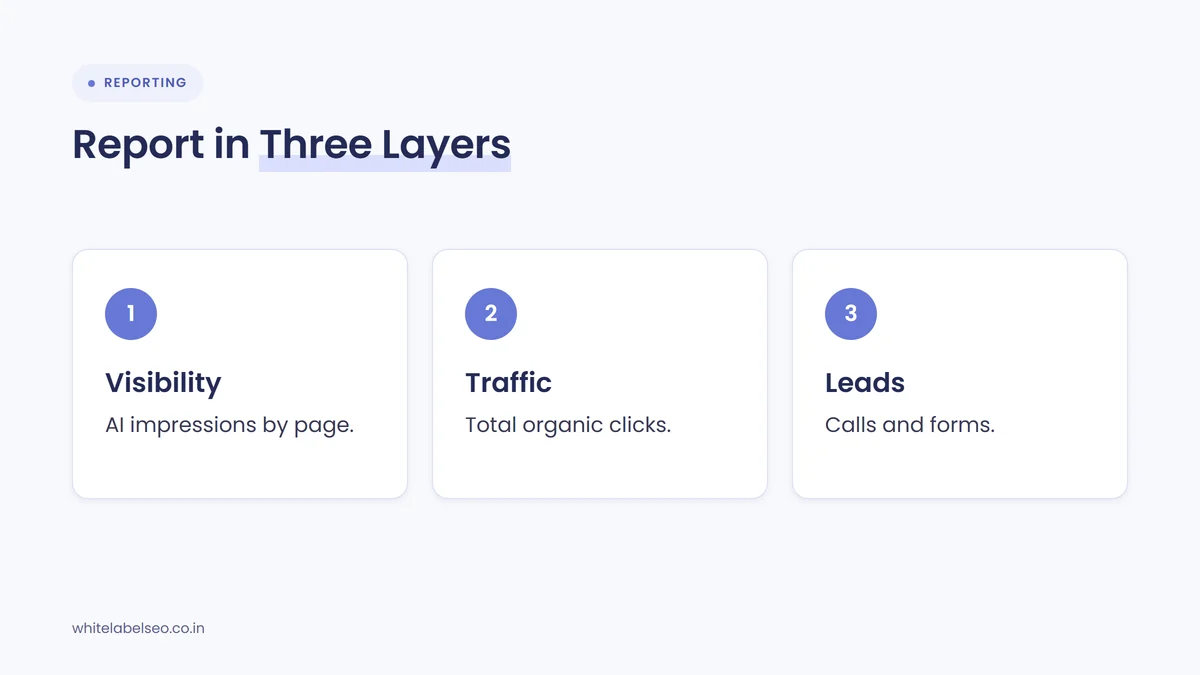
Report AI search performance as three connected layers: AI impressions from the generative AI report, total organic clicks and queries from the standard Performance report, and leads from your analytics or call tracking. Show the trend for each, explain how they relate, and label any estimate clearly so the client never mistakes it for Google data.
- Pull AI impressions by page. Export the generative AI report’s page table each month and list the pages that gained or lost AI visibility. Note that the chart total and the table total can differ.
- Pull total organic performance for the same pages. Use the standard Performance report, Web search type, for clicks, impressions and top queries on those URLs. AI feature clicks are already inside these numbers.
- Compare the two, carefully. If a page gains AI impressions and its total clicks hold or rise, say so. Do not divide one report by the other and call it AI CTR, because the impression definitions are not the same.
- Connect search to leads. Report calls, form fills, bookings or sales from organic search using your analytics and call tracking. This is the number the client’s owner cares about.
- Add a tracked prompt list. Check whether the client appears in AI answers for an agreed set of 10 to 20 questions their buyers ask. Record yes or no and the date. It gives context the report cannot, such as which questions you appear for.
- Write a plain-English summary. Three sentences at the top: what moved, why we think it moved, and what we are doing next month.
| Report section | Source | Metric to show | How to label it |
|---|---|---|---|
| AI visibility | Search Console generative AI report | Impressions by page, month over month | Google data |
| Organic traffic | Search Console Performance report, Web | Clicks, impressions, top queries | Google data, includes AI clicks |
| Business results | Analytics, call tracking, CRM | Leads, calls, bookings or sales from organic | Client data |
| Prompt checks | Manual or tool-based checks of agreed questions | Appears or not, by question and date | Spot check, not a ranking |
| Commentary | Your team | What changed and next steps | Opinion and plan |
If you resell SEO, keep this layout identical across clients so your fulfillment team can build it on the same schedule each month. Our post on presenting white-label SEO results under your own brand covers the formatting side.
What should agencies avoid when reporting AI search data?
Avoid inventing an AI traffic or AI CTR figure, promising clients that click data is coming, and treating AI impressions as if they were visits. Also avoid opting a client out of AI features just to measure the difference. Each of these mistakes makes the report look precise when the underlying data is not.
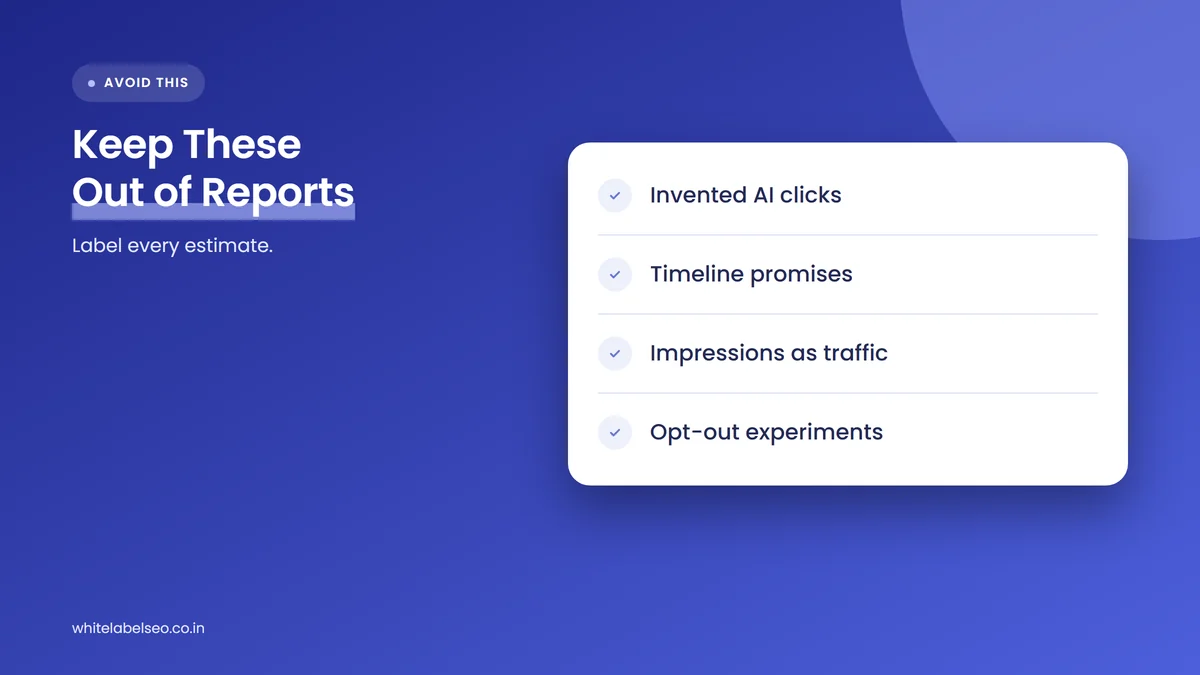
- Invented AI clicks. Any figure you calculate is an estimate. If you show one, label it as yours, not Google’s.
- Timeline promises. Google has said it has nothing to announce. Do not tell clients clicks are “coming next quarter”.
- Impressions as traffic. An impression means a link was shown, not that anyone visited. Keep the words “visits” and “traffic” for click data.
- Opt-out experiments on client sites. Google’s blocking controls remove a site from AI features entirely, and the case study above saw regular organic clicks drop when the site was opted out. Do not run that test on a paying client to fill a gap in a report.
- Silence on the limits. If the report notes never mention what the data cannot show, the client will assume you are hiding something.
How do we handle AI reporting with partner agencies?
We build AI search reporting into the standard monthly report for partner agencies rather than selling it as a separate dashboard. Each report shows AI impressions by page, total organic clicks and queries, leads where the agency shares the data, and a short note on what the AI data can and cannot tell the client.
In practice, that means three things on our side. First, we agree the tracked prompt list with the agency during onboarding, so it reflects questions the client’s buyers actually ask. Second, every figure in the report says where it came from, so your account managers can answer “is this Google’s number?” without checking with us. Third, the report notes carry the client message from this post, written in your agency’s voice, so the expectation is set the same way every month.
What is likely to happen next?
This section is our opinion, not a Google statement. We expect the AI report to stay impressions-only for now, with any new data arriving in small steps rather than full click and query reporting. Agencies should build reports that work without clicks and treat any future addition as a bonus.
Our reasoning is simple. Google launched the report without clicks, rolled it out worldwide without clicks, and has now said publicly that it has nothing to announce. The team says it wants to add more useful data, which could mean many things. If click data does arrive, a report built on visibility, total clicks and leads can absorb it in one new row. A report built around a promised AI click number would need rebuilding, and a difficult client conversation, first.
Frequently asked questions
Does Search Console show clicks from AI Overviews?
Not separately. The generative AI performance report shows impressions only. Google’s documentation says clicks from AI features are counted in the overall Performance report under the Web search type, so they are included in a site’s total clicks but cannot be isolated.
Is Google adding click and query data to the AI report?
Google has not announced it. Gary Illyes said the team is interested in giving more data but has nothing to announce yet, and Search Engine Roundtable read that as clicks not coming soon. John Mueller questioned that reading, so the honest answer is that nobody outside Google knows.
What metrics does the Search Console generative AI report include?
It includes impressions, with breakdowns by page, country, device and date, plus a search type filter for text-based and multimodal searches. It covers AI Overviews and AI Mode in Google Search. A separate report covers generative AI features in Discover.
How do I explain falling clicks with rising AI impressions to a client?
Explain that more people are seeing the client’s pages inside AI answers, and some of them get what they need without clicking. Then show whether leads held steady, because that is the measure that matters. Agree in advance that success means visibility and leads, not clicks alone.
Can I estimate AI Overview CTR for a client?
You can, but label it as your estimate. The impression definitions in the AI report and the standard Performance report differ, so dividing one by the other is not reliable. The most recent public estimate, about 0.9%, came from a single-site case study.
What should you do next?
Add a short AI reporting note to every client report this month: what the AI report shows, what it does not, and how you judge progress. Then restructure the report into visibility, traffic and leads, and agree a tracked prompt list with each client. If a client is already asking why traffic is falling, our guide to proving SEO ROI to clients when results take months helps you frame the conversation, and our post on what to tell clients when rankings swing covers the volatility side. To see the reporting we deliver behind partner agencies, read about our white-label SEO services at White Label SEO.
Want client reports that handle AI search honestly?
At White Label SEO, we deliver SEO fulfillment and monthly reporting under your agency’s brand, with AI visibility, organic clicks and leads shown side by side and every number clearly sourced. Talk to us about adding it to your client reports.
Sources
- Google Search Console Help, “Generative AI performance report (Search)”, accessed November 3, 2026. https://support.google.com/webmasters/answer/16984139
- Google Search Central Blog, “Introducing Search Generative AI performance reports in Search Console”, June 3, 2026. https://developers.google.com/search/blog/2026/06/gen-ai-performance-reports
- Google Search Central, “AI features and your website”, last updated December 10, 2025. https://developers.google.com/search/docs/appearance/ai-features
- Search Engine Roundtable, “Gary Illyes Implies Click Data Not Coming To Google Search Console AI Reporting”, November 2, 2026. https://www.seroundtable.com/click-data-search-console-ai-reporting-42437.html
- Search Engine Roundtable, “Google AI Overviews & AI Mode 0.9% Click-Through Rate, Opt Out Study Says”, October 30, 2026. https://www.seroundtable.com/google-ai-overviews-mode-ctr-42421.html
- Search Engine Roundtable, “Google Search Console AI Performance Report & AI Blocking Controls (Limited)”, June 3, 2026. https://www.seroundtable.com/google-ai-performance-report-blocking-controls-41443.html
- Bryan Ashbaugh (@bryashbaugh) on X, November 2, 2026. https://x.com/bryashbaugh/status/2117057531894006024