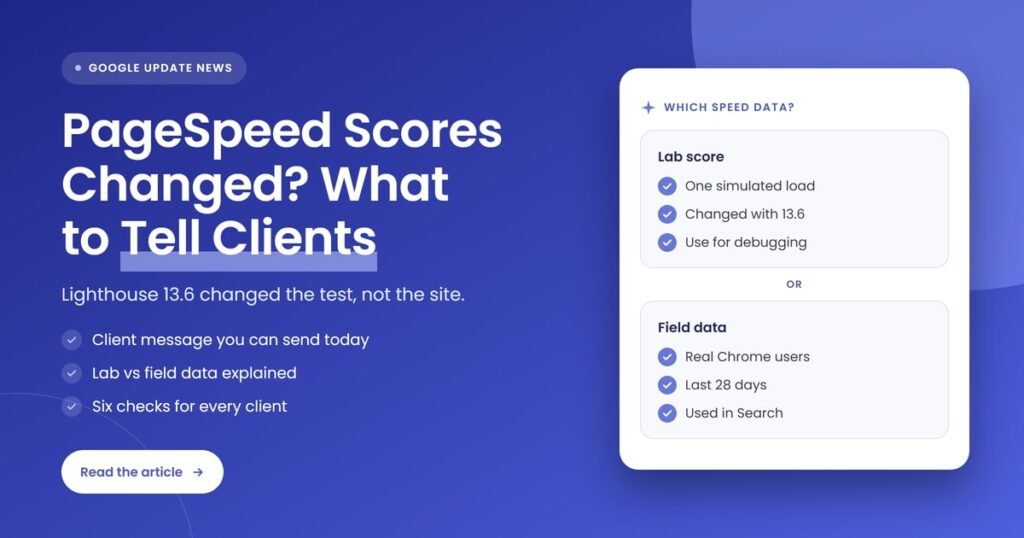
Quick answer: PageSpeed Insights now runs Lighthouse 13.6.0, which changed how it simulates loading on a slow mobile connection. Simulated FCP and LCP are more accurate, and lab scores generally rise, even on pages nobody touched. Tell clients the lab score moved because the test changed, then show real-user field data, which is what Google’s ranking systems use.
Key takeaways
- Lighthouse 13.6.0 was released on October 27, 2026, and its release notes said it would reach PageSpeed Insights within a week. Search Engine Journal reported on November 2, 2026 that PageSpeed Insights now runs it.
- The update changes Lantern, the engine that simulates a slow mobile load. It now uses Chrome’s own render-blocking label for each request and estimates text LCP from the same requests used for FCP when both appear in the same frame.
- Google’s Barry Pollard said simulated FCP and LCP are now more accurate and generally produce higher scores, with JavaScript-heavy sites more likely to be affected.
- A higher lab score after October 27 may reflect the new Lighthouse version, not new work. Never claim the jump as a result.
- Field data from the Chrome UX Report (CrUX) did not change because of this update. It measures real visitors over 28 days, and it is the data behind Search Console’s Core Web Vitals report.
What changed in PageSpeed Insights in late October 2026?
The lab test inside PageSpeed Insights changed. Google released Lighthouse 13.6.0 on October 27, 2026, with updates to Lantern, the simulation that estimates how a page loads on a throttled mobile connection. The changes affect simulated First Contentful Paint and Largest Contentful Paint, which can lift Performance scores on pages that did not change at all.
Here is the timeline, using only what the Lighthouse team, Google and Search Engine Journal have published:
- June 12, 2025: Developer Ivan Akulov opened Lighthouse issue 16539, “Lighthouse Punishes Good Asset Preloading”. His test page showed simulated LCP far later than FCP, even though both were the same text element.
- October 8, 2026: The Lighthouse team closed that issue as completed.
- October 27, 2026: Lighthouse 13.6.0 was released. The release notes list “protocol
renderBlockingstatus for render-blocking priority” and using “FCP graphs when text LCP occurs in the same frame as FCP”, plus a fix to the simulated LCP breakdown. They say the team expected the release to ship to PageSpeed Insights within a week and in the DevTools of Chrome 159. - November 2, 2026: Search Engine Journal reported that PageSpeed Insights now runs Lighthouse 13.6.0 and that lab scores can rise on unchanged pages.
Search Engine Journal also noted that Chrome 159 was in the Dev and Canary channels, with a stable release scheduled for December 8, 2026. Until then, the Lighthouse panel in a client’s regular Chrome DevTools may still run an older version than PageSpeed Insights, so the two tools can disagree for a few weeks.
What exactly is different in the Lighthouse 13.6 simulation?
Two things changed in how Lantern decides what delays the first paint and the largest paint. It now reads Chrome’s own render-blocking status for each request instead of guessing from fetch priority, and when the LCP element is text painted in the same frame as FCP, it estimates LCP from the same set of requests and tasks as FCP.
Some background helps here. By default, Lighthouse does not actually load the page on a slow network. Its throttling documentation says it uses simulated throttling: it loads the page at full speed, then models how that load would play out on a connection with 150 ms latency and 1.6 Mbps download, a preset it calls “Slow 4G”. PageSpeed Insights uses the same setup. Because the result is a model, the documentation says it “suffers from edge cases”.
The issue Akulov raised was one of those edge cases. Simulated LCP treated nearly every request that finished before the real LCP as blocking it, so preloaded fonts and scripts could push LCP later in the simulation, even when the page painted its main text early for real users. In his test, removing the preloads raised the Lighthouse score but made the page slower for real visitors. Version 13.6 narrows that gap for text LCP.
Not everything is settled. Search Engine Journal pointed to a separate open issue, number 17437, which looks at cases where simulated LCP runs far above measured LCP on large JavaScript and single-page app sites. After the first issue closed, Akulov also commented that part of the LCP behavior still looked unresolved to him. So expect more tuning in later versions.
What is the difference between a PageSpeed score, lab data and field data?
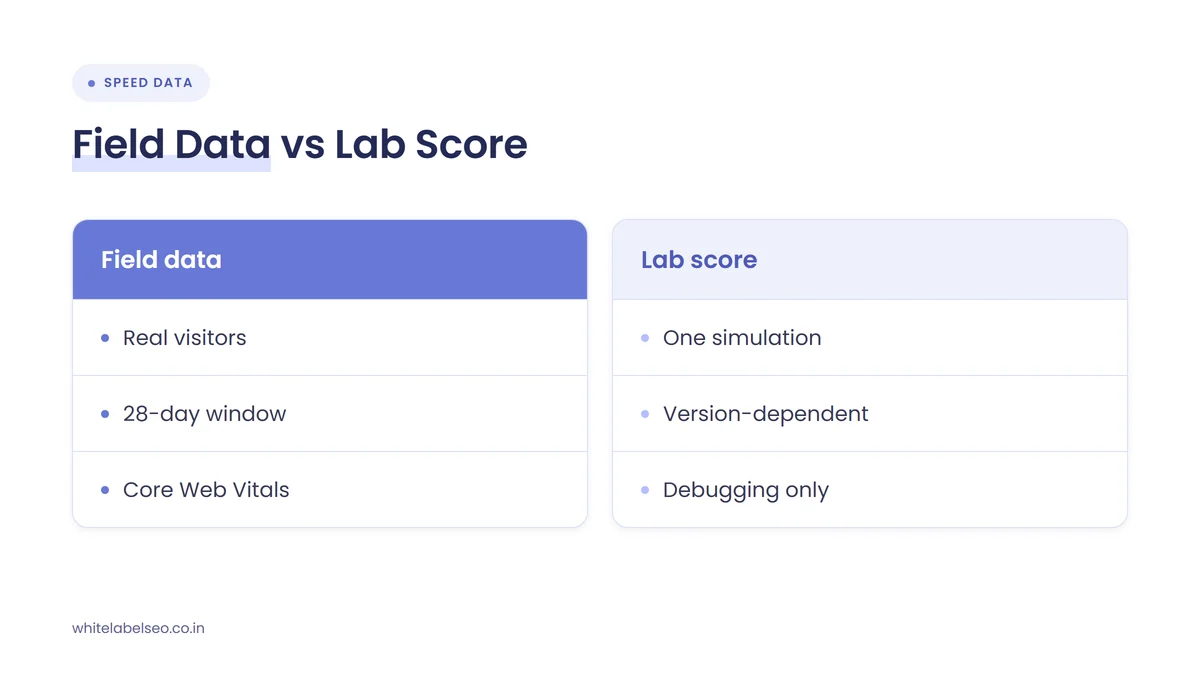
The PageSpeed score is the Lighthouse Performance score, a 0 to 100 number built from lab metrics measured in one simulated load. Lab data comes from that controlled test. Field data comes from real Chrome users over the previous 28 days through the Chrome UX Report. Only field data shows how actual visitors experience the page.
Google’s PageSpeed Insights documentation describes the split plainly: lab data “is useful for debugging issues”, while field data “is useful for capturing true, real-world user experience”. It adds that lab data comes from a simulated load on a single device and a fixed set of network conditions, so the values may differ from field data.
| Question | Lab data (Lighthouse score) | Field data (CrUX) |
|---|---|---|
| Where does it come from? | One simulated page load on a fixed device and network | Real Chrome users visiting the page |
| What time period does it cover? | The moment you run the test | The previous 28 days |
| Did Lighthouse 13.6 change it? | Yes, simulated FCP and LCP changed | No, it measures real visits |
| What is it good for? | Debugging and finding what to fix | Judging real experience and setting priorities |
| Where do clients see it? | PageSpeed Insights “Diagnose performance issues” section, Lighthouse in DevTools | PageSpeed Insights top section, Search Console Core Web Vitals report |
| Does Google Search use it? | Google’s ranking guidance refers to Core Web Vitals, not the Lighthouse score | Core Web Vitals are used by Google’s ranking systems |
Field data also has its own pass mark. PageSpeed Insights says a page or origin passes the Core Web Vitals assessment when the 75th percentile of all three metrics is “Good”:
- Largest Contentful Paint (LCP): good at 2,500 ms or less, poor above 4,000 ms.
- Interaction to Next Paint (INP): good at 200 ms or less, poor above 500 ms.
- Cumulative Layout Shift (CLS): good at 0.1 or less, poor above 0.25.
Note that the Lighthouse score does not include INP at all, because a lab test has no real user clicking. That is one more reason a lab score and a field assessment can tell different stories about the same page.
Who is affected by the Lighthouse update?
Any site tested in PageSpeed Insights can see a different lab score, so every agency that reports PageSpeed numbers is affected. According to Search Engine Journal, Barry Pollard said the change is more likely to affect JavaScript-heavy sites, and the article noted it is not specific to single-page apps. Real-user field data is not affected by the version change.
For agencies and freelancers who resell SEO, three groups of clients are most likely to notice:
- Clients who check PageSpeed Insights themselves. They may see a better number and ask what you did, or compare it with a DevTools result that still runs an older Lighthouse version.
- Clients whose reports chart the lab score over time. A step change near the end of October can look like progress, or make earlier months look worse than they were.
- Clients on site builders and JavaScript frameworks. Pollard flagged JavaScript-heavy sites, and the original issue used a Framer test page as its example.
The bigger risk is trust, not rankings. If an agency takes credit for a lab score jump and the client later learns the test changed, every other number in the report starts to look suspect. Our list of red flags in a white label SEO report covers this kind of problem.
What should agencies tell clients about the PageSpeed score change?
Tell clients four things: Google changed the lab test inside PageSpeed Insights, so scores can move without any change to their site; the lab score is a diagnostic tool, not their real speed; real-user field data is the measure that matters for visitors and Search; and here is what their field data shows today.
Here is a short message you can adapt and send under your own agency’s name. Fill in the bracketed parts from the client’s own data:
Subject: Why your PageSpeed score changed this week
Hi [first name],
You may notice a different PageSpeed Insights score this week. Google updated the testing engine inside PageSpeed Insights to Lighthouse 13.6 in late October. The new version simulates page loading more accurately, and many sites now score higher without any changes to the site itself. We will not count that jump as a result of our work.
The PageSpeed score is a lab test: one simulated visit on a slow mobile connection. What Google’s ranking systems use is real-visitor data, collected over 28 days. For your site, that data shows: [Core Web Vitals pass or fail, plus LCP, INP and CLS for mobile].
Our plan stays the same: we will use the lab report to find fixes and judge progress on real-visitor data. We will review it again in our next monthly report on [date].
Four talking points make this land well:
- “The test changed, not your site.” Say this first, before the client asks. It is the single fact that explains the jump.
- “A lab score is a flashlight, not a scoreboard.” It shows where to look for problems. Google’s own PageSpeed documentation says good lab data does not necessarily mean real users have a good experience.
- “Real visitors are what Google measures.” Google’s page experience guidance says Core Web Vitals are used by its ranking systems, and Search Console’s Core Web Vitals report uses CrUX field data.
- “A perfect score is not the goal.” Google says good results in Search Console’s Core Web Vitals report or third-party tools do not mean a page will rank at the top, and that chasing a perfect score just for SEO may not be the best use of time.
If your client communication habits need a wider reset, our post on what to tell clients when rankings swing without a confirmed update uses the same approach: facts first, their own data second, then a follow-up date.
What should agencies check after the Lighthouse update?
Check three things for each client: which Lighthouse version produced each score you compare, what the real-user field data says for mobile and desktop, and whether your reports mix old and new lab scores without a note. Then decide whether any page needs real work, based on field data rather than the lab number.
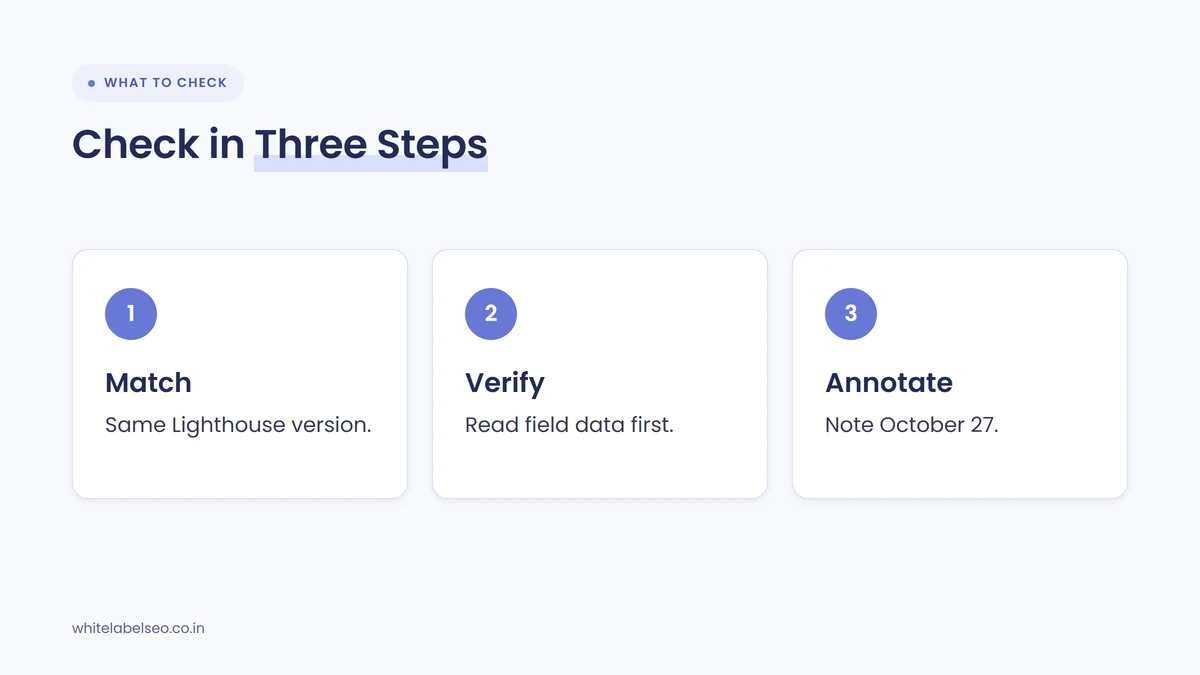
- Confirm the Lighthouse version. PageSpeed Insights and Lighthouse reports list the Lighthouse version in the runtime details at the bottom of each report. Only compare two scores when both list the same version. Search Engine Journal gives the same advice.
- Read the field data first. In PageSpeed Insights, start with the real-user section at the top, for both mobile and desktop. Note whether the page and the whole origin pass the Core Web Vitals assessment.
- Cross-check Search Console. Open the Core Web Vitals report. It groups similar URLs and shows their status for LCP, INP and CLS from CrUX data. Groups without enough traffic do not appear.
- Annotate your reports. Add a note at October 27, 2026 on any chart that tracks the Lighthouse score, so nobody reads the step change as a result.
- Re-baseline the lab score. Run fresh tests on the client’s key templates with Lighthouse 13.6 and use those as the new starting point for lab comparisons.
- Prioritize with field data. If field LCP, INP or CLS is “Needs improvement” or “Poor”, that is real work worth scoping, whatever the new lab score says. If field data passes, a modest lab score is not an emergency.
| What you see | Likely explanation | What to tell the client |
|---|---|---|
| Lab score up, field data unchanged | The Lighthouse 13.6 simulation change | The test changed. Real-visitor speed is the same |
| Lab score in PageSpeed Insights differs from DevTools | Different Lighthouse versions until Chrome 159 reaches stable | The tools are running different versions for now |
| Lab score up, field data also improving | Possibly real improvements, but check dates | Credit only the field data trend, with the dates of the work |
| Lab score still low, field data passes | The simulation is harsher than real visits | Real visitors get a good experience. We will fix what the report flags over time |
| Field data fails Core Web Vitals | A real experience problem | Here is the problem, the pages affected and our plan |
| No field data shown | Not enough real-user traffic in CrUX | We will rely on lab tests and recheck as traffic grows |
If a client site fails in the field, treat it as part of a proper technical review rather than a quick tweak. Our guide to white label technical SEO audits explains where speed work fits.
What should agencies avoid after the Lighthouse update?
Avoid taking credit for the score jump, comparing scores across Lighthouse versions, selling speed work on the lab number alone, and promising that a better score will lift rankings. Each one sets up a difficult conversation later, because the client will eventually see the test change or a ranking that did not move.
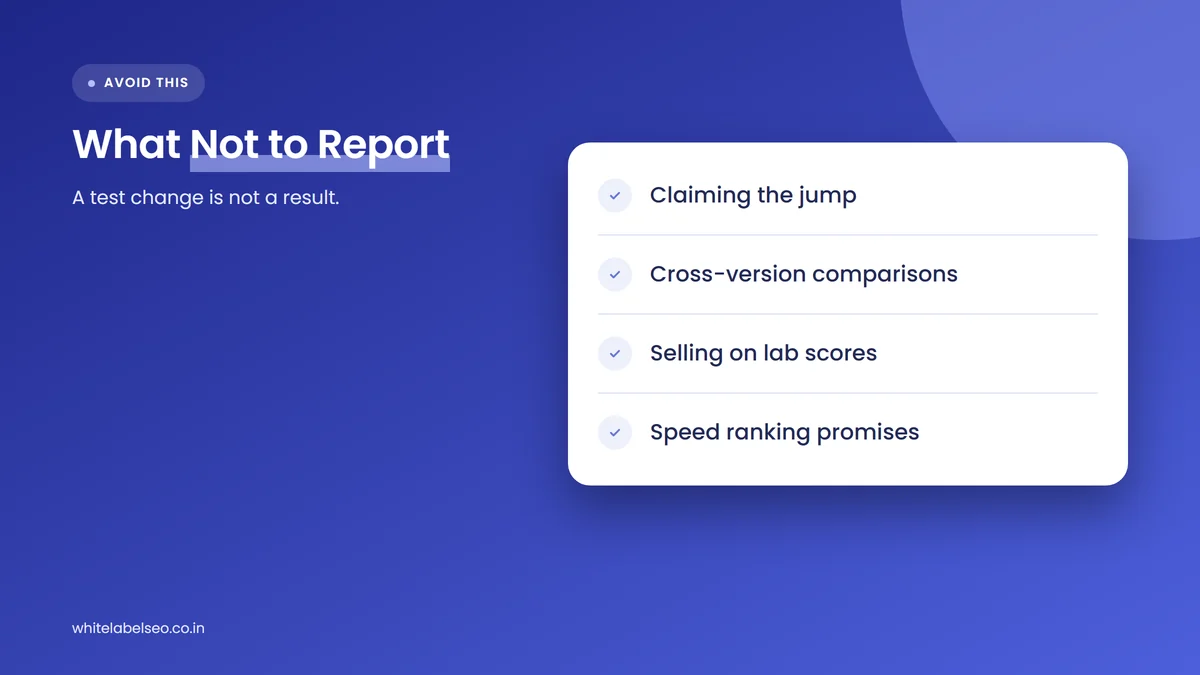
- Don’t claim the jump as a win. If nothing on the site changed, the improvement belongs to the new simulation.
- Don’t compare across versions. A September score from 13.5 and a November score from 13.6 were not produced the same way.
- Don’t sell on lab scores alone. A prospect’s low lab score is a reason to look at their field data, not proof their site is slow for real visitors.
- Don’t promise rankings from speed. Google says it always seeks to show the most relevant content, even when page experience is sub-par, and that page experience helps most when many helpful results compete.
- Don’t panic over normal swings. Chrome’s scoring documentation says much of the variability in Performance scores is not due to Lighthouse at all, but to things like A/B tests, changing ads, network routing and browser extensions.
The same logic applies to every metric you report. Our guide to proving SEO ROI when results take months explains how to keep clients focused on leads and revenue rather than tool scores.
How do we handle tool changes with partner agencies?
At White Label SEO, we treat a measurement change like this as a reporting task first. We flag it to partner agencies, add a note to affected charts, re-baseline lab scores on the new version and keep judging speed work by real-user field data, so partners can answer clients without guessing.
In practice, our reports separate the two kinds of speed data. Field data from CrUX and Search Console sits at the top, because it reflects real visitors. Lab results sit lower down as a diagnostic list of fixes, each tagged with the Lighthouse version that produced it. When a tool changes how it measures, the note goes in the report the same month, under the partner agency’s brand.
What is likely to happen next?
This section is our reading of the published sources, not a forecast from Google. Lighthouse 13.6 is expected to reach DevTools in Chrome 159, with a stable release scheduled for December 8, 2026. After that, PageSpeed Insights and DevTools should report the same version again, which removes one source of client confusion.
The open issue on simulated LCP for large JavaScript and single-page app sites suggests the simulation may keep changing in later releases. That is the strongest argument for building client reports around field data: it does not move when Google retunes its lab simulation.
Frequently asked questions
Why did my client’s PageSpeed score go up without any changes?
PageSpeed Insights now runs Lighthouse 13.6.0, released on October 27, 2026. It changed how simulated FCP and LCP are calculated, and Google’s Barry Pollard said the new results are more accurate and generally produce higher scores. If nothing on the site changed, the new test version is the likely reason.
Does the Lighthouse update affect Google rankings?
Nothing in the published sources says it does. The update changes the lab simulation inside PageSpeed Insights and Lighthouse. Google says Core Web Vitals are used by its ranking systems, and its Search Console report uses real-user CrUX data, which a change to the lab simulation does not alter.
Which PageSpeed number should agencies report to clients?
Lead with field data: whether the page and origin pass the Core Web Vitals assessment, plus LCP, INP and CLS at the 75th percentile. Report the lab score as a diagnostic, labeled with the Lighthouse version that produced it, and never compare scores produced by different versions.
Why does PageSpeed Insights show a different score from Chrome DevTools?
For now, they may run different Lighthouse versions. PageSpeed Insights moved to 13.6.0 in late October 2026, while the Lighthouse panel in stable Chrome is expected to get it with Chrome 159, scheduled for December 8, 2026. Device, network and extensions can also change DevTools results.
What if a site has no field data in PageSpeed Insights?
That means CrUX does not have enough real-user visits for the page or origin. In that case, use lab tests to find fixes, but present them as estimates. Recheck field data as traffic grows, and check whether Search Console’s Core Web Vitals report shows a wider URL group.
What should you do next?
This week, check which Lighthouse version produced each PageSpeed score in your client reports, add a note at October 27, 2026 on any lab-score chart, and send the short message above to clients who track their score. Then base speed priorities on field data. If you want a fulfillment team that handles reporting changes like this under your brand, see our white-label SEO services at White Label SEO.
Want reports that explain tool changes before clients ask?
At White Label SEO, we deliver SEO under your agency’s brand, with reports that separate real-user data from lab scores and flag measurement changes as they happen. Tell us about your clients, and we’ll show you how our process fits your agency.
Sources
- GoogleChrome/lighthouse on GitHub, “Lighthouse v13.6.0 release notes”, October 27, 2026. https://github.com/GoogleChrome/lighthouse/releases/tag/v13.6.0
- Search Engine Journal, “Google Lighthouse Update Changes How PageSpeed Insights Simulates Loading”, November 2, 2026. https://www.searchenginejournal.com/pagespeed-insights-scores-lighthouse-update/595698/
- GoogleChrome/lighthouse on GitHub, “Lighthouse Punishes Good Asset Preloading” (issue 16539), opened June 12, 2025. https://github.com/GoogleChrome/lighthouse/issues/16539
- GoogleChrome/lighthouse on GitHub, “Network Throttling” documentation, 2026. https://github.com/GoogleChrome/lighthouse/blob/main/docs/throttling.md
- Google for Developers, “About PageSpeed Insights”, last updated October 21, 2024. https://developers.google.com/speed/docs/insights/v5/about
- Chrome for Developers, “Lighthouse performance scoring”, 2019. https://developer.chrome.com/docs/lighthouse/performance/performance-scoring
- web.dev, “Why lab and field data can be different (and what to do about it)”, July 18, 2022. https://web.dev/articles/lab-and-field-data-differences
- Google Search Central, “Understanding Google Page Experience”, last updated September 22, 2026. https://developers.google.com/search/docs/appearance/page-experience
- Google Search Central, “Understanding Core Web Vitals and Google search results”, last updated December 10, 2025. https://developers.google.com/search/docs/appearance/core-web-vitals
- Search Console Help, “Core Web Vitals report”, 2026. https://support.google.com/webmasters/answer/9205520