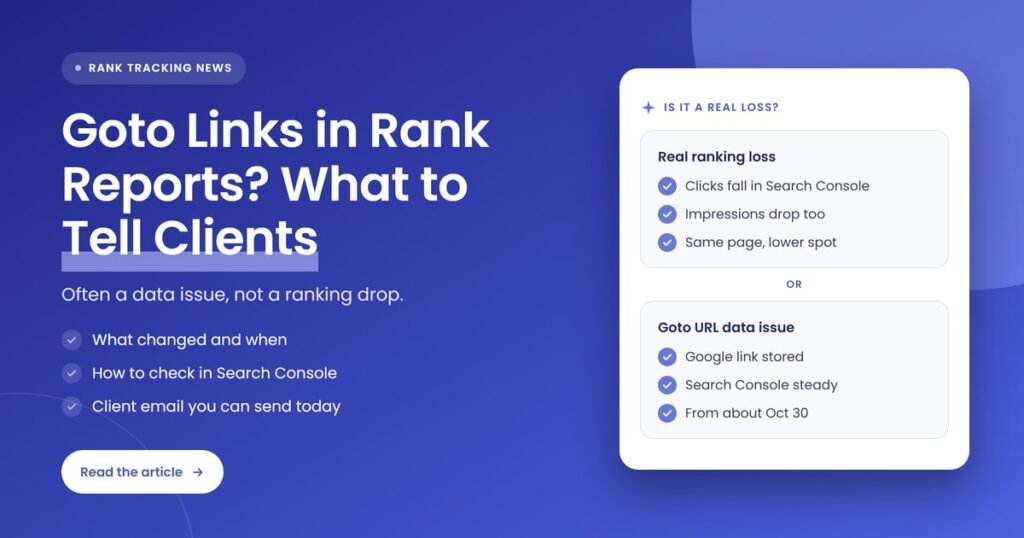
Quick answer: Since about October 30, 2026, Google has limited how quickly the google.com/goto redirect links on its results pages can be followed. SERP data providers that turn those links into real page URLs were affected, so some rank reports show a Google redirect instead of the client’s page. Tell clients it is a data collection issue, then confirm their real performance in Search Console.
Key takeaways
- DataForSEO says Google started showing google.com/goto redirect URLs in search results in late August 2026, and began limiting how many of them can be resolved per results page shortly before November 2, 2026.
- Serper logged the problem at 1:30 a.m. UTC on October 30, 2026, and SerpApi logged two incidents, one marked resolved on November 2 and one reopened on November 3.
- Google has not published a statement about the change, according to Search Engine Journal’s November 5, 2026 report.
- A page missing from a URL-level rank report may still rank. The position can sit behind an unresolved redirect link.
- Search Console is the first-party check: its Performance report shows clicks, impressions and position from Google’s own data, by page and by query.
- Annotate the affected dates in client reports and in Search Console, and ask your rank-tracking vendor how its data was collected.
What changed with Google’s goto links?
Google now limits how fast the google.com/goto redirect links on a single results page can be followed. When too many are followed too quickly, Google shows a waiting page instead of redirecting. Tools that collect rankings at scale rely on following those links to find each result’s real URL, so some stopped returning destination URLs from around October 30, 2026.
Here is the timeline, using only what the providers and Search Engine Journal have published:
- Late August 2026: DataForSEO says Google began showing google.com/goto redirect URLs in search results instead of direct links. Because the redirects can’t be decoded, tools have to follow each one to learn the real destination.
- October 30, 2026, 1:30 a.m. UTC: Serper opened an incident saying Google’s change affected its ability to resolve all returned goto links. It began resolving the top three organic results and returning results four to ten as goto links.
- October 30, 2026: SerpApi began investigating Google Search API results that returned goto links instead of direct links for organic results.
- October 31, 2026: Serper found another way to get real URLs and marked its incident resolved, while warning the fix may be temporary. SerpApi restored direct links for the top three results the same day.
- November 2, 2026: SerpApi deployed a fix and marked its first incident resolved. DataForSEO published an update explaining the new limits.
- November 3, 2026: SerpApi opened a second incident saying the problem was recurring intermittently. As of our check on November 6, it was still listed as identified, not resolved.
- November 5, 2026: Search Engine Journal reported on the provider statements and noted that it found no statement from Google.
DataForSEO describes how the throttling works. On a results page with many goto links, the first five or six resolve straight away, and later ones face growing delays, with some waits reaching up to 120 seconds. The limit applies per results page, so changing IP addresses or queries does not get around it.
What is a google.com/goto link?
A google.com/goto link is a redirect URL that Google places on a search result instead of the page’s direct address. Clicking it in a browser sends you to the real page. Software that reads results pages cannot decode it, so a tool has to follow the redirect to learn which URL actually ranks.
For a person searching, nothing looks different. The result still shows the site’s title and snippet, and the click still lands on the right page. The difference only matters to systems that store the ranking URL, which includes the SERP data providers many rank trackers and reporting tools are built on.
Who is affected by Google’s goto link limits?
The change affects SERP data providers that collect Google results at scale and resolve each link to its destination URL, and therefore any rank tracking or reporting tool that depends on them. Agencies feel it when a client report shows a Google redirect, an unfamiliar URL or a missing page where a ranking landing page used to be.
Not every tool is affected in the same way, and we can only speak to what each provider has said about its own service. This table summarizes the public statements:
| Provider | What it reported | Status in its own update |
|---|---|---|
| DataForSEO | Google limits how many goto URLs per results page can be resolved in a time window. Only its Google Organic SERP API is affected. | Standard priority resolves all goto URLs with longer run times. High Priority and Live modes resolve about half. |
| Serper | Google limited how many goto links could be followed per results page. Top three results were resolved, results four to ten returned as goto links. | Resolved on October 31, 2026, with a warning that the fix may be temporary. |
| SerpApi | Google Search API returned goto links in the organic results link field instead of direct links. | First incident resolved November 2, 2026. Second, intermittent incident opened November 3, 2026. |
For agencies and freelancers who resell SEO, the bigger risk is trust rather than rankings. A client who opens a report and sees a Google URL where their service page should be will assume something broke, and if they hear about it from the report before they hear about it from you, the conversation starts on the back foot.
Does a goto URL in a rank report mean the client lost rankings?
No, not on its own. A goto URL means the tool recorded the ranking position but could not confirm which page holds it. Search Engine Journal notes that a URL missing from a URL-level report may still rank behind an unresolved redirect. Treat it as missing landing-page data until Search Console says otherwise.
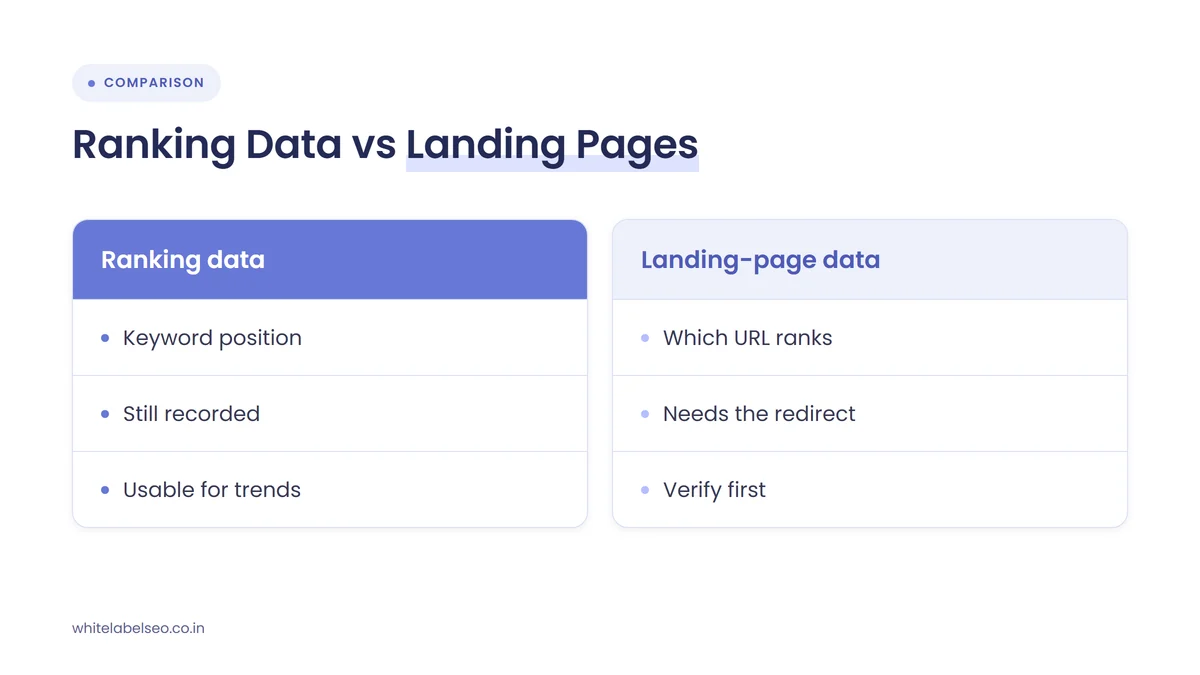
It helps to separate two kinds of data that usually arrive together in a rank report:
- Ranking data: the keyword, the date, the location and the position. This can still be recorded even when the link behind the result is a redirect.
- Landing-page data: which URL on the client’s site holds that position. This is the part that depends on resolving the goto link, so it is the part most likely to be wrong or missing.
The practical effect depends on how a report is built. A keyword-level report may look normal. A URL-level report, or anything that groups rankings by page, can show a page losing keywords, a ranking that moved to a Google URL, or a cannibalization warning that isn’t real. Before you report any URL-level loss for the affected dates, check whether the stored URL is a Google redirect.
How do you check a client’s real performance in Search Console?
Open the Search Console Performance report for the client’s property, set the date range to cover the week before and after October 30, 2026, and compare clicks, impressions and average position. Then filter by the page or query in question. Search Console uses Google’s own data, so it is not affected by goto link resolution.
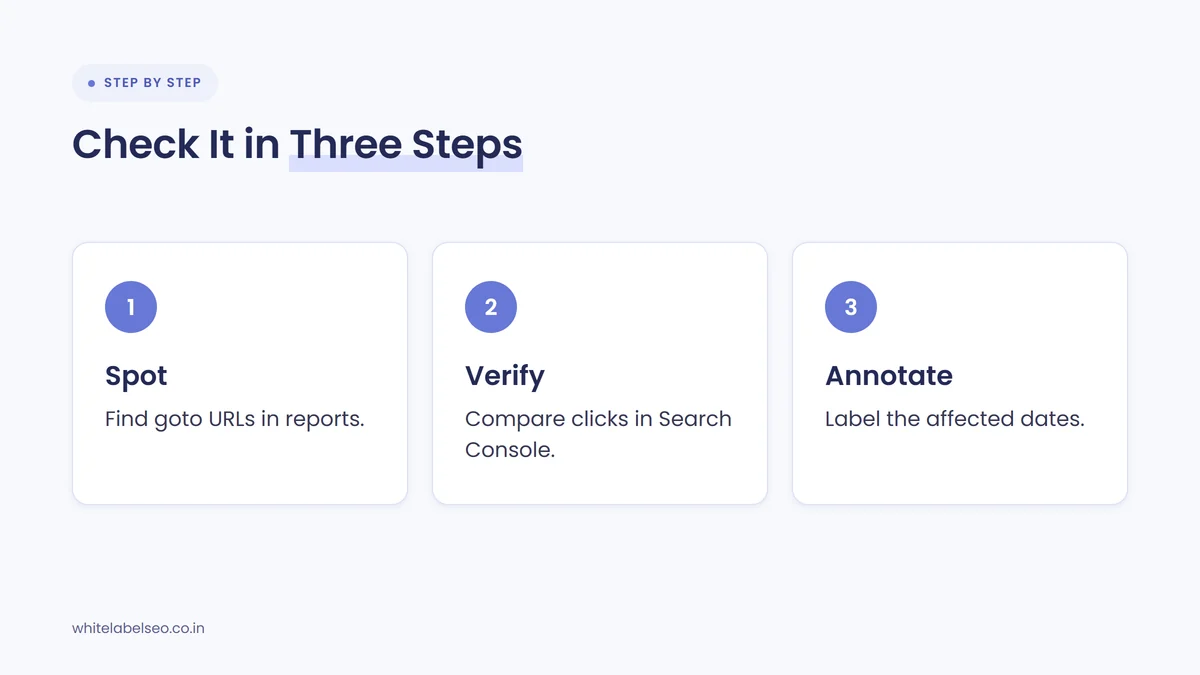
- Spot the affected rows. Filter the rank report for URLs that start with google.com/goto, or for priority pages that suddenly show fewer ranking keywords from October 30 onward.
- Check the page in Search Console. In the Performance report, use the Pages tab or a page filter for the landing page, and look at clicks and impressions across the same dates.
- Check the query. Use the Queries tab or a query filter for the keyword that moved. If impressions and clicks are steady, the ranking is very likely intact.
- Read position carefully. Google’s help page explains that the chart’s average position reflects the topmost result from the whole site, while the table reflects the specific URL or query in each row.
- Allow for fresh data. The newest days in the Performance report can be preliminary and may change, so judge the trend on settled days.
- Annotate the dates. Add a note to the client’s report and to the Search Console chart so anyone reviewing the period later knows why the landing-page data looks odd.
Search Console added custom annotations in November 2025. You right-click the Performance chart, choose “Add annotation”, and enter a date and a note of up to 120 characters. Everyone with access to the property can see annotations, so keep them factual and free of personal details. A note such as “Rank tool landing-page URLs unreliable from Oct 30, 2026 (Google goto link limits)” fits the limit.
If your reports lean on positions more than clicks, our guide to red flags in white-label SEO reports covers why first-party data should lead every client report.
What should agencies tell clients?
Tell clients that some third-party rank data for late October and early November is incomplete because Google changed how its result links behave, that this is a data collection issue rather than a ranking drop, and that you have checked their real performance in Search Console. Say it early, in plain language, before the report raises the question.
Here is a short email you can adapt and send under your own agency’s name. Fill in the bracketed parts from the client’s own Search Console data:
Subject: A note on your ranking report for late October
Hi [first name],
Before you open this month’s report, a quick heads-up. From around October 30, Google started limiting how its search result links can be read by the data services that power rank tracking. As a result, some rows in rank reports across the industry show a Google link instead of the page that ranks.
This affects how the data is recorded, not where your site appears in Google. We checked your Search Console data, which comes straight from Google, and for the same period we see [clicks and impressions for priority pages compared with the previous period].
We have marked the affected dates in your report and will keep watching the tracking data until it settles. If anything in the report looks off to you, reply here and we will walk you through it.
A few rules keep this message credible:
- Lead with Search Console. Clicks and impressions from Google’s own data carry more weight than any third-party position.
- Don’t blame a named tool. Say “rank tracking data across the industry” unless your vendor has told you it was affected.
- Don’t speculate about Google’s reasons. Google has not explained the change, so leave the “why” out.
- Don’t promise a date for a fix. Providers are still adjusting, and Serper itself called its workaround possibly temporary.
We used the same approach when Search Console data looked strange for other reasons. Our post on what to tell clients about a Search Console click spike follows the same pattern: explain the data issue, show the first-party numbers, give a follow-up date.
What should you ask your rank-tracking vendor?
Ask your vendor whether its data comes from a provider affected by Google’s goto link limits, which dates and which result positions were affected, whether stored URLs were later corrected, and how the tool now marks unresolved links. Their answers tell you which report rows you can trust and which need a note.
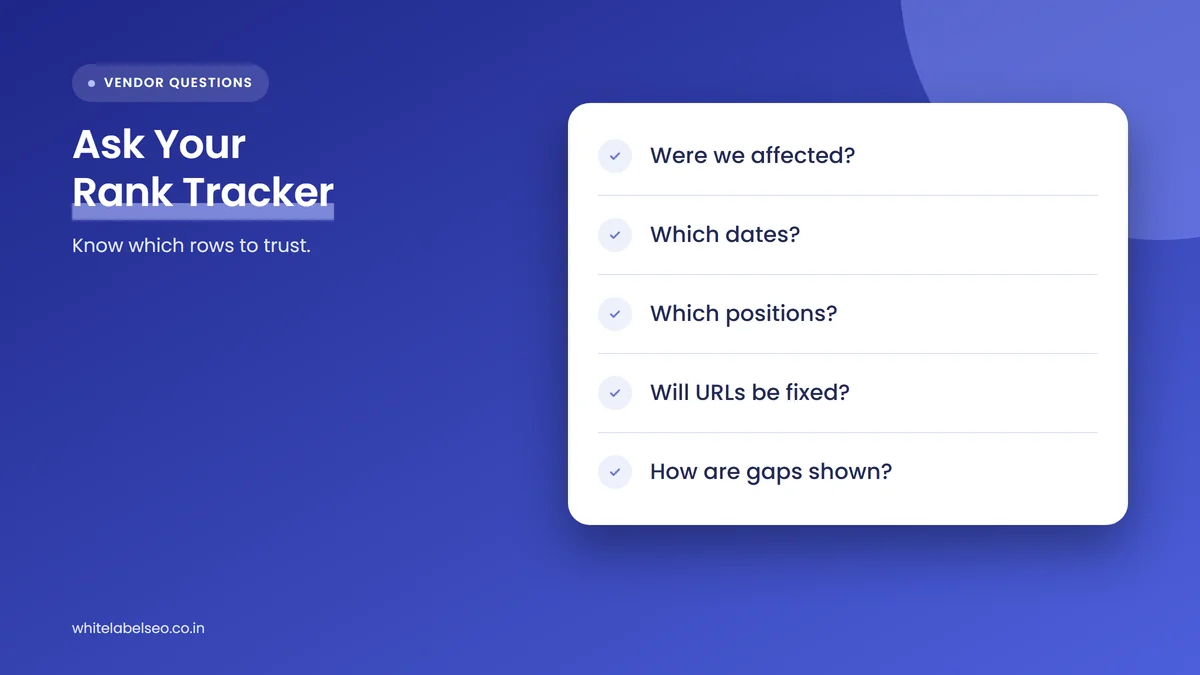
- Was your Google data affected by the goto link limits, and from what date?
- Were only lower positions affected, or the top results too? Serper and SerpApi both resolved the top three results first.
- Which collection method or priority setting does our account use? DataForSEO’s Standard priority resolves all goto URLs, while its faster modes resolve about half.
- Will stored URLs for the affected dates be corrected, or should we treat them as unreliable?
- How will unresolved links appear in reports and exports from now on?
Then check the report itself. Search Engine Journal suggests re-reviewing reports from late October through early November once providers settle their handling, which is a sensible step to put in your calendar now.
What is likely to happen next?
This section is our opinion, not a statement from Google or the providers. Serper and SerpApi have both described their fixes as temporary or seen the issue return, which suggests this may keep changing. Plan for landing-page data in rank reports to stay less reliable than it was before October 30, at least for a while.
That makes this a good moment to review how much of your reporting rests on third-party URL data. Rankings still have a place, but a report that leads with Search Console clicks, impressions and the client’s leads holds up better when a tool’s data breaks. It also gives clients one consistent source to look at when another update causes noise, which our guide on what to tell clients during an unconfirmed Google update covers in more detail.
Frequently asked questions
Why does my rank report show google.com/goto URLs?
Google now places redirect links on search results and, from around October 30, 2026, limits how quickly they can be followed per results page. Data providers that resolve those redirects to real page URLs could not always do so, so some reports stored the Google redirect instead of the ranking page.
Did my client actually lose rankings?
Not necessarily. A goto URL means the tool could not confirm which page ranks, not that the ranking disappeared. Check the page and the query in the Search Console Performance report for the same dates. Steady clicks and impressions point to a data issue rather than a real loss.
Has Google confirmed the goto link change?
No. Search Engine Journal reported on November 5, 2026 that it found no statement from Google, and neither DataForSEO nor Serper linked to one. The details come from the data providers’ own updates and status pages.
Which dates in client reports are affected?
Treat landing-page data from around October 30, 2026 onward as needing a check. Serper first logged the problem on October 30, SerpApi logged incidents on October 30 and November 3, and DataForSEO described limits that began a few days before November 2. Impact varies by provider and collection method.
Should I stop using rank tracking?
No. Keyword positions are still useful for spotting trends. Just treat the URL column for the affected dates with caution, confirm anything important in Search Console, and annotate the period so clients and your team read it correctly.
What should you do next?
Today, filter your client rank reports for google.com/goto URLs and for priority pages that lost keywords after October 30. Check those pages in Search Console, add an annotation for the affected dates, and send a short note to any client whose report will show the issue. Then ask your rank-tracking vendor the five questions above. If you want a fulfillment team that runs these checks for every client under your brand, read about our white-label SEO services at White Label SEO.
Want a partner who checks the data before your clients do?
At White Label SEO, we deliver SEO and client-ready reporting under your agency’s brand, including clear notes when tracking data goes wrong. Tell us about your clients, and we’ll show you how our process fits your agency.
Sources
- DataForSEO, “Google’s New GoTo URL Limits and How This Affects Your Results”, November 2, 2026. https://dataforseo.com/update/new-goto-url-limits-and-how-this-affects-your-results
- Serper status page, “/goto links”, October 30 to 31, 2026. https://serper.betteruptime.com/incident/1108349
- SerpApi status page, “[Google Search API] /goto links returned in organic_results->link”, October 30 to November 2, 2026. https://status.serpapi.com/incidents/mc107c9q3b33
- SerpApi status page, “[Google Search API] /goto links returned in organic_results->link”, November 3, 2026. https://status.serpapi.com/incidents/w29p1wvgcz1b
- Search Engine Journal, “SERP Data Providers Say Google Is Throttling Goto Result Links”, November 5, 2026. https://www.searchenginejournal.com/google-goto-result-links-throttling/595959/
- Google Search Console Help, “Performance report (Search results)”, accessed November 6, 2026. https://support.google.com/webmasters/answer/7576553
- Google Search Central Blog, “Adding context to your Search Console data with custom annotations”, November 17, 2025. https://developers.google.com/search/blog/2025/11/custom-chart-annotations