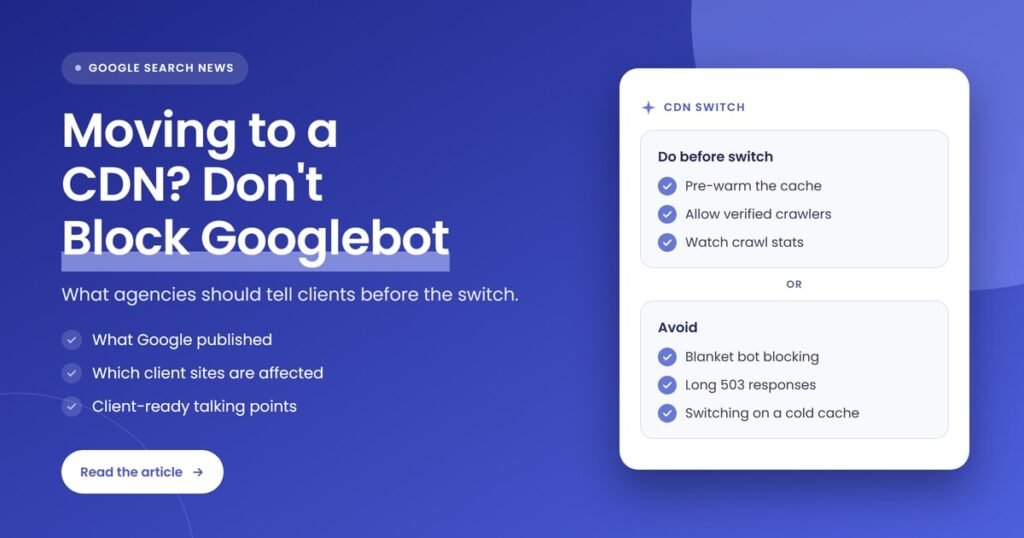
Quick answer: Google says moving a site to a CDN can make Googlebot crawl harder, because faster responses signal a healthy server, while a cold cache still sends first requests to the origin. Agencies should tell clients to pre-warm the cache, allow verified crawlers, block bad bots selectively and watch crawl stats after the switch.
Key takeaways
- On November 11, 2026, Google published “Moving to a CDN without overwhelming your origin (or blocking Googlebot)” on the Search Central blog, alongside the final episode of its Non-Canonical Cabinet video series with Gary Illyes and Cherry Prommawin.
- Faster responses from a CDN can lead Googlebot to raise its crawl rate, so crawling may increase soon after the switch.
- A new CDN starts with a cold cache, so the first request for each URL still goes to the origin server, and crawlers request far more URLs than most visitors do.
- Blanket bot protection that challenges every automated visitor can block Googlebot, and Google says pages can drop out of Search if crawlers keep hitting challenge or error pages.
- Agencies should brief clients and developers before the move: pre-warm the cache, exempt verified crawlers, use 429 or 503 only briefly if needed, and monitor crawl stats and server health.
What did Google say about moving a site to a CDN?
Google said a move to a content delivery network can cause a crawl spike at the origin server and, if bot protection is too broad, can block Googlebot. The November 11, 2026 Search Central blog post explains why both happen and recommends pre-warming the cache, allowing verified crawlers and throttling only briefly if needed.
The post is written by Cherry Prommawin and Gary Illyes and accompanies episode 5 of The Non-Canonical Cabinet, the season finale of Google’s YouTube series on crawling edge cases. Earlier episodes covered URLs, robots.txt, 404s and redirects. Search Engine Roundtable covered the post and video the same day, noting that the guidance mostly draws on Google’s existing help documentation.
The main points Google made:
- Faster responses mean more crawling. Google’s crawl capacity limit depends on how healthy the server looks. When a CDN edge answers quickly, crawlers read that as a site that can handle more requests.
- The cache only protects the origin on the second visit. The first request for each URL at each edge location is a cache miss, so the CDN fetches it from the origin.
- Blanket bot rules can lock out Google. If every automated visitor gets a CAPTCHA or another challenge, Google’s crawlers get it too.
None of this is a ranking change or a new policy. It is practical advice on a migration many client sites go through, and that is why it is worth passing on: CDN moves are often handled by a developer or hosting provider without anyone on the SEO side being told.
What is a CDN, and what is an origin server?
A content delivery network, or CDN, is a network of edge servers that store copies of a site’s files closer to visitors, which cuts load times and shields the main server. The origin server is that main server, the backend that holds the original content and answers whenever the CDN doesn’t have a copy.
A few related terms come up in any CDN conversation with a client or developer:
- Cache hit: the edge server already has a copy of the requested URL and serves it without contacting the origin.
- Cache miss: the edge has no copy, so it fetches the URL from the origin, stores it and then serves it.
- Cold cache: a cache that is empty or nearly empty, as it is right after a site moves to a new CDN.
- Crawl capacity limit: Google’s term for how much crawling a server can take. Google’s crawl budget guide says it can go up when a site responds quickly and consistently, and down after slow responses, 5xx errors or 429 signals.
Why can Googlebot crawl more after a CDN switch?
Googlebot adjusts its crawl rate to how well a server copes. Google’s crawl budget documentation says stable or improving response times can raise the crawl capacity limit. When a site moves behind a fast CDN, connection and response times drop, so Googlebot may start requesting more pages, as long as there is crawl demand.
Google’s blog post compares it to a hardware upgrade from the crawler’s point of view: the site suddenly looks much more capable, so Google sends more requests. For most sites that is good news over time, because Google can recrawl updated pages sooner.
The trouble is timing. The crawl rate can rise before the CDN cache has filled, which means the extra requests land on the same origin server the client was trying to protect. One developer summed up the risk on X the day the post went live:
“Googlebot can start crawling harder the day you switch”
@AlDev0 on X, November 11, 2026 (source)
That is the point agencies should get across to clients: the CDN is not a problem, but the first days after the switch need someone watching.
Why does a cold CDN cache still send traffic to the origin?
A new CDN starts with an empty cache, so the first request for any URL at an edge location is a miss and goes to the origin. Visitors mostly view a small set of popular pages, which fill the cache quickly, but crawlers work through the whole site, so many of their requests still reach the origin.
This is the part clients rarely expect. They are told the CDN will take load off their server, and in normal browsing it does. Search Engine Roundtable put it plainly: a CDN does not immediately protect the origin server from every request.
Sites with large numbers of URLs feel this most. An online store with thousands of product and filter pages, a publisher with a deep archive or a directory site with many location pages gives Googlebot plenty of URLs that no visitor has requested yet. Each one is a cache miss until it has been fetched once.
Google’s fix is to pre-warm the cache before routing all traffic through the CDN, by fetching the busiest, peak-traffic and most frequently crawled URLs at a controlled pace so they are already stored at the edge.
How can bot protection block Googlebot after a CDN move?
Many CDNs include bot protection, and a broad rule that challenges every automated visitor treats Googlebot like any other bot. Google says that if its crawlers keep hitting challenge or error pages, they back off and pages can drop out of Search. A crawl spike can also tempt teams into exactly this kind of rule.
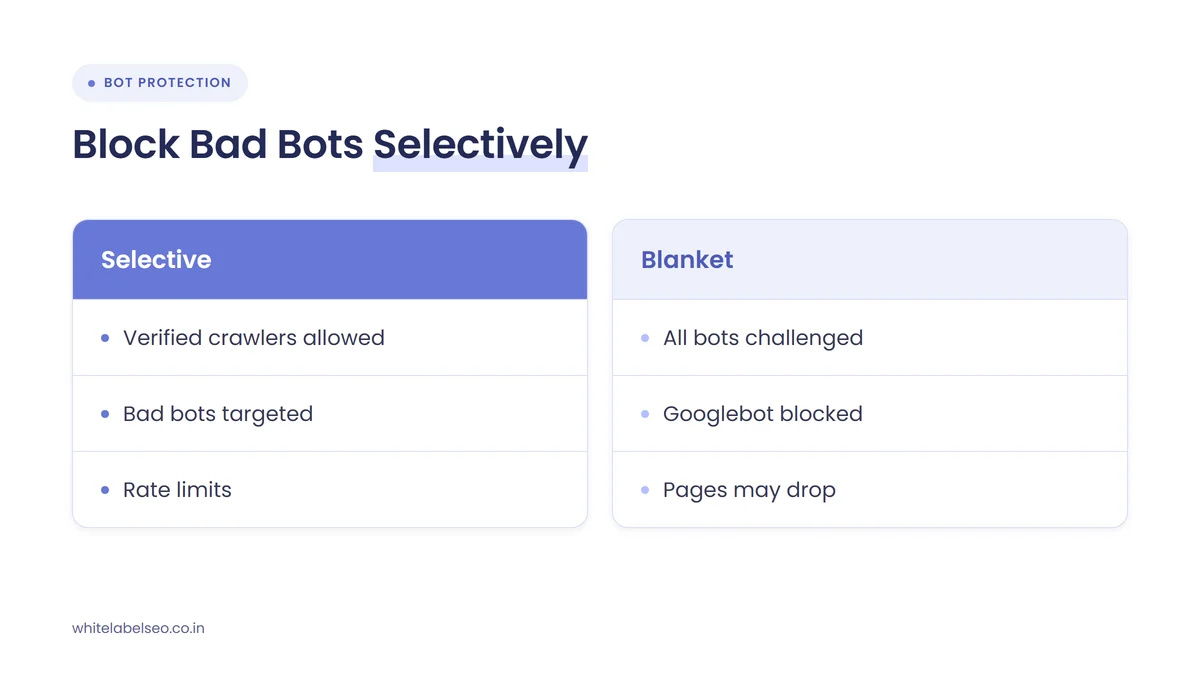
Search Engine Roundtable described the chain of events: a developer sees a jump in requests after the switch, assumes an attack and turns on aggressive blocking, which can cause bigger SEO problems than the crawl increase itself. The table below sets out the common risks and the answer Google gives for each.
| Risk after a CDN move | What happens | What Google recommends | What to tell the client |
|---|---|---|---|
| Crawl rate rises | Faster responses lead Googlebot to request more pages | Expect it, and watch crawl activity and server health | “More crawling is a normal sign the site got faster.” |
| Cold cache | First requests for each URL still go to the origin | Pre-warm busy and frequently crawled URLs before the switch | “The CDN protects your server once its cache fills.” |
| Blanket bot protection | Googlebot gets challenge pages and backs off | Exempt verified crawlers and target unwanted bots specifically | “Google stays allowed in, and bad bots are blocked by name.” |
| Origin still overloaded | The server slows down or errors under crawl load | Return 429 or 503 for a few hours, or 1 to 2 days at most | “We can slow Google down briefly without blocking it.” |
The safer setup is to exempt verified crawlers in the CDN and firewall settings and to block unwanted bots selectively. Google publishes the IP ranges its crawlers use, and its guide to verifying Google requests explains two checks: a reverse and forward DNS lookup for one-off cases, and matching the requesting IP against Google’s published JSON lists for automatic checks at scale. That matters because Google recommends verification precisely because some bots claim to be Google, so allowing anything that calls itself Googlebot is not enough.
Which client sites are most affected?
Any client moving to a CDN, switching CDN providers or turning on a CDN’s bot protection is affected. The risk is highest for sites with many URLs and a modest origin server, such as large stores, publishers and directories, and for clients whose developer or host manages the move without telling the SEO team.
For agencies, the second group is often the bigger worry. CDN changes tend to be treated as infrastructure work, so the first the SEO team hears of it may be a drop in crawled pages or a Search Console warning weeks later. Smaller sites are less likely to see a damaging crawl spike, but the bot protection risk applies to sites of every size.
The same logic applies to any big infrastructure change, such as a new host or a domain move. If a client is also changing URLs, our post on what to tell clients when new sites take time to get indexed covers the site-move side of that conversation.
What should agencies do before, during and after a CDN move?
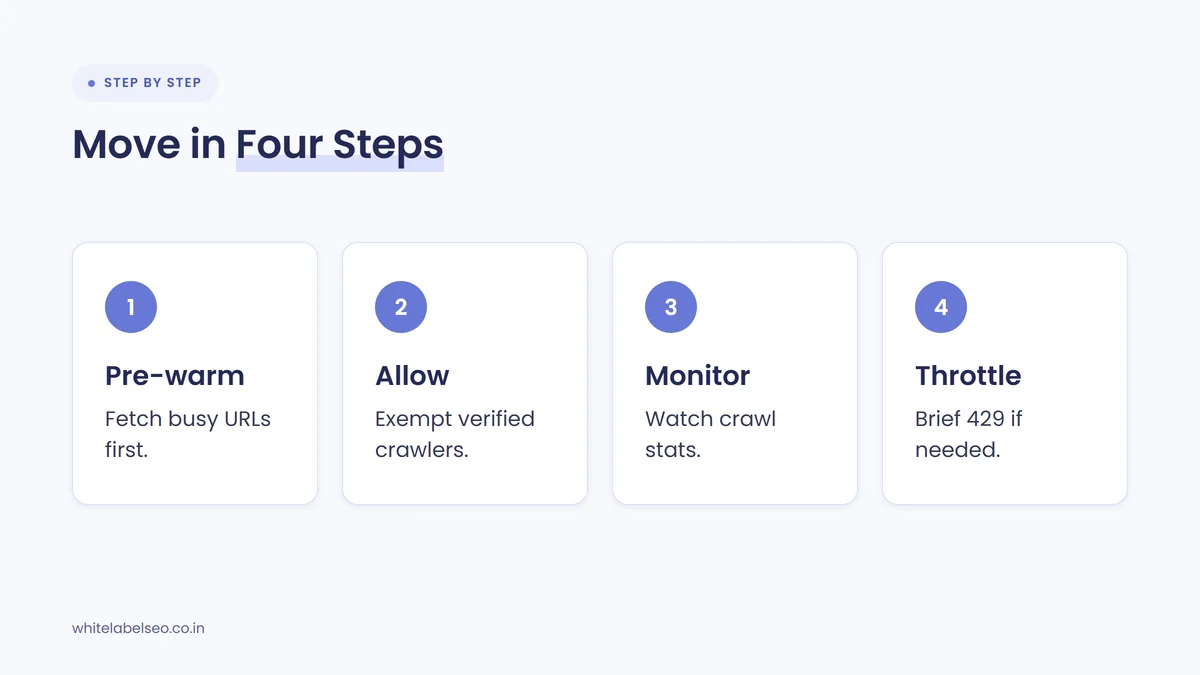
Before the move, agree a plan with the client’s developer: pre-warm the cache, exempt verified crawlers and set targeted bot rules. During the switch, watch server health and crawl requests. After it, check the Crawl Stats report and Search Console for blocked pages, and use 429 or 503 responses only as a short, temporary brake.
- Find out about the move early. Ask clients and their developers to tell you about CDN, hosting or firewall changes before they happen. Add it to your onboarding questions and your monthly check-in.
- Pre-warm the cache. Before all traffic goes through the CDN, fetch the highest-traffic, peak-traffic and most frequently crawled URLs at a controlled pace. Server logs or the Crawl Stats report show which URLs Google requests most.
- Exempt verified crawlers. Make sure the CDN and firewall rules let verified Google crawlers through, using Google’s published IP ranges, and block unwanted bots with specific rules or robots.txt rather than a blanket challenge.
- Monitor the first days. Watch the origin server’s load and error rates, and check that Googlebot requests are getting normal 200 responses rather than challenge pages or 403 errors.
- Throttle only if you must. If crawling still strains the origin, Google says to return 429 or 503 for a short window. Its guide to reducing crawl rate suggests a couple of hours, or 1 to 2 days, and warns that longer can hurt how the site appears in Google.
- Review Search Console after the switch. Check the Crawl Stats report for changes in requests, response times and host status, and the Page indexing report for any rise in blocked or error pages.
Most of these checks sit naturally inside a technical audit. If you want a partner to run them, our post on white-label technical SEO audits explains what that work covers.
What should agencies tell clients before a CDN move?
Tell clients that a CDN is a good change for speed, but that Googlebot may crawl more right after the switch, the server will still take extra load until the cache fills, and bot protection must not block Google. Then explain who will check what, so the developer and the SEO team work from the same plan.
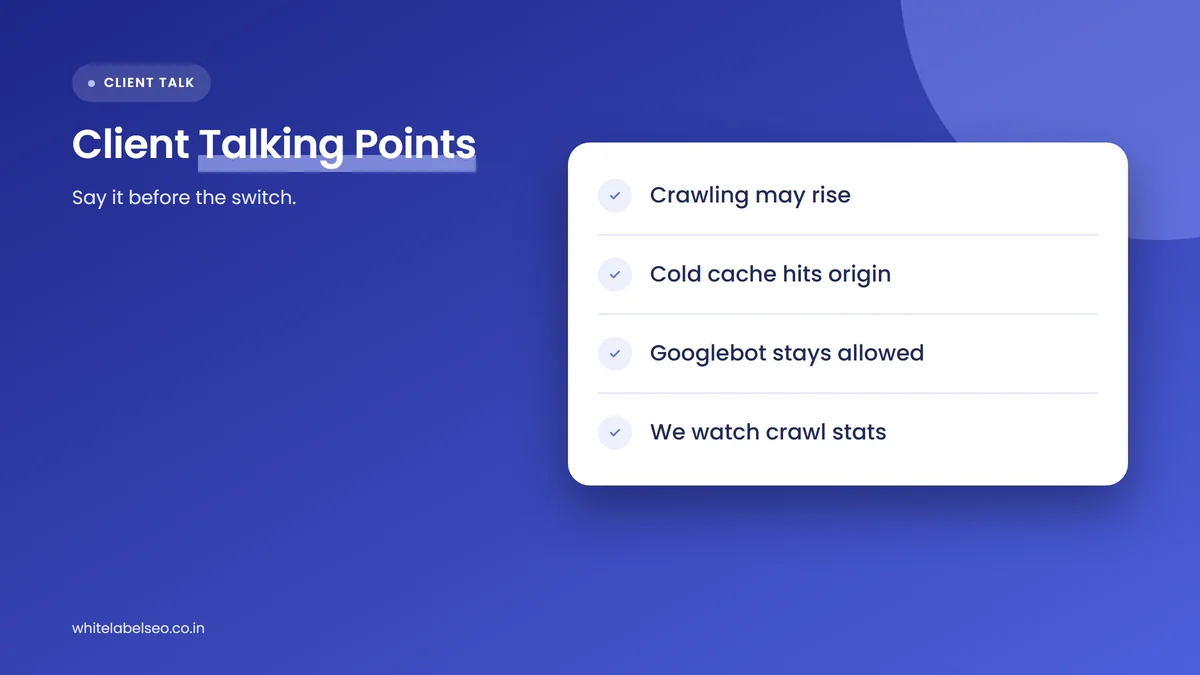
Client-ready talking points:
- “Google may crawl more after the switch.” Google says faster responses can lead its crawlers to request more pages. That is a sign the site looks healthier, not an attack.
- “Your server still does work at first.” Until the CDN cache fills, first requests for each page go to your server, and Google’s crawler requests many pages visitors don’t.
- “Google must stay allowed in.” Bot protection should exempt verified Google crawlers. Blocking them can lead to pages dropping out of Search.
- “We’ll pre-warm and watch.” Busy pages get loaded into the cache before the switch, and we’ll check crawl stats and server health in the first days.
- “Slowing Google down is a short-term tool only.” If the server struggles, a temporary 429 or 503 response can ease the load, but Google says not to keep it up for more than a day or two.
A short message an agency could send before the move: “Moving to a CDN should make your site faster. Google has just published guidance on these moves: its crawler may visit more often once the site speeds up, and the server still handles the first requests until the CDN’s cache fills. We’ll work with your developer to load your busiest pages into the cache first, make sure Google’s verified crawlers aren’t blocked by bot protection, and watch crawl and server data closely for the first week.”
This fits the wider habit of setting expectations before changes happen rather than explaining them afterward. Our guide on how to set SEO expectations with new clients covers that approach in more detail.
What if crawling still overloads the origin server?
If crawling still strains the origin after pre-warming, Google says to return 429 (Too Many Requests) or 503 (Service Unavailable) for a short window. When Google sees many of these responses, it lowers the crawl rate for the whole hostname, then raises it again once the errors stop. It should never become a lasting setting.
Google’s guide to reducing crawl rate adds a few details agencies should share with developers:
- Find the cause first. Check server logs for crawl traps such as faceted navigation, sorting and filtering URLs, or calendar pages that generate endless dates.
- Use a Retry-After header with 503 or 429 responses to tell crawlers when to come back.
- Keep it short. Google suggests a couple of hours, or 1 to 2 days, and warns that URLs returning these codes for multiple days may be dropped from the index.
- Know the side effects. While throttled, Googlebot discovers fewer new pages and refreshes existing ones less often, and Google Ads campaigns can also be affected.
- Use the special request route if errors aren’t possible. Google offers a crawl rate request through Search Console, though it can only lower the rate and can take several days to evaluate.
The key message for clients: a 403 or a CAPTCHA wall blocks Google, while a brief 429 or 503 asks it to slow down. Only the second is the right tool here.
What should agencies watch in Search Console after the switch?
Watch the Crawl Stats report for total crawl requests, average response time and host status, plus the breakdown by response code. A rise in requests with faster response times is expected after a CDN move. A rise in 403, 429 or 5xx responses, or in host status problems, needs attention quickly.
Google’s help page describes the Crawl Stats report as aimed at advanced users and says sites with fewer than a thousand pages usually don’t need it. It is also only available for Domain properties or root-level URL-prefix properties. For clients whose Search Console is set up on a subfolder property, add a Domain property before the move so the data is there when you need it.
Alongside the Crawl Stats report, check the Page indexing report for new “Blocked due to access forbidden (403)” or server error entries, and spot-check key pages with the URL Inspection tool to confirm Google can fetch them through the CDN. Our post on why technical SEO still matters for AI search explains why crawl access underpins visibility in both classic and AI results.
Frequently asked questions
Does moving to a CDN help SEO?
A CDN can make a site faster and help Google crawl it more efficiently, because Google raises its crawl capacity when a server responds quickly and consistently. It won’t lift rankings on its own, and the benefit depends on a careful move: a pre-warmed cache, verified crawlers allowed through and no blanket bot blocking.
Why did Googlebot crawl so much more after we moved to a CDN?
Google says its crawlers adjust to how healthy a server looks. When a CDN cuts response times, the site appears able to handle more requests, so Googlebot may crawl more, as long as there is demand. This is expected, but the origin can feel it until the cache fills.
Can CDN bot protection block Googlebot?
Yes. Bot protection that challenges every automated visitor can block Google’s crawlers too. Google says crawlers stuck on challenge or error pages back off, and pages can drop out of Search. Exempt verified crawlers using Google’s published IP ranges, and block unwanted bots with specific rules.
How do you verify that a request really comes from Googlebot?
Google gives two methods. For one-off checks, run a reverse DNS lookup on the IP, confirm it belongs to googlebot.com, google.com or googleusercontent.com, then run a forward lookup back to the same IP. For automatic checks, match the IP against Google’s published crawler IP range lists.
How long can you return 503 or 429 to slow Google’s crawling?
Only briefly. Google’s guide suggests a couple of hours, or 1 to 2 days, and its CDN post says 1 to 2 days at most. If the same URLs return these codes for multiple days, Google may drop them from the index, and new pages are discovered more slowly while it lasts.
What should you do next?
Add CDN, hosting and firewall changes to the list of things clients must tell you about before they happen, and share Google’s November 2026 guidance with their developers. Pre-warm the cache, keep verified crawlers allowed, watch the Crawl Stats report after the switch and keep 429 or 503 responses short. If you want a partner to run these technical checks and report on them under your agency’s brand, see our white-label SEO services at White Label SEO.
Have a client moving to a CDN soon?
At White Label SEO, we run pre-migration crawl checks, review bot protection settings with your client’s developer and monitor crawl stats after the switch, all under your agency’s brand. Tell us about the move, and we’ll show you how we’d support it.
Sources
- Google Search Central Blog (Cherry Prommawin and Gary Illyes), “Moving to a CDN without overwhelming your origin (or blocking Googlebot)”, November 11, 2026. https://developers.google.com/search/blog/2026/11/crawling-cdn
- YouTube, “The Non-Canonical Cabinet”, Season 1, Episode 5, November 11, 2026. https://www.youtube.com/watch?v=alGu2A97c98
- Search Engine Roundtable (Barry Schwartz), “Google: How Moving to a CDN Can Accidentally Overwhelm Your Website”, November 11, 2026. https://www.seroundtable.com/google-search-cdn-42511.html
- Google Crawling Infrastructure, “Reduce the Google crawl rate”, accessed November 12, 2026. https://developers.google.com/crawling/docs/crawlers-fetchers/reduce-crawl-rate
- Google Crawling Infrastructure, “Verify requests from Google crawlers and fetchers”, accessed November 12, 2026. https://developers.google.com/crawling/docs/crawlers-fetchers/verify-google-requests
- Google Crawling Infrastructure, “Optimize your crawl budget”, accessed November 12, 2026. https://developers.google.com/crawling/docs/crawl-budget
- Search Console Help, “Crawl Stats report”, accessed November 12, 2026. https://support.google.com/webmasters/answer/9679690
- @AlDev0 on X, post on Googlebot crawling after a CDN switch, November 11, 2026. https://x.com/AlDev0/status/2120594207085666511