Quick answer: In 2026, agencies should lead SEO reports with outcomes, not clicks: organic leads tracked as GA4 key events, calls and form leads, Google Business Profile actions, Search Console impressions (which now include AI Overviews and AI Mode), AI feature visibility, non-branded growth, clicks and CTR in context, AI assistant referrals and AI answer presence.
Key takeaways
- Clicks alone now undersell SEO. Pew Research Center found users clicked a traditional result in 8% of visits when an AI summary appeared, against 15% when none did.
- Put leads first: GA4 key events, tracked calls, form submissions and Google Business Profile actions are the numbers owners pay for.
- Search Console counts AI Overviews and AI Mode inside the Web search type, and its generative AI report shows impressions by page, but not clicks.
- GA4’s AI Assistant channel shows visits from ChatGPT, Gemini and Claude, but misses visits that arrive without a referrer.
- ChatGPT is reportedly building business analytics with impressions and clicks, so set up a simple AI answer tracking routine now.
- Report fewer, better numbers, with one line of plain-English context for each.
What are SEO reporting metrics?
SEO reporting metrics are the numbers an agency shows a client each month to prove that search work is paying off. They fall into three groups: outcomes such as leads and calls, visibility such as impressions and AI answer appearances, and traffic such as clicks and sessions. A good report leads with outcomes and uses the other two to explain them.
For agencies that resell SEO, the report is often the only part of the work a client sees. The work itself happens in tools, code and content the client never opens. That makes metric choice a retention decision, not just a reporting one. If the numbers on page one don’t connect to revenue, the client starts asking what the retainer buys.
Why do old SEO reports undersell results now that AI answers reduce clicks?
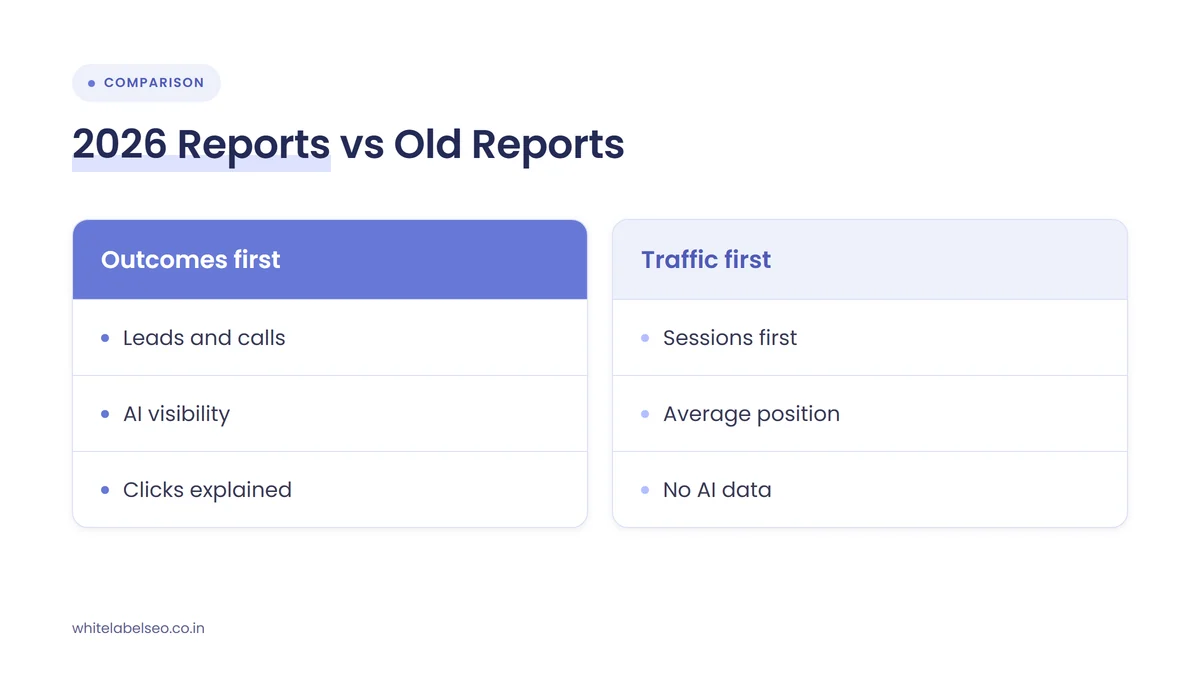
Old reports lean on clicks, sessions and rankings, and all three now move independently of the value SEO creates. AI Overviews and AI Mode answer many questions on the results page, so a client can gain visibility and leads while clicks fall. A report built on traffic alone turns good work into a story about decline.
The research is consistent on the direction of the change:
- Fewer clicks when an AI summary appears. Pew Research Center tracked 68,879 Google searches by 900 US adults in March 2025. Users clicked a traditional result in 8% of visits when an AI summary appeared and in 15% when none did. They clicked a link inside the summary in just 1% of visits.
- Lower clickthrough rate for top positions. Ahrefs reported in February 2026 that an AI Overview correlates with a 58% lower average clickthrough rate for the top-ranking page, comparing December 2025 data against a forecast built from December 2023.
- AI traffic is mixed into normal reports. Google’s documentation says sites appearing in AI features are included in overall search traffic in Search Console, reported under the Web search type. The same page says Google has seen clicks from results pages with AI Overviews are higher quality, with users more likely to spend more time on the site.
The conversation is also moving beyond Google. On November 6, 2026, Search Engine Roundtable reported that OpenAI is working on a ChatGPT tool for businesses that reportedly measures impressions and clicks from ChatGPT responses. It is not live for everyone yet, but clients will soon ask what it shows. We covered the Google side of this gap in no click data in Search Console’s AI report.
Which metrics should agencies report at a glance?
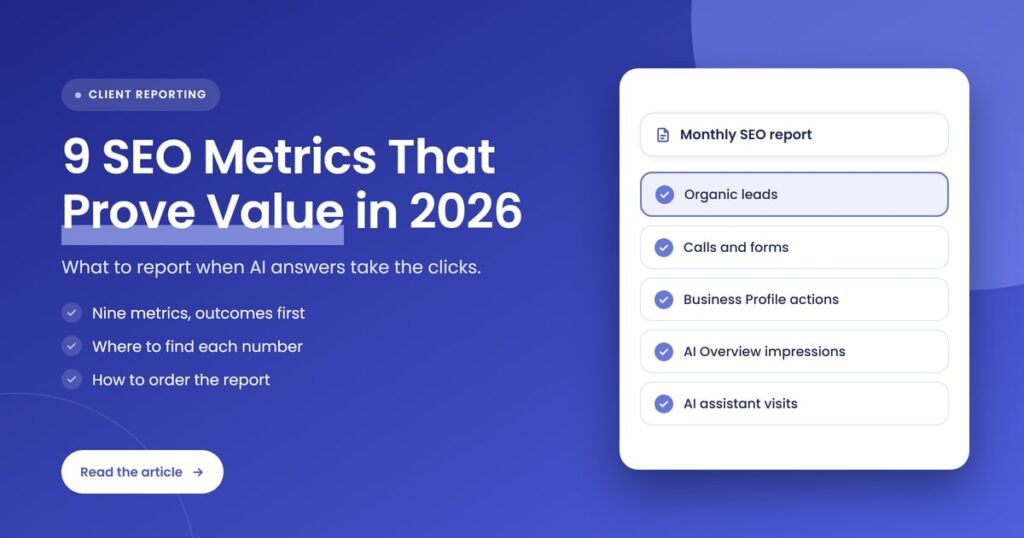
Agencies should report nine metrics, grouped by what each proves. Outcome metrics show money: organic leads, calls and forms, and Google Business Profile actions. Visibility metrics show reach: impressions, AI feature appearances, non-branded growth and AI answer presence. Traffic metrics, clicks and AI assistant referrals, explain the path between the two.
| # | Metric | Where to find it | What it proves | Main limitation |
|---|---|---|---|---|
| 1 | Organic key events (leads) | GA4, key events by Organic Search channel | Search is producing business actions | Only as good as the event setup |
| 2 | Qualified calls and form leads | Call tracking, form tool or CRM | Leads are real and worth money | Needs client feedback on lead quality |
| 3 | Google Business Profile actions | Business Profile performance report | Local searchers act without visiting the site | Only metrics that apply to the business appear |
| 4 | Search impressions | Search Console Performance report, Web | Total Google visibility, AI features included | Impressions are not visits |
| 5 | AI feature impressions | Search Console generative AI report | Pages appearing in AI Overviews and AI Mode | Impressions only, no clicks |
| 6 | Non-branded clicks and impressions | Search Console branded queries filter | SEO is reaching new customers | Needs enough query volume to appear |
| 7 | Clicks and CTR in context | Search Console Performance report | How visibility turns into visits | Falls when AI answers satisfy the search |
| 8 | AI assistant referrals | GA4 AI Assistant channel | ChatGPT, Gemini and Claude send visitors | Referrer-less visits land in Direct |
| 9 | AI answer presence | Manual prompt checks or a tracking tool | The brand is named in AI answers | Answers vary by user and session |
What are the 9 metrics agencies should report to SEO clients in 2026?
The nine metrics are organic key events, qualified calls and form leads, Google Business Profile actions, search impressions, AI feature impressions, non-branded clicks and impressions, clicks and CTR in context, AI assistant referrals and AI answer presence. Together they show what SEO earned, how far the client’s visibility reached and how searchers found them.
1. Organic key events in GA4
Organic key events are the business actions that visitors from organic search complete on the client’s site, such as submitting a quote form, clicking a phone number or booking online. They are the closest single number to “what did SEO earn this month”, so they belong at the top of page one of every report.
Google Analytics Help defines a key event as an event that measures an action that’s particularly important to the success of your business. In practice, we check three things before the first report goes out:
- The events that matter are marked as key events, not just collected.
- Test submissions and duplicate fires are filtered out.
- The report shows key events for the Organic Search channel, with the previous period and the same month last year beside them.
2. Qualified calls and form leads
Qualified leads are the calls and form submissions that turned out to be real prospects, not spam, job seekers or existing customers. Counting raw key events tells the client how many actions happened. Counting qualified leads tells them how many were worth answering, which is the number they actually compare with your fee.
This metric needs the client’s help. Ask for a monthly yes or no on each lead, or read access to their CRM. Call tracking numbers on the website also catch people who dial instead of clicking. Where the client won’t share this, report raw leads and say plainly that quality is unconfirmed. Our guide to proving SEO ROI to clients when results take months covers how to turn qualified leads into a value estimate.
3. Google Business Profile actions
Google Business Profile actions are the calls, messages, bookings, direction requests and website clicks people make straight from the client’s profile on Search and Maps. For local businesses, many of these happen without any visit to the website, so a report without them misses part of the value local SEO creates.
Google Business Profile Help lists these metrics in the Performance report, along with profile views and the search terms people used to find the business. Two details matter for reporting:
- Only applicable metrics appear. Bookings, for example, show only when bookings run through a booking provider.
- Calls count button taps. The calls metric counts taps on the profile’s call button, so pair it with call tracking for a fuller picture.
4. Search impressions, AI features included
Search impressions count how often the client’s pages appeared in Google results. Because Search Console now includes AI Overviews and AI Mode within the Web search type, impressions are the broadest measure of Google visibility available. Rising impressions with flat clicks is often a sign that AI answers are showing the client without sending the visit.
Report impressions as a trend over at least three months, and split them by the pages or services the client cares about most. A single month of impression data swings too much to explain on its own.
5. AI feature impressions
AI feature impressions show how often the client’s URLs appeared in Google’s generative AI features, such as AI Overviews and AI Mode. Google launched this dedicated Search Console report in June 2026 and rolled it out to all sites by August 31, 2026. It answers the client question “are we showing up in AI results?”
The report breaks visibility down by page, country, device and date, but it shows impressions only, not clicks. That is why it sits next to lead metrics, never in place of them. Before clients misread a rise in AI impressions as lost traffic, explain the gap using the talking points in our post on Search Console’s AI report.
6. Non-branded clicks and impressions
Non-branded clicks and impressions come from searches that don’t include the client’s business name. They show whether SEO is reaching people who didn’t already know the business, which is usually the point of paying for it. Branded searches mostly reflect existing reputation, advertising and word of mouth rather than SEO work.
Google added a branded queries filter to the Search Console Performance report in November 2025 and expanded it to all eligible sites in March 2026. It uses an AI-assisted classifier, works only on top-level properties and needs enough query volume. Where it isn’t available, a manual regex filter on the brand name is a reasonable fallback.
7. Clicks and CTR, with context
Clicks and clickthrough rate still belong in the report, but as an explanation rather than the headline. They show how much visibility turns into visits. When an AI answer satisfies the search on the results page, CTR falls even if the client’s position holds, so every CTR figure needs one sentence explaining why it moved.
The simplest way to give that context is to show clicks next to impressions and key events on one chart. If impressions and leads are up while clicks are down, the client can see that searchers are still finding and choosing the business. Agencies that skip this step tend to get the “traffic is down, what are we paying for?” email.
8. AI assistant referrals in GA4
AI assistant referrals are visits that reach the client’s site from tools like ChatGPT, Gemini and Claude. GA4 now groups recognized AI chatbot referrers into a default AI Assistant channel, so agencies can report these visits without building custom filters. The channel does not include Google’s AI Overviews or AI Mode, which stay in Organic Search.
Search Engine Journal reported the new channel in May 2026 and noted that visits without a referrer header, such as some in-app browsers and copied links, still land in Direct. Report the AI Assistant number as a floor, not a full count, and show which pages those visitors land on.
9. AI answer presence on agreed prompts
AI answer presence shows whether the client’s business is named or cited when people ask AI tools the questions that matter to them. Agree a short list of prompts with the client, check them on a fixed schedule in ChatGPT, Gemini, Perplexity and Google AI Mode, and record whether the brand appears and which page is cited.
AI answers vary between users and sessions, so present this as a trend across many checks, not a ranking. If OpenAI’s reported business tool launches widely with impression and click data, you will have a first-party number to add here. Until then, a consistent manual routine is honest and easy for clients to follow.
How should you order these metrics in a monthly SEO report?
Order the report so the client reads money first. Open with leads and Google Business Profile actions, then show visibility in Google and AI tools, then traffic as the bridge between the two, and close with work completed and next month’s plan. Each number gets one sentence of context so the client never has to guess what it means.
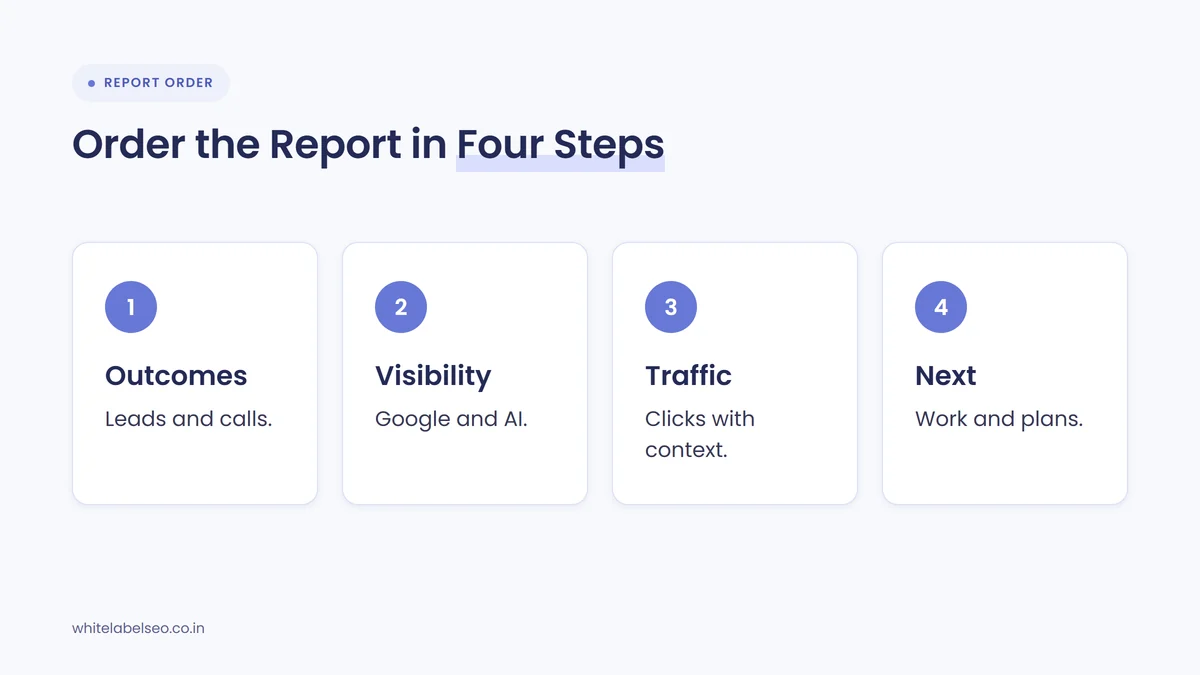
- Outcomes: organic key events, qualified leads and Google Business Profile actions, with month-on-month and year-on-year comparisons.
- Visibility: search impressions, AI feature impressions, non-branded growth and AI answer presence.
- Traffic: clicks, CTR and AI assistant referrals, each with a line explaining any change.
- Work and next steps: what was delivered this month, what is planned next and anything you need from the client.
If a white-label partner produces the report, it should arrive under your branding with this structure already in place. Our checklist of red flags in a white label SEO report shows what to send back when it doesn’t.
Which metrics should agencies stop leading with?
Agencies should stop leading reports with average position across all keywords, raw organic sessions, tool-based authority scores and long ranking lists. These numbers can be useful for diagnosis, but they don’t show business value, and several now move for reasons unrelated to the work. Keep them in an appendix for clients who ask.
- Average position: blends hundreds of queries, many irrelevant, into one figure that can rise while leads fall.
- Raw sessions: falls when AI answers satisfy searches, even if the business gains customers.
- Authority scores: estimates made by third-party tools, not Google, which clients often mistake for progress.
- Long ranking lists: hide the five to ten terms that actually bring in work.
Rankings for a short list of priority terms are still worth a line in the visibility section. The goal is to stop them being the headline.
How do you set up this reporting for a new client?
Set up reporting in the first two weeks of a retainer: confirm access to GA4, Search Console and the Business Profile, mark the right key events, add call tracking, agree the AI prompt list and record a baseline for all nine metrics. Then agree which three numbers will define success, so the first report starts from a shared understanding.
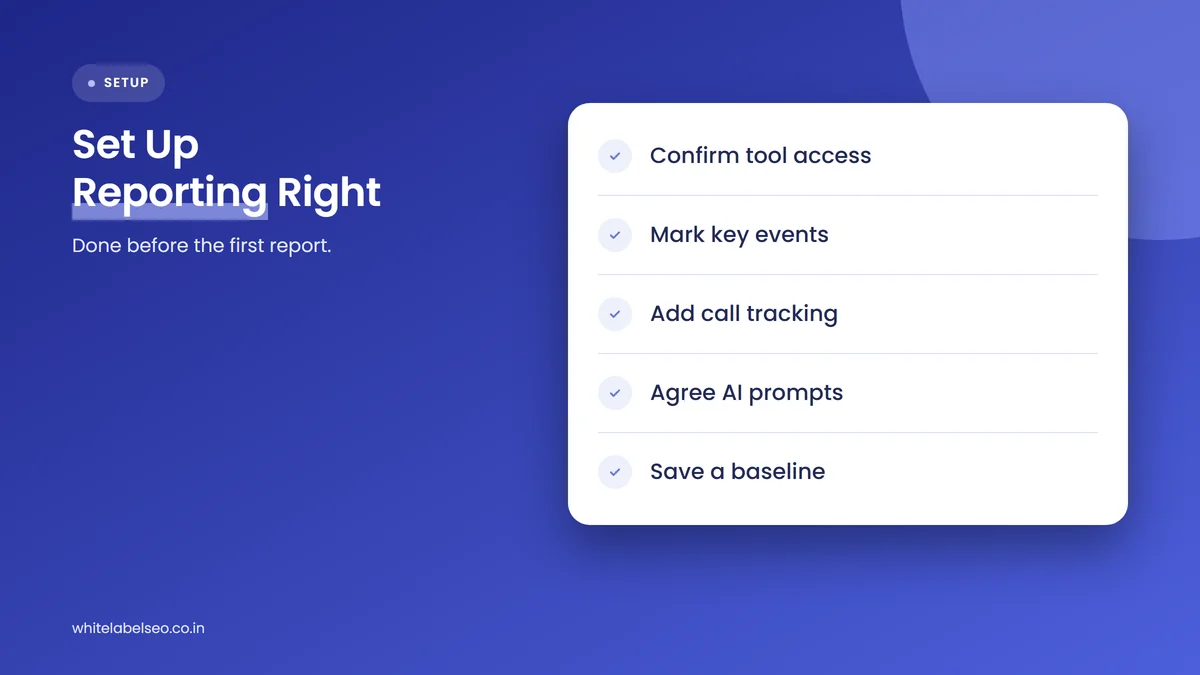
- Access: GA4, Search Console (a top-level property, so the branded filter can work) and Business Profile manager access.
- Tracking: key events marked, test submissions removed, call tracking on the site.
- Prompts: 10 to 20 questions the client’s customers ask, agreed in writing.
- Baseline: the last 12 months of each metric where data exists, saved before work begins.
- Success measures: the two or three numbers the client will judge you on.
This is also the moment to explain why clicks may fall while results improve. Our guide on how to set SEO expectations with a new client has the wording we use.
Frequently asked questions
What is the most important SEO metric to report to clients?
Organic leads, measured as GA4 key events from the Organic Search channel and confirmed as qualified by the client, matter most. They connect SEO directly to revenue. Every other metric in the report should help explain why leads rose, held steady or fell.
Should agencies still report keyword rankings?
Yes, but only for a short list of priority terms agreed with the client, and not as the headline. Rankings help diagnose problems, yet AI answers mean a strong position no longer brings the clicks it once did. Lead with outcomes and visibility instead.
Does Search Console show clicks from AI Overviews and AI Mode?
The main Performance report includes AI Overviews and AI Mode within the Web search type, so their clicks are counted in the overall totals. The dedicated generative AI report launched in 2026 shows impressions only, so you can see where pages appear in AI features but not clicks from those features alone.
How do you track traffic from ChatGPT in GA4?
GA4 groups visits from recognized AI chatbots, including ChatGPT, Gemini and Claude, into a default AI Assistant channel. Visits that arrive without a referrer still show as Direct, so treat the number as a minimum and check which landing pages those visitors use.
How often should agencies send SEO reports to clients?
Monthly works for most retainers, with a short quarterly review of trends and goals. Monthly figures for impressions and AI visibility swing, so always show at least three months of trend and the same month last year beside each headline number.
What should you change in your next client report?
Move leads and Google Business Profile actions to the top of page one, add AI feature impressions and AI assistant referrals, and give every traffic number one line of context. Agree a short prompt list for AI answer checks and record a baseline now, before ChatGPT’s reported business analytics give clients a new number to ask about. If you want reports like this produced under your brand, see how our white-label SEO services work at White Label SEO.
Want SEO reports that show clients the value?
At White Label SEO, we deliver SEO work and monthly reports under your agency’s brand, built around leads, local actions and AI search visibility. Tell us how you report today, and we’ll show you how we would set up the nine metrics for your clients.
Sources
- Search Engine Roundtable, “OpenAI Working On ChatGPT Tools For Business For Analytics & Citations”, November 6, 2026. https://www.seroundtable.com/chatgpt-tools-for-business-42476.html
- Pew Research Center, “Google users are less likely to click on links when an AI summary appears in the results”, July 22, 2025. https://www.pewresearch.org/short-reads/2025/07/22/google-users-are-less-likely-to-click-on-links-when-an-ai-summary-appears-in-the-results/
- Ahrefs, “Update: AI Overviews Reduce Clicks by 58%”, February 4, 2026. https://ahrefs.com/blog/ai-overviews-reduce-clicks-update/
- Google Search Central, “AI features and your website”, accessed November 2026. https://developers.google.com/search/docs/appearance/ai-features
- Google Search Central Blog, “Introducing Search Generative AI performance reports in Search Console”, June 3, 2026 (updated August 31, 2026). https://developers.google.com/search/blog/2026/06/gen-ai-performance-reports
- Google Search Central Blog, “Introducing the branded queries filter in Search Console”, November 20, 2025 (updated March 11, 2026). https://developers.google.com/search/blog/2025/11/search-console-branded-filter
- Google Analytics Help, “About key events”, accessed November 2026. https://support.google.com/analytics/answer/9267568
- Google Analytics Help, “Default channel group”, accessed November 2026. https://support.google.com/analytics/answer/9756891
- Search Engine Journal, “Google Analytics Adds AI Assistant As Default Channel Group”, May 14, 2026. https://www.searchenginejournal.com/google-analytics-adds-ai-assistant-as-default-channel-group/574974/
- Google Business Profile Help, “Understand your Business Profile performance & insights”, accessed November 2026. https://support.google.com/business/answer/9918094