Quick answer: From around October 31, 2026, some Search Console performance reports showed sudden jumps in clicks while impressions stayed flat. SEOs suspected bots, AI agents, rank trackers or a reporting bug, but Google has not explained it. Agencies should tell clients it is a reporting anomaly under review, check GA4 and server logs, and annotate the report.
Key takeaways
- The spike hit some sites, not all. SEOs reported it across several industries starting October 31, 2026, with clicks rising sharply and impressions staying flat.
- Nobody has confirmed the cause. Bot traffic, AI agents researching products, rank trackers and a Search Console bug were all suggested, and Google had not commented as of November 5, 2026.
- For several sites the numbers were back to normal or falling by November 4, 2026.
- Do not report the extra clicks as growth. Check them against GA4 sessions, server logs and leads before they reach a client report.
- Add a custom annotation in Search Console and a plain note in the monthly report so the spike never gets mistaken for a win, or a later “drop”.
What changed in Search Console this week?
Starting around October 31, 2026, a number of Search Console properties showed click counts several times higher than normal in the performance report. Impressions did not rise with them. The spike appeared on some properties and not others, and by November 4 several SEOs said their numbers were returning to normal without any word from Google.
Search Engine Roundtable covered the reports on November 3, 2026, and added an update on November 4. Here is what was reported, in order:
- October 31: Dan Nutter said on X that he was seeing click spikes from that date across a range of sites and industries, mostly among his UK clients, with some days showing up to 10 times normal traffic.
- November 3: Joy Hawkins shared a chart showing clicks spiking while impressions stayed flat, and said the click-through rate pattern made her fairly confident it was bot traffic.
- November 3: Glenn Gabe said he was only seeing it on a few properties. He suggested it could be AI agents or bots researching products or services, or a bug, and said he had not confirmed either.
- November 3: According to Search Engine Roundtable, Search Engine Land’s first report found three sites with a large spike in the Search Console API, but only one of the three showed it in the web interface.
- November 4: Hawkins said the data was back to normal, and Gabe said the numbers were dropping back down. Search Engine Roundtable said it had asked Google for comment and had not heard back.
We checked Google’s Search Console data anomalies page on November 5, 2026. It lists known issues that affect report data, and it had no entry for this period. Its most recent entries describe logging errors from August 2026.
What is a click spike in Search Console?
A click spike is a sudden, short jump in the clicks Search Console reports for a property, with no matching change in rankings, impressions or real visits. Google defines a click as a user clicking through to your site from Google Search results, so a spike means Search Console counted far more of those events than usual for a few days.
The important word is “counted”. Search Console reports what Google logged, and Google’s John Mueller said back in August 2021 that Search Console does not necessarily filter out all bot activity: Google tries to, but it is sometimes visible. That is why a spike in Search Console is a question to investigate, not proof that more people visited the site.
Two details from Google’s own help page on the performance report also matter when you read a spike:
- The newest data is preliminary. It can still change, and the chart shows it as a dotted line.
- Totals are aggregated in different ways. The chart aggregates by property, while the Pages table aggregates by page, so chart and table totals can differ.
Who is affected by the click spike?
Only some Search Console properties were affected. Reports came from SEOs working across a range of sites and industries, including UK clients, and Glenn Gabe said he saw it on only a few of the properties he checked. If a client’s report shows clicks jumping from October 31 with flat impressions, that client is probably affected.
The people who need to act are the ones who read or send reports:
- Agencies and freelancers whose November reports cover late October and early November. An unexplained jump in clicks will sit in the middle of the month-on-month chart.
- White-label partners who build reports for agencies to send under their own brand. If we pass a spike through without a note, the agency is the one who has to explain it later.
- Clients with dashboards that pull Search Console data automatically through the API, such as Looker Studio or reporting tools. Because the API showed the spike on sites where the web interface did not, automated dashboards can show a spike the agency never saw in Search Console itself.
Is the spike real traffic or a reporting problem?
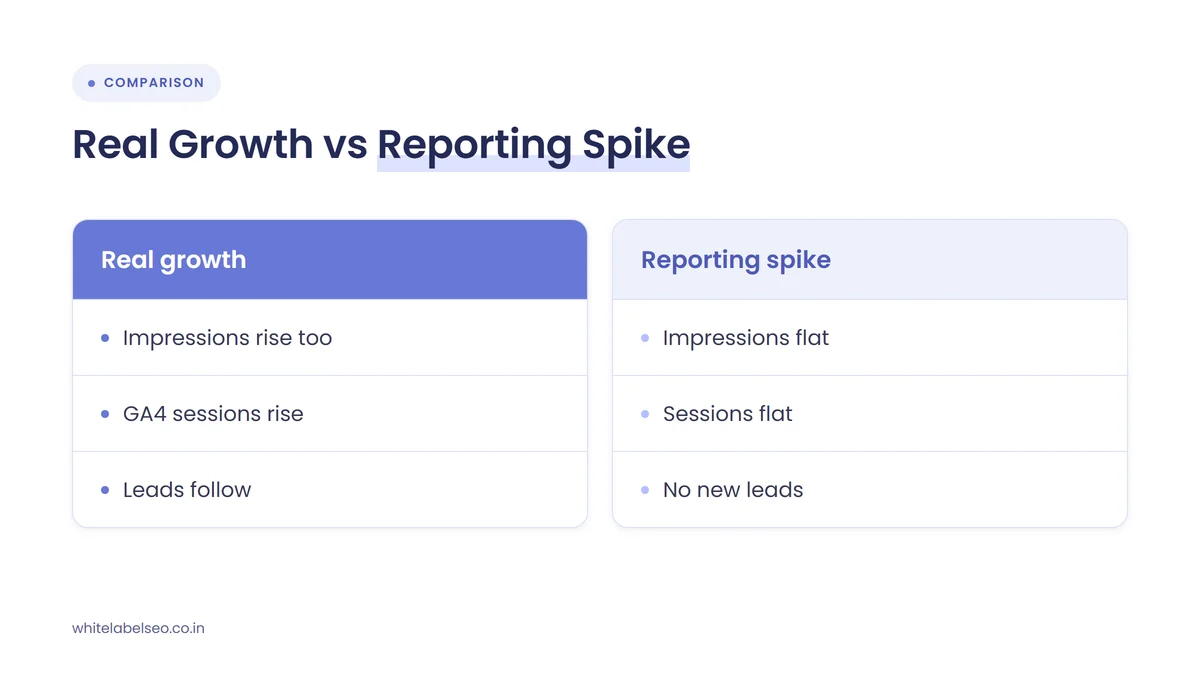
For most affected sites the evidence points to a reporting or bot problem rather than real visitors, because clicks rose while impressions stayed flat. That pattern is hard to explain with real searchers, since more clicks normally need more appearances in search. Google has not confirmed a cause, so treat every theory as unproven.
| Theory | Who raised it | What would support it | Status |
|---|---|---|---|
| Bot traffic | Joy Hawkins, based on the click-through rate pattern | Clicks with no matching sessions in GA4 and odd user agents in server logs | Unconfirmed |
| AI agents researching products or services | Glenn Gabe | Bursts of automated visits to product or service pages in server logs | Unconfirmed |
| Rank trackers or scrapers | A commenter on Search Engine Roundtable | Clicks with no real site visits, clustered on tracked keywords | Unconfirmed |
| Search Console reporting bug | Glenn Gabe and others | A data anomalies entry or statement from Google, or the data being corrected later | Unconfirmed, no Google comment |
| Real growth | Not suggested by the SEOs who reported it | Rising impressions, GA4 organic sessions and leads at the same time | Unlikely where impressions stayed flat |
Gabe also made a point worth passing on to clients: if Search Console starts counting automated activity like this as clicks, the metric becomes less useful very quickly. That is a good reason to report clicks next to sessions and leads, never alone.
How should agencies check a click spike before reporting it?
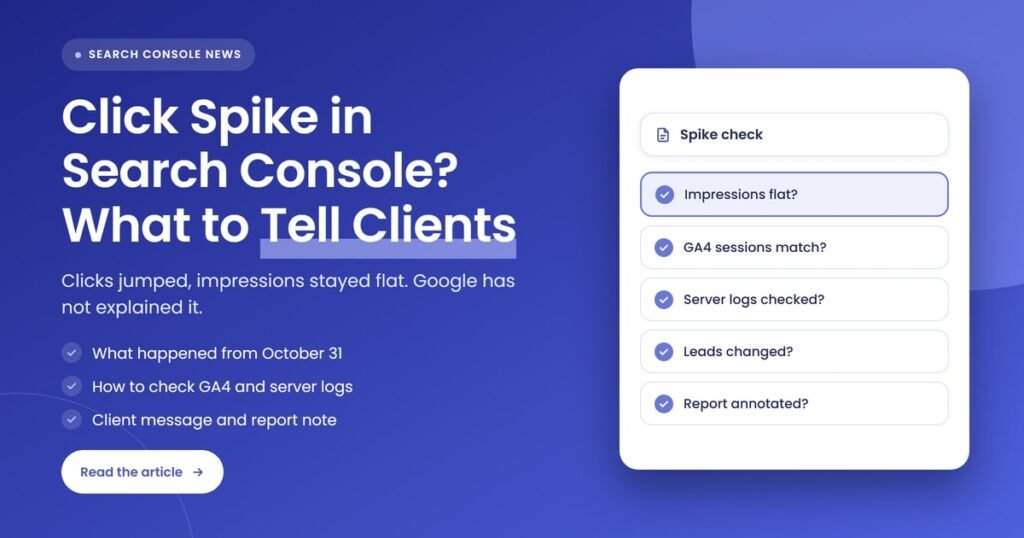
Check a click spike in four steps: isolate it in Search Console, compare it with GA4 organic sessions, look for matching hits in the server logs, and see whether leads changed. If only Search Console moved, it is a reporting anomaly. Record what you found so the report and the client conversation use the same facts.
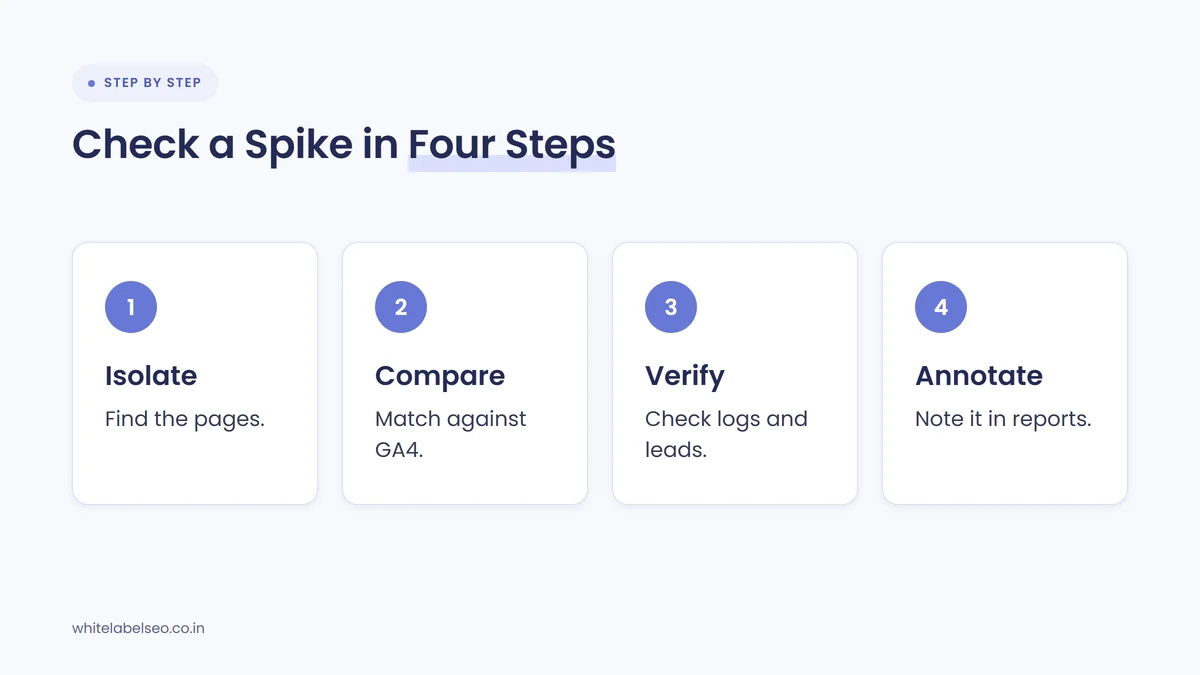
- Isolate it in Search Console. Set the date range to cover October 25 to today, turn on clicks and impressions, and look at the daily view. Then use the Pages, Queries and Countries tabs to see where the extra clicks sit. Search Console added a multi-select device filter on November 4, 2026, so you can now compare mobile and tablet together against desktop to see if the spike sits on one device type.
- Compare with the web interface and the API. If the client’s dashboard pulls from the API, open the same dates in Search Console itself. A spike in only one of them is worth noting in the report.
- Compare with GA4. Open organic search sessions for the same dates and landing pages. Search Console clicks and GA4 sessions never match exactly, because they measure different things, but they should move in the same direction. A tenfold jump in clicks with flat sessions is not real visitor growth.
- Check the server logs if you have them. Look for the extra visits on the affected pages and dates. Requests from data centers, unusual user agents or tight bursts of hits point to automation. No matching hits at all points to a counting problem inside Search Console.
- Check the outcomes. Calls, forms, bookings and sales from organic search tell you whether anything changed for the business. If leads are flat, say so plainly.
- Annotate. Add a custom annotation in Search Console and a note in the report (see the next section).
If your team tracks rankings with tools that click through results, check their settings and logs too. That is one of the theories people raised, and it is one you can rule in or out yourself.
How should you annotate the spike in client reports?
Annotate the spike in two places: inside Search Console, using a custom chart annotation on October 31, and in the client report, with a short note next to the clicks chart. The note should say what happened, that the cause is unconfirmed, what you checked, and that you are leaving the spike out of any growth claims.
Google added custom annotations to the Search Console performance report in November 2025. You right-click the performance chart, choose “Add annotation”, pick a date and write a note of up to 120 characters. Everyone with access to the property can see it, so keep it factual and leave out anything sensitive. A note like this fits:
Click spike from Oct 31, impressions flat. Cause unconfirmed, no Google comment. Not real traffic per GA4. Excluded from reporting.
That annotation protects you twice. It stops anyone reading the November data as a win, and it stops the December comparison looking like a crash once the spike is gone. In the client-facing report, do these as well:
- Put the note next to the chart, not on the last page. The client will see the chart first.
- Show clicks with sessions and leads on the same page so the client can see that only one line moved.
- Exclude the affected days from month-on-month click totals, or show the totals both with and without them, and say which you did.
- Keep the original data. Do not edit or delete it in your dashboards. If Google corrects the data later, you will want the before and after.
If you resell SEO, agree with your white-label partner who writes the note and who checks GA4, so the agency is not the last to know. Our list of red flags in a white-label SEO report covers why unexplained jumps in a report should always come with context.
What should agencies tell clients about the click spike?
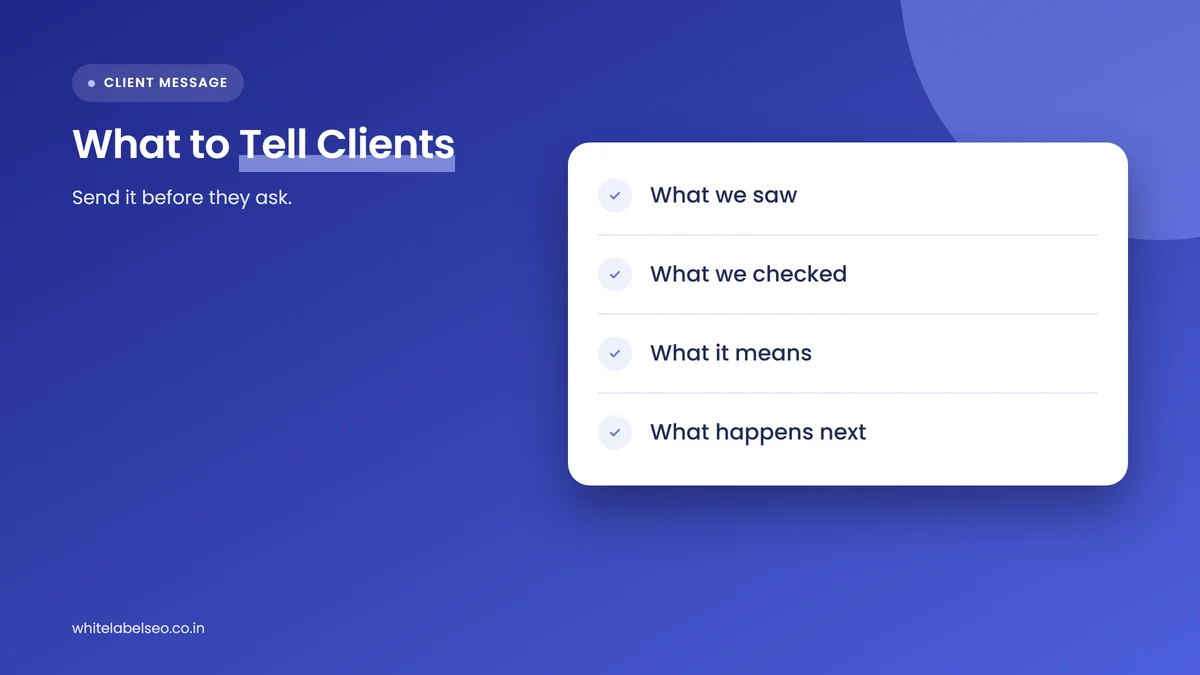
Tell clients early, plainly and before they ask. Say that Search Console showed an unusual jump in clicks for some sites from October 31, that impressions did not change, that Google has not explained it, and that your checks in GA4 and on leads show no matching change. Then say how you will report it.
A short message covers it. Adapt this to what you actually found for each client:
“From October 31, Google Search Console showed an unusual jump in clicks for your site and several others across the industry. Impressions stayed the same, and Google has not explained the cause. We checked your Google Analytics and enquiries for the same days and they did not change, so we are treating it as a reporting issue, not real traffic. We have marked it in your report and left it out of your monthly figures. We will update you if Google says anything.”
Three things to avoid:
- Claiming the spike as a result. It will reverse, and the client will remember who took credit.
- Naming a cause as fact. Say “SEOs suspect bots or a bug” rather than “it was bots”. Nothing is confirmed.
- Staying quiet and hoping nobody notices. Clients with their own Search Console access or a live dashboard may already have seen it. We covered the same principle for ranking swings in our guide on what to tell clients when there is no confirmed Google update.
How do we handle data anomalies with partner agencies?
When a reporting anomaly shows up, we flag it to partner agencies before their reports go out, check the affected client accounts against GA4 and leads, and add a ready-to-use note to the white-label report. The agency decides how to present it to the client, and the numbers and the explanation stay consistent.
In practice that means three things on our side. We review daily click and impression trends for unusual jumps when we prepare reports, not only the monthly totals. We separate a reporting anomaly from a real change in the commentary, using the same wording across every affected account. And we keep the raw data unchanged, so if Google later corrects or explains the spike, the agency can show the client exactly what moved.
This matters more now that AI features already make Search Console harder to read. Google’s generative AI report shows impressions without clicks, which we covered in our post on what agencies should tell clients about missing AI click data. A click count that can be inflated by automated activity is one more reason to anchor reports on leads.
What is likely to happen next?
For several sites the spike was already fading by November 4, so most affected properties should return to normal on their own. Google may post an entry on its data anomalies page or comment publicly, or it may say nothing. Either way, the extra clicks are likely to stay in historical data unless Google corrects them.
Keep watching three things over the next few weeks:
- The data anomalies page in Search Console Help, for any entry covering late October and early November 2026.
- Search Engine Roundtable and Google’s Search Central channels, for any statement from Google.
- Your own accounts, for a repeat. If automated agents are behind it, this may not be the last spike, and a standard check like the one above will save time.
Frequently asked questions
Why are my Search Console clicks suddenly so high?
If the jump started around October 31, 2026 and impressions stayed flat, you are probably seeing the same anomaly other SEOs reported. Suggested causes include bot traffic, AI agents, rank trackers or a Search Console bug. Google has not confirmed any of them, so check GA4 sessions and leads before treating it as real traffic.
Has Google confirmed the Search Console click spike?
No. Search Engine Roundtable asked Google for comment and had not received a reply as of its November 4, 2026 update, and the Search Console data anomalies page had no entry for the period when we checked on November 5, 2026.
Does Search Console filter out bot clicks?
Not completely. Google’s John Mueller said in 2021 that Search Console tries to filter bot activity but that some of it is sometimes visible in the reports. That is why a sudden rise in clicks should always be checked against analytics and server logs before you report it.
Should I remove the spike from my client’s report?
Do not delete the data. Leave the original numbers in place, add a note next to the chart, and either exclude the affected days from month-on-month click totals or show totals with and without them. Tell the client which approach you used so the comparison next month makes sense.
How do I add an annotation in Search Console?
Right-click the chart in the performance report, choose “Add annotation”, pick the date and write a note of up to 120 characters. Everyone with access to the property can see annotations, so keep the note factual and leave out personal or sensitive details.
Will the spike affect my client’s rankings?
There is no sign that it does. The reports describe a change in how many clicks Search Console counted, not a change in where pages rank. If rankings and impressions are stable, there is nothing to fix on the site because of the spike itself.
What should you do next?
Open Search Console for every client today and look at daily clicks and impressions from October 25. Where clicks jumped and impressions did not, check GA4, server logs and leads, add a custom annotation, and send the client a short note before their next report arrives. For more on reporting numbers that clients can trust, read our guide to proving SEO ROI when results take months. If you want reports like this prepared for you, see our white-label SEO services at White Label SEO.
Want client reports that catch data anomalies first?
At White Label SEO, we deliver SEO fulfillment and monthly reporting under your agency’s brand, with Search Console, GA4 and leads checked side by side and unusual data flagged before it reaches your clients. Talk to us about adding it to your reports.
Sources
- Search Engine Roundtable, “Google Performance Reports Showing Weird Spike In Clicks For Some Sites”, November 3, 2026 (updated November 4, 2026). https://www.seroundtable.com/google-performance-reports-spike-clicks-42448.html
- Search Engine Roundtable, “Daily Search Forum Recap: November 4, 2026”, November 4, 2026. https://www.seroundtable.com/recap-11-04-2026-42452.html
- Search Engine Roundtable, “Google Search Console Performance Report Multi-Select Device Filters”, November 4, 2026. https://www.seroundtable.com/google-performance-report-multi-select-device-filters-42457.html
- Search Console Help, “Data anomalies in Search Console”, checked November 5, 2026. https://support.google.com/webmasters/answer/6211453
- Search Console Help, “Performance report (Search results)”, checked November 5, 2026. https://support.google.com/webmasters/answer/7576553
- Google Search Central Blog, “Adding context to your Search Console data with custom annotations”, November 17, 2025. https://developers.google.com/search/blog/2025/11/custom-chart-annotations
- Search Engine Roundtable, “Google Search Console Doesn’t Filter Out All Bot Traffic”, August 9, 2021. https://www.seroundtable.com/google-search-console-bot-traffic-31884.html
- Joy Hawkins (@JoyanneHawkins) on X, November 3, 2026. https://x.com/JoyanneHawkins/status/2117630857317916805
- Glenn Gabe (@glenngabe) on X, November 3, 2026. https://x.com/glenngabe/status/2117640763182051610
- Dan Nutter (@VeryDanNutter) on X, November 2, 2026. https://x.com/VeryDanNutter/status/2117207471194529911