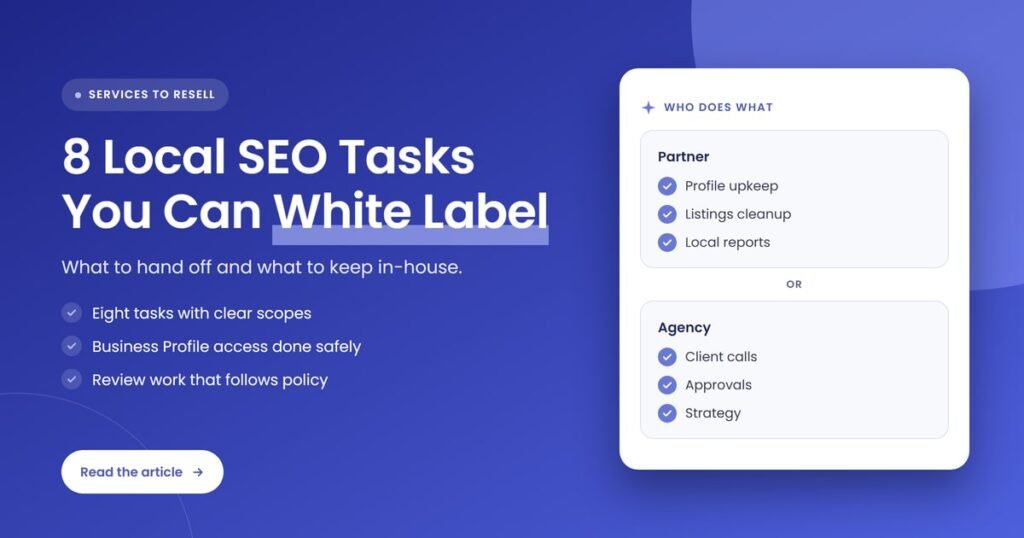
Quick answer: An agency can hand a white-label partner eight local SEO tasks: Google Business Profile upkeep, profile posts and photos, review reply drafts, listings and citations, local service pages, LocalBusiness schema, local link building and local rank reporting. The client should keep Business Profile ownership, and the agency should keep strategy, approvals and the client relationship.
Key takeaways
- Most day-to-day local SEO work is repeatable and process-driven, which makes it a good fit for a white-label partner.
- Give the partner manager access to the client’s Google Business Profile, never ownership. Google lets managers edit info, reply to reviews and manage posts, but not add or remove users.
- Verification stays with the client. Google says no one should share a verification code, even with people who manage the profile.
- Review work must follow Google’s policy: no incentives, no gating and no selective requests for positive reviews.
- Keep the client relationship, strategy, pricing and final approvals in-house. Those are the parts of local SEO that keep clients with you.
What does it mean to white label local SEO tasks?
White labeling local SEO tasks means a partner does the hands-on local search work for your clients, such as profile updates, listings, local pages and reports, while your agency sells it, manages the client and delivers everything under your own brand. The client sees one agency. The partner works in the background.
Local SEO is the work that helps a business show up when people search for a product or service nearby, in the map results, the local pack and the regular results. Google describes three main factors behind local results: relevance, distance and prominence. A partner can improve relevance and prominence. Nobody can change how far a searcher is from the business.
For small business clients, such as a single-location plumber, salon or clinic, local SEO is often the first SEO service they will pay for, and it is also the one with the most small recurring jobs. That is why it is worth deciding which of those jobs your team does and which a partner does.
How did we choose these 8 tasks?
We chose tasks that are repeatable each month, can be documented in a checklist, can be done with manager-level access and can be checked by your team in a report. We left out anything that needs legal ownership of the client’s accounts, the client’s identity, or decisions only the business owner should make.
Each task in the list below covers what the partner does, what your agency keeps and the access the work needs. We are open about where the limits sit, because handing off the wrong task is how agencies end up locked out of a client’s profile or answering for a policy breach they didn’t see coming.
Which local SEO tasks can an agency white label?
An agency can white label Google Business Profile upkeep, profile posts and photos, review reply drafts, listings and citations, local service pages, LocalBusiness structured data, local link building and local rank reporting. Each of these follows a repeatable process, needs only manager or editor access, and produces work your team can review before the client sees it.
1. Google Business Profile optimization and upkeep
A partner can keep a client’s Business Profile complete and accurate: categories, hours, services, attributes, description and photos. Google says businesses with complete and accurate info are more likely to show up in local results, so routine upkeep is real ranking work, not admin. The partner works as a manager on the profile, not an owner.
- Partner does: monthly profile audits, category and attribute checks, holiday hours updates, service lists and fixes to edits suggested by Google or the public.
- Agency keeps: approval of any change to the business name, address or primary category, since mistakes there can trigger a suspension under Google’s guidelines.
- Access: manager role on the profile, added by the client as owner.
If you want this as a standalone service, our Business Profile management service shows the kind of monthly scope a partner can run.
2. Business Profile posts and photos
A partner can plan, write and publish Business Profile posts and upload fresh photos on a set schedule. Google supports three post types, updates, offers and events, and archives posts older than six months unless a date range is set. A steady calendar keeps the profile current without your team writing every post.
- Partner does: a monthly post calendar, post copy, image selection and scheduling.
- Agency keeps: sign-off on offers, prices and anything that makes a promise on the client’s behalf.
- Watch for: Google may reject posts that include a phone number it can’t verify as connected to the business, so keep phone numbers out of post text.
3. Review reply drafts and a compliant review request process
A partner can draft replies to new reviews and set up a simple, policy-safe way for the client to ask customers for reviews. Google says more reviews and positive ratings can help local ranking, and that helpful replies help a business stand out. What the partner must never do is gate, buy or bias reviews.
- Partner does: reply drafts within an agreed time, a review request message and link for the client’s team, and a monthly review summary.
- Agency keeps: approval of replies to negative reviews and anything involving a complaint, refund or legal issue.
- Policy line: Google’s content policy does not allow businesses to offer payment, discounts or free services for reviews, to discourage negative reviews or to selectively ask only happy customers.
Our guide to white-label review management as a local SEO upsell goes deeper on packaging this as its own line item.
4. Listings and citation management
A partner can find, claim where the client allows it, clean up and maintain a client’s listings on other platforms, so the business name, address, phone number and hours match everywhere. The two listings most worth adding after Google are Bing Places for Business and Apple Business, the platform Apple formerly ran as Apple Business Connect.
- Partner does: a listings audit, duplicate cleanup, data corrections and a listings tracker you can show the client.
- Agency keeps: the decision on which paid directories, if any, are worth the client’s money.
- Access: Bing Places can import listing details from a Google Business Profile, according to Microsoft’s 2025 relaunch announcement. On Apple Business, the person adding a location needs a role with permission to manage locations, and a first location requires the organization to be verified.
5. Local service and location pages
A partner can research, write and optimize the pages on the client’s website that match local searches, such as a service page for each core service and a page for each real location. These pages give Google relevant content to match against searches. The risk is thin, near-identical city pages, which Google treats as doorway abuse.
- Partner does: keyword and competitor research, page briefs, copy, on-page optimization and internal linking.
- Agency keeps: approval of service claims, prices and anything regulated in the client’s industry.
- Watch for: Google’s spam policies name pages targeted at specific regions or cities that funnel users to one page as a doorway example. Every location page needs content that is genuinely about that place and that business.
6. LocalBusiness structured data
A partner can write and test LocalBusiness structured data for the client’s site so search engines can read the business name, address, phone, hours and location clearly. Google’s documentation lists name and address as required properties and recommends others, such as telephone, URL, geo coordinates and opening hours. It is a one-time setup with occasional updates.
- Partner does: schema markup that matches the Business Profile exactly, testing with Google’s tools, and updates when hours or details change.
- Agency keeps: access to the client’s website and the release process, so changes go live through your normal workflow.
- Watch for: Google says review and rating markup on this type is only for sites that capture reviews about other local businesses, so don’t add star ratings for the client’s own business.
7. Local link building and mentions
A partner can earn links and mentions from local sources, such as chambers of commerce, local news, community sponsorships, suppliers and industry associations. Google lists how many websites link to a business among the signals behind prominence. Local links take relationship work, so partners who specialize in them usually move faster than a small in-house team.
- Partner does: local prospect lists, outreach, content for placements and a monthly links report.
- Agency keeps: the client’s own relationships. If the client sponsors a local team or runs an event, your account manager should be the one asking them for the details.
- Watch for: paid links and link schemes. Ask the partner to show every link it builds, with the page URL, in your report.
8. Local rank tracking and reporting
A partner can track the client’s local rankings, Business Profile performance and website leads, then prepare a branded monthly report for your agency to send. Local results change with the searcher’s location, so a good report shows visibility across the client’s service area, not one position from one point on the map.
- Partner does: rank tracking set-up, data collection, the report draft under your brand and notes on what changed.
- Agency keeps: the report call with the client and the explanation of what the numbers mean for their business.
- Watch for: reports that list activity without outcomes. Tie the report to calls, direction requests, form leads and bookings where the client tracks them.
What do the 8 tasks look like side by side?
The table below shows each local SEO task, what a white-label partner handles, what your agency should keep and the access the partner needs. Use it as a starting scope when you brief a partner, and adjust the agency column to fit how hands-on your team wants to be with each client.
| Task | Partner handles | Agency keeps | Access needed |
|---|---|---|---|
| 1. Business Profile upkeep | Audits, categories, hours, services, attributes | Approval of name, address and primary category changes | Manager role on the profile |
| 2. Posts and photos | Post calendar, copy, images, scheduling | Sign-off on offers and prices | Manager role on the profile |
| 3. Review replies and requests | Reply drafts, request message, review summary | Replies to negative reviews and complaints | Manager role on the profile |
| 4. Listings and citations | Audit, cleanup, corrections, tracker | Choice of paid directories | Client-approved logins or delegated access |
| 5. Local service pages | Research, briefs, copy, on-page work | Approval of claims and regulated content | Editor access to the website |
| 6. LocalBusiness schema | Markup, testing, updates | Website release process | Editor or developer access |
| 7. Local links and mentions | Prospects, outreach, placements, links report | The client’s own local relationships | None beyond reporting |
| 8. Rank tracking and reporting | Tracking, data, branded report draft | The report call and the client conversation | Read access to analytics and the profile |
Which local SEO tasks should stay with the agency?
Keep Business Profile ownership with the client, verification with the client, and strategy, pricing, approvals and every client conversation with your agency. These are the tasks tied to legal control of the business’s listings or to trust. Handing them to a partner adds risk without saving much time, because none of them recur often.
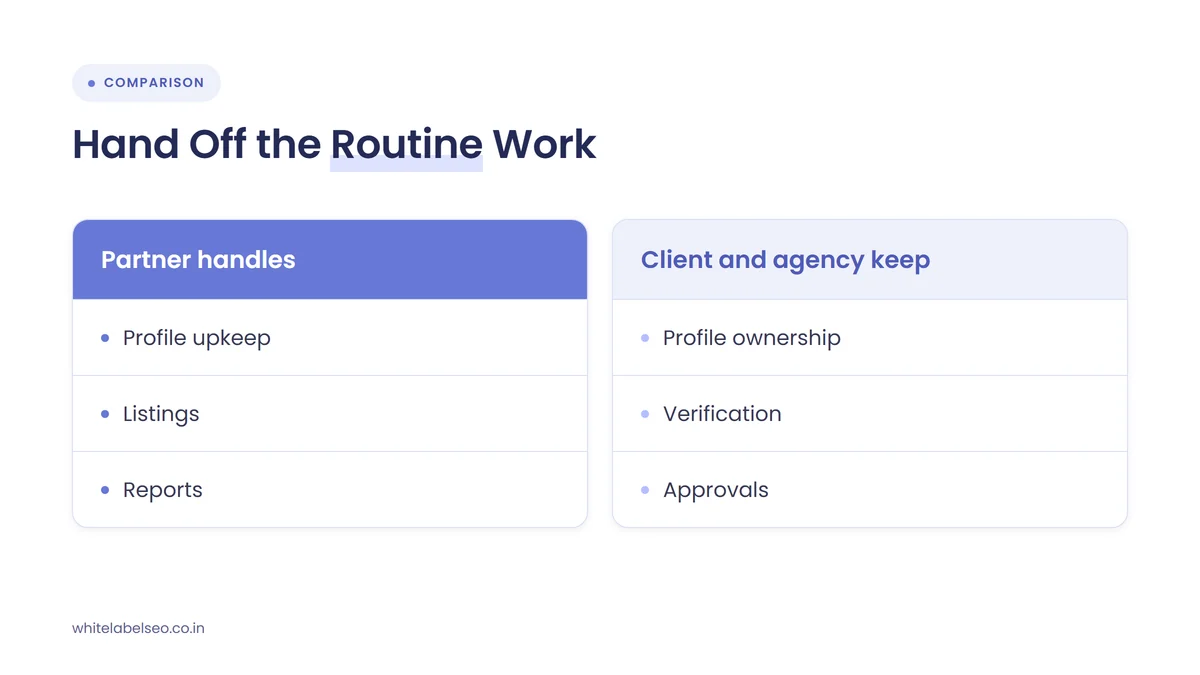
- Business Profile ownership. Google allows several owners but only one primary owner, and only owners can add or remove users or delete the profile. The client should be the primary owner. Your agency can hold an owner or manager seat, and the partner should hold a manager seat at most.
- Verification. Google says verification methods are set automatically and may include phone, email, postcard, video recording or a live video call at the business during opening hours. Google also says it will never ask for a verification code and that owners shouldn’t share it, even with people who manage the profile. Let the client verify.
- Suspension appeals. A partner can prepare the evidence, but the appeal should come from the business, with the owner’s knowledge.
- Strategy and pricing. Which services to push, which areas to target and what to charge are your calls.
- The client relationship. Calls, reviews of results and renewals stay with your account manager. That is what the client pays your agency for.
How should you set up access before handing off local SEO?
Set up access so that every person has their own login, the client stays primary owner of each account, and the partner gets the lowest role that still lets them do the work. Write down who holds which role on every platform, so you can remove access quickly if a partner or staff member changes.
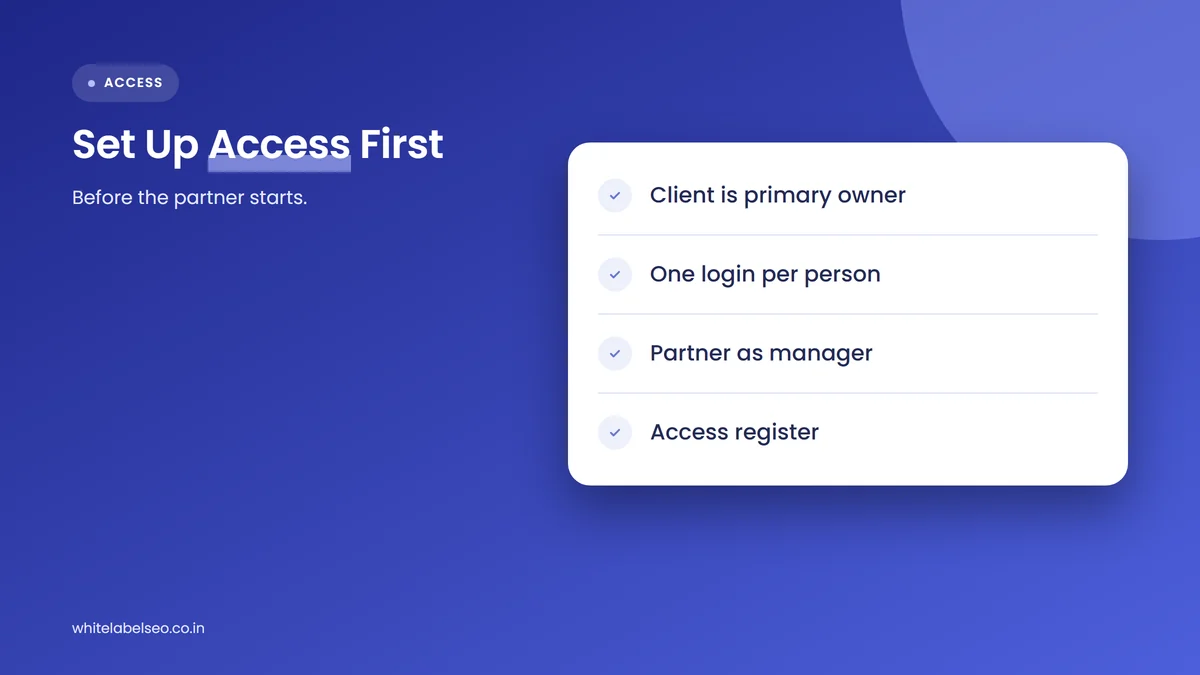
- Confirm the client is the primary owner. If a past agency or former employee owns the profile, fix that first. Google’s help center explains how primary ownership is transferred.
- Use individual Google Accounts. Google says each user needs their own Google Account, and Google Groups can’t be added as owners or managers.
- Add the partner as a manager. Managers can edit info, reply to reviews and manage posts and photos, but can’t add or remove users or remove the profile.
- Plan for the seven-day wait. Google says new owners and managers must wait seven days before some sensitive actions, such as removing other users.
- Keep an access register. List every platform, every user and their role, and review it each quarter.
Expect AI tools to add a new access question. In November 2026, Search Engine Journal reported that Google is bringing Business Profile tools in the Gemini app to Workspace accounts, but linking is limited to an owner or manager of a single verified profile. Agencies that manage many profiles from one login can’t use it yet, so keep partner workflows in the Business Profile itself for now.
How do you hand local SEO tasks to a partner, step by step?
Hand off local SEO by scoping the tasks per client, sorting out access, agreeing an approval process and fixing a reporting schedule before any work starts. Start with one client to test the partner’s process, then roll the same brief out to the rest of your local accounts once the first month runs cleanly.
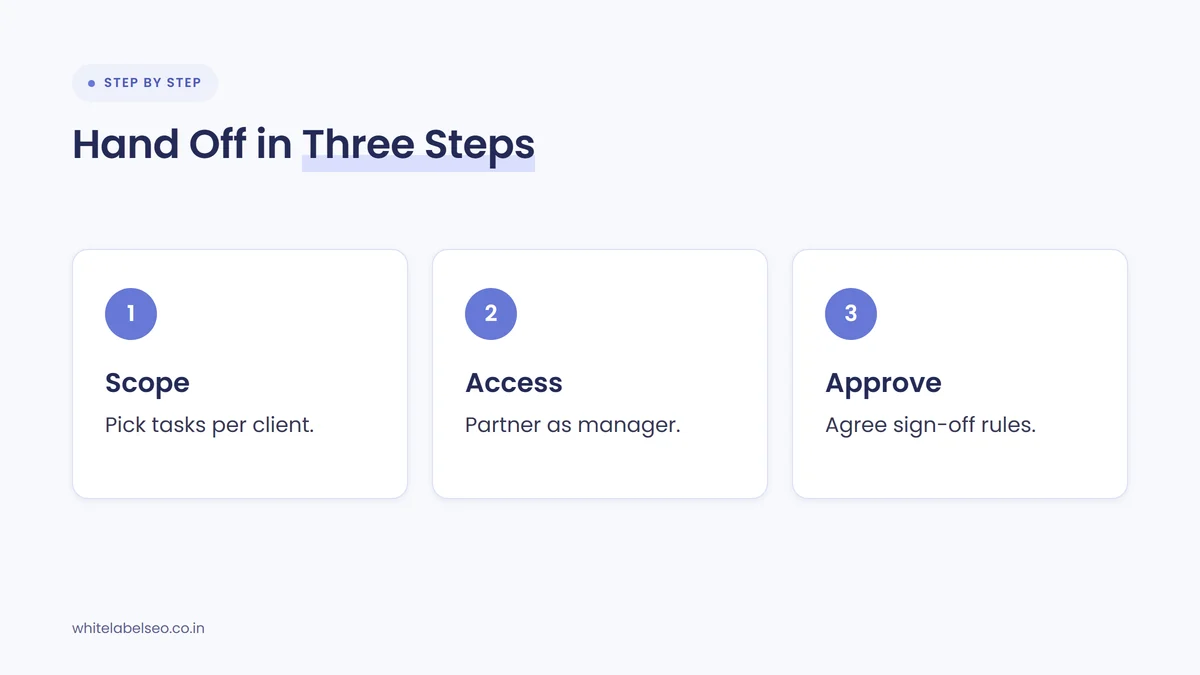
- Scope by task, not by hours. Pick which of the eight tasks each client gets, with monthly quantities, such as posts per month or pages per quarter.
- Brief the partner on the client. Share services, service area, tone, competitors, claims to avoid and anything the client has said no to.
- Set access. Follow the access checklist above, with the client as primary owner on every account.
- Agree approvals. Decide which work goes live directly, such as hours updates, and which needs your sign-off, such as offers and negative review replies.
- Fix the reporting date. Agree when the partner sends the report draft and when you send the final version to the client.
- Review after the first month. Check every deliverable against the scope before you add more clients.
If several of your clients have more than one location, the work changes shape. Our post on white-label local SEO for multi-location clients covers bulk listings, location pages at scale and reporting across many profiles. This guide is for the single-location small businesses that make up most local SEO rosters, and our white-label SEO for local businesses page shows how we scope that work.
Frequently asked questions
Should a white-label partner be an owner or a manager on a client’s Google Business Profile?
A manager. Google gives managers nearly the same access as owners for daily work, including editing info, replying to reviews and managing posts and photos. Managers can’t add or remove users or remove the profile. The client should stay primary owner, so they never lose control of their own listing.
Can a white-label partner verify a client’s Business Profile?
The client should handle verification. Google picks the verification method, which can include a live video call at the business during opening hours, and says no one should share a verification code, even with people who manage the profile. A partner can prepare the client for the process.
Can a partner ask customers for reviews on the client’s behalf?
A partner can set up the request message and process, and the client’s team sends it to customers. Google allows businesses to ask for genuine reviews, but not to offer incentives, discourage negative reviews or ask only happy customers. Any review process should ask every customer the same way.
Will clients know a partner is doing their local SEO?
Not unless you tell them. In a white-label setup, reports, emails and deliverables carry your agency’s brand. Profile access is the one place the partner’s user may be visible, so many agencies tell clients they use specialist team members or partners for fulfillment, without naming them.
Which local SEO tasks should an agency white label first?
Start with tasks that are repeatable and easy to check: Business Profile upkeep, posts and photos, listings cleanup and reporting. They need only manager or editor access, and your team can review the output quickly. Add local pages, schema and link building once the partner’s process has proven reliable.
What should you do next?
List your local clients, pick the tasks from the eight above that eat the most of your team’s time, and check who owns each client’s Business Profile before anything else. Then brief a partner on one client, keep approvals and the client conversation in-house, and expand once the first month runs cleanly. To see how we deliver this behind your brand, read about our white-label SEO services at White Label SEO.
Want local SEO fulfillment that stays behind your brand?
At White Label SEO, we handle Business Profile upkeep, listings, local pages and branded reports for agencies, with manager-level access and clear approval steps. Talk to us about your local clients, and we’ll help you scope the tasks worth handing off.
Sources
- Google Business Profile Help, “Tips to improve your local ranking on Google”, accessed November 15, 2026. https://support.google.com/business/answer/7091?hl=en
- Google Business Profile Help, “Manage your Business Profile owners & managers”, accessed November 15, 2026. https://support.google.com/business/answer/3403100?hl=en
- Google Business Profile Help, “Verify your business on Google”, accessed November 15, 2026. https://support.google.com/business/answer/7107242?hl=en
- Google Business Profile Help, “Guidelines for representing your business on Google”, accessed November 15, 2026. https://support.google.com/business/answer/3038177?hl=en
- Google Business Profile Help, “Create & manage posts on your Business Profile”, accessed November 15, 2026. https://support.google.com/business/answer/7662907?hl=en
- Google Maps User Contributed Content Policy Help, “Prohibited & restricted content”, accessed November 15, 2026. https://support.google.com/contributionpolicy/answer/7400114?hl=en
- Google Search Central, “Local business (LocalBusiness) structured data”, accessed November 15, 2026. https://developers.google.com/search/docs/appearance/structured-data/local-business
- Google Search Central, “Spam policies for Google web search”, last updated August 28, 2026. https://developers.google.com/search/docs/essentials/spam-policies
- Microsoft Bing Blog, “Introducing the New Bing Places for Business: Built for Business Owners, Powered by Research”, October 3, 2025. https://blogs.bing.com/search/October-2025/Introducing-the-New-Bing-Places-for-Business-Built-for-Business-Owners,-Powered-by-Research
- Apple Business User Guide, “Add a single location in Apple Business”, accessed November 15, 2026. https://support.apple.com/guide/business/abcb98816a34/web
- Search Engine Journal, “Google Gemini Business Profile Tools Are Coming To Workspace”, November 6, 2026. https://www.searchenginejournal.com/google-gemini-business-profile-workspace-2/596120/