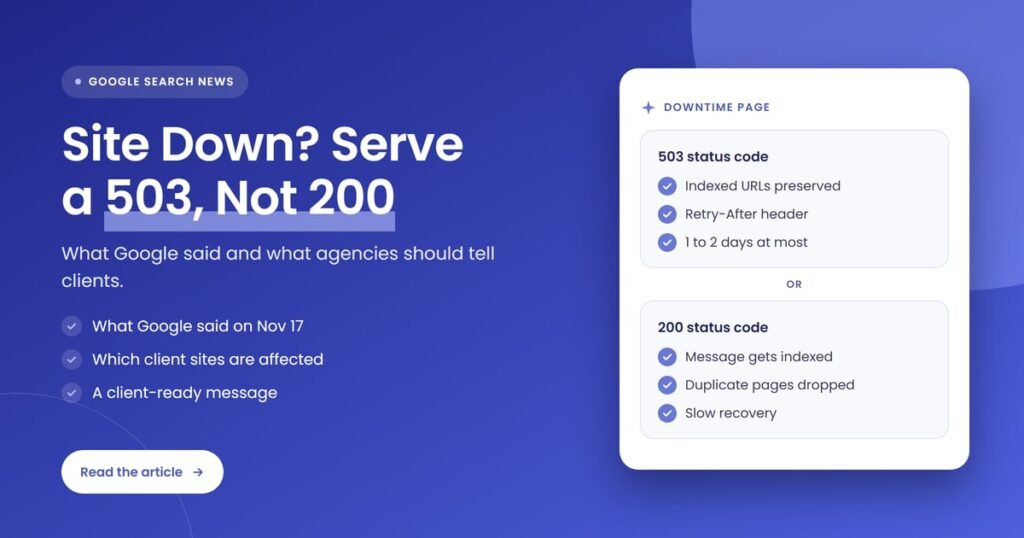
Quick answer: A 200 status code on a downtime page tells Google the page loaded normally, so the “back soon” text can be indexed and treated as the page’s real content. John Mueller named 2 risks on November 17, 2026: the temporary message appears in search, and identical downtime pages can be dropped as duplicates. A 503 status code is the safe choice.
Key takeaways
- On November 17, 2026, Search Engine Roundtable reported John Mueller’s explanation of why a 200 status code on a site-down page is a bad idea.
- A 200 status code says “OK”, so Google may index the downtime message and show it in search results.
- Identical downtime text across pages can lead Google to treat them as duplicate pages, and recovery can be slow.
- Google Search Central recommends a 503 status code for short closures, for 1 to 2 days in urgent cases, with a Retry-After header.
- Client sites in maintenance mode, mid-migration or on unstable hosting are the ones affected, and a 2-minute status code check finds the problem.
- Agencies should tell clients to ask for a 503 on every planned outage and to inform the agency before downtime starts.
What did Google say about a 200 status code when a site is down?
John Mueller of Google said a 200 status code on a site-down page is a bad idea because it can get the temporary message indexed and can cause duplicate-page problems. Search Engine Roundtable reported his comment on November 17, 2026. It was a reply on LinkedIn to a question about whether a 200 “back soon” page is harmful when an outage lasts a few hours.
Search Engine Roundtable, written by Barry Schwartz, lists the 2 concerns Mueller raised, shown below.
- The downtime text can be indexed. Google may show a message such as “try again later” in search results. This corrects itself once the real content returns.
- Duplicate pages can be dropped. If pages or sites show the same downtime text, Google can treat them as duplicates and leave them out of the index, and duplicates tend to be crawled less often, so recovery can be slow.
This is an explanation of how Google handles downtime, not a new policy. Google Search Central already gives the same direction in its documentation, and Search Engine Journal reported on October 21, 2026 that Google reminded site owners to return a 503 status code, not a 200 error page, during server downtime. The topic is current because it keeps happening on client sites, and agencies are often the last to know.
What is a 200 status code, and what should a down site return instead?
A 200 status code is the HTTP response that means a request succeeded and the server returned the page normally. A 503 status code means “Service Unavailable”, a temporary server error that tells Googlebot the site is down for now and will return. A site that is down should return a 503 status code with an informational page.
Google Search Central, in “Temporarily pause or disable a website”, advises returning an informational error page with a 503 status code instead of all content. It also advises a Retry-After header, which tells crawlers when to try again. The Retry-After value can be a number of seconds or a date and time. In “How HTTP status codes affect Google’s crawlers”, Google explains that a 5xx server error or a 429 makes its crawlers slow down, and that crawling speeds up again once the server returns a 2xx code.
One nuance: the same Google page says a business pausing operations can keep an indexable home page as a placeholder with a 200 status code. That is a planned pause with real content on the page, not a server outage showing an error message.
Why is a 200 status code on a downtime page a problem?
A 200 status code on a downtime page is a problem because Google reads the page as working content, not as a temporary error. That has 4 effects: the downtime text can be indexed, identical pages can be treated as duplicates, Google Search Console can flag soft 404 errors, and recovery can take longer than the outage itself.
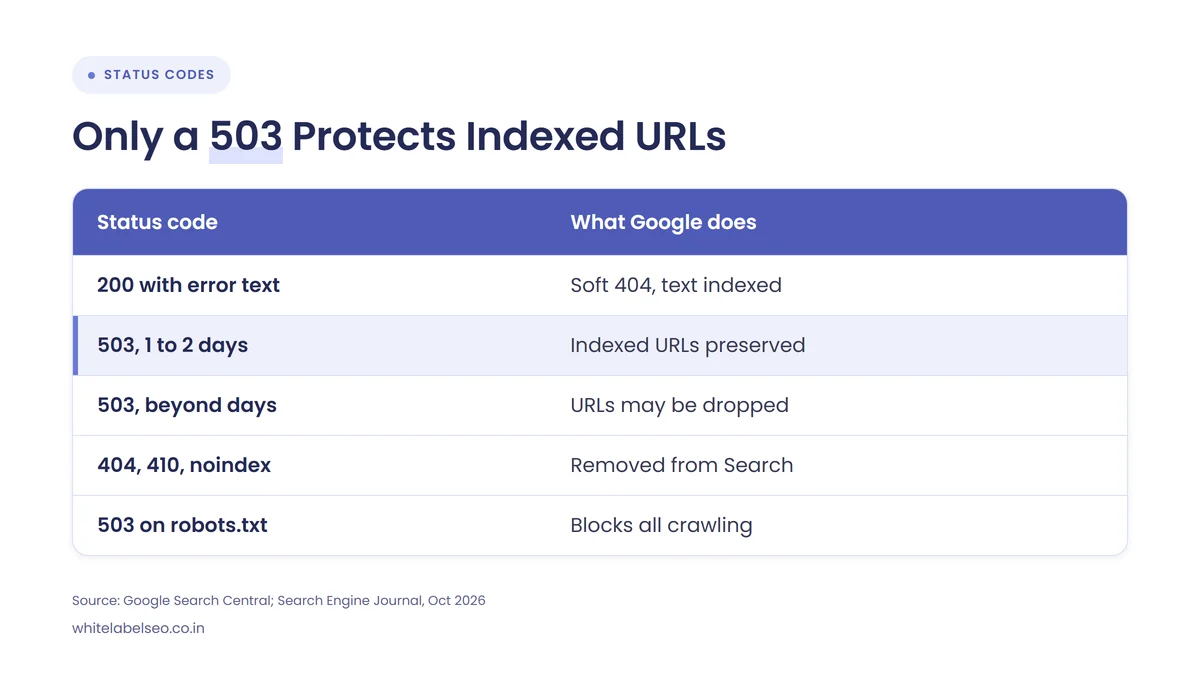
The table below compares the status codes a site can return during downtime. The facts come from Google Search Central, Search Engine Roundtable and Search Engine Journal.
| Status code on a down site | What Google does | Source |
|---|---|---|
| 200 status code with an error message | Search Console shows a soft 404 error; the message can be indexed | Google Search Central; Search Engine Roundtable, Nov 17, 2026 |
| 503 status code for 1 to 2 days | Crawling slows, indexed URLs are preserved | Google Search Central; Search Engine Journal, Oct 21, 2026 |
| 503 status code for more than a few days | URLs may be dropped from the index | Search Engine Journal, Oct 21, 2026 |
| 404, 410 or noindex | Removes URLs from Search | Google Search Central |
| 503 status code on robots.txt | Blocks all crawling | Google Search Central |
The table shows that only a short-lived 503 status code keeps already indexed URLs safe, while a 200 status code on a downtime page and a 404 or 410 both cause harm in different ways.
The 4 effects of a 200 status code on a downtime page are listed below.
- Indexed downtime text. The “try again later” message becomes the content Google has on file for the URL.
- Duplicate pages. When every URL on a site returns the same downtime page with a 200 status code, the pages look identical, and Mueller said Google can drop duplicates.
- Soft 404 errors. Google Search Console reports a soft 404 when a page returns 200 but shows an error message or an empty page.
- Slow recovery. Google crawls duplicate pages less often, so the site can stay out of search results for longer than the outage lasted.
Which client sites are affected by a 200 status code on downtime?
Any client site that goes offline or shows an error page with a 200 status code is affected, and the risk is highest for sites with large numbers of URLs. Five types of site stand out in a typical agency portfolio, listed below.
- Sites in maintenance mode. A maintenance plugin or hosting tool may show a “back soon” page for every URL, and the status code depends on its settings.
- Sites mid-migration. A “coming back soon” page during a platform or hosting move is a common source of downtime pages that return 200.
- Sites on unstable hosting. A host or CDN error page may return 200 when a server error occurs.
- Local business sites. A single-location site is small, but a long outage hits its Google Maps visits and calls.
- Ecommerce sites. Product, category and cart URLs all show the same message, which creates the most duplicate pages.
Our CDN move and Googlebot guide for agencies covers one common cause of server errors on client sites.
How do you run a status code check on a down site?
Run a status code check by requesting the page and reading the HTTP response, not by looking at the page in a browser. A page that looks like an error can still return a 200 status code. The status code check takes about 2 minutes per site.
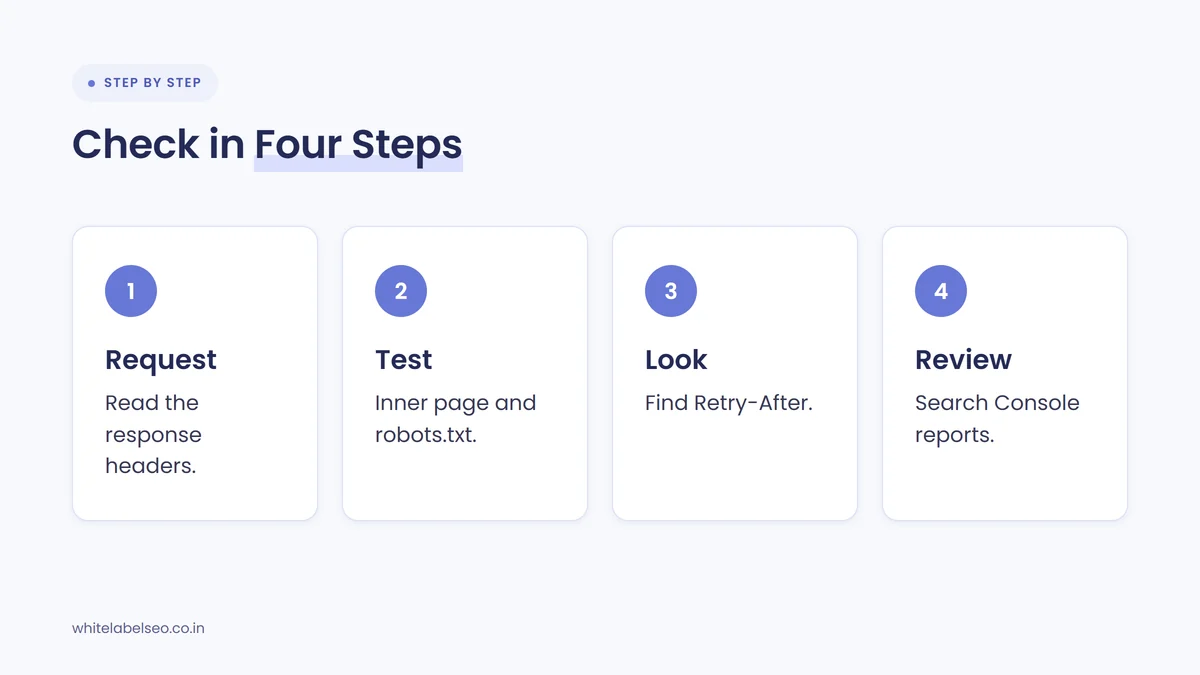
The 4 steps of a status code check are listed below.
- Request the URL headers. Run a command such as
curl -Ion the URL, or use the browser developer tools network tab, and read the first line of the response. - Test more than the home page. Check an inner page and the robots.txt file, because a downtime page can return one code on the home page and another on other URLs.
- Look for a Retry-After header. A 503 status code with a Retry-After header is the setup Google Search Central describes.
- Review Google Search Console. Check the Page indexing report for soft 404 errors and the Crawl Stats report for server error spikes after any outage.
If the check returns 200, ask the developer or host to change the downtime page to a 503 status code, and confirm with the same check afterward.
How long can a site return a 503 status code?
A site can return a 503 status code for 1 to 2 days in urgent cases, and Google Search Central says a full-site closure should last a few days at most. A brief 503 is not a problem: Gary Illyes said in 2024, as Search Engine Journal reported, that a 503 lasting 10 to 15 minutes now and then is not considered extended.
Beyond a few days, URLs that keep returning a 503 status code may be dropped from the index. During a 503, Google also cannot refresh titles, descriptions, metadata or structured data. For longer closures, Google Search Central suggests keeping the site online with limited functionality, such as disabling a cart and adding a banner. Do not return a 503 status code for robots.txt, because that blocks all crawling.
What should agencies tell clients about a 200 status code on downtime?
Agencies should tell clients that every outage page must return a 503 status code, that the agency must hear about planned downtime in advance, and that a “back soon” page returning a 200 status code can put temporary text into Google’s index. Keep the message short, factual and free of alarm, because a short outage handled correctly rarely causes lasting harm.
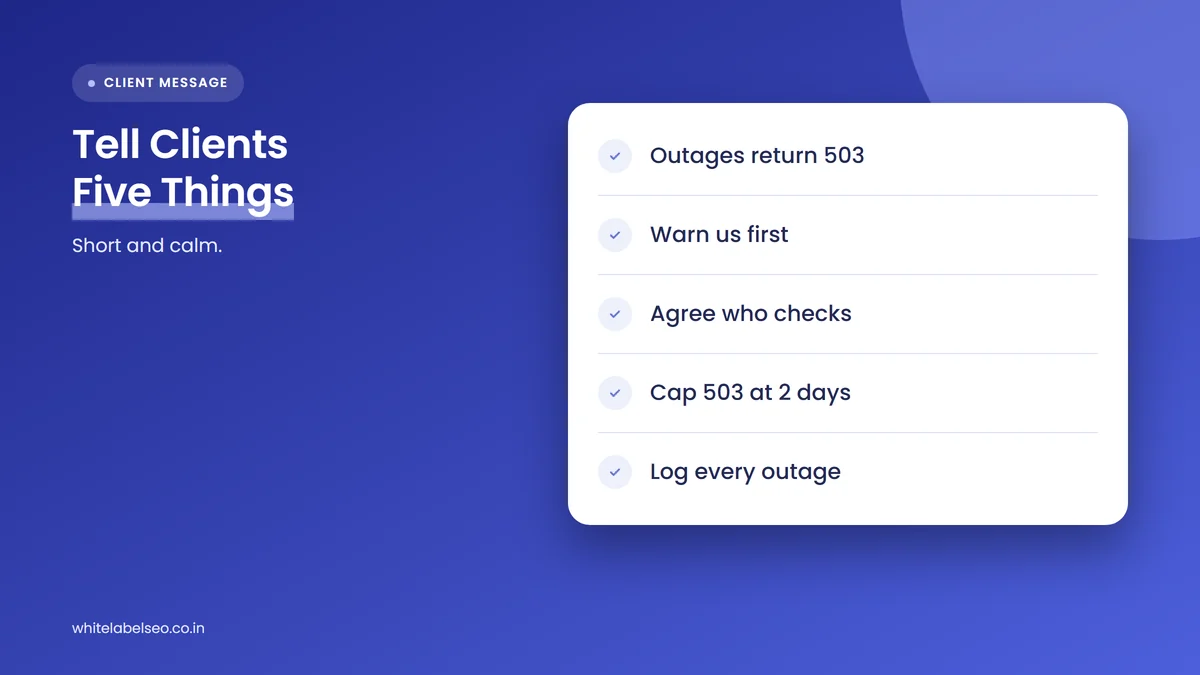
The 5 points of the client message are listed below.
- Explain the rule. A down site should return a 503 status code, not a 200 status code, so Google knows the outage is temporary.
- Ask for notice. Ask the client, developer and host to tell the agency before maintenance, migrations and plugin updates.
- Agree on who checks. Say whether the agency or the developer runs the status code check, and when.
- Set the time limit. A 503 status code should last no more than 1 to 2 days, and a longer closure needs a different plan.
- Add it to reporting. Note any outage, its length and the status code returned in the monthly report, as part of what a white label SEO partner does each month.
Do not promise that rankings will be unaffected by an outage, and do not predict a recovery date. Report what was checked and what was fixed.
What if a 200 status code downtime page is already indexed?
If a 200 status code downtime page is already indexed, restore the real content or switch to the right response and let Google recrawl. Mueller said the temporary message corrects itself once the content is back. The time this takes varies by site, and Google gives no fixed number of days.
Confirm the live page now serves the correct content, then watch Google Search Console for soft 404 errors clearing and indexed URLs returning. For a related case where server responses change how Google crawls, see our guide on technical SEO and AI search: what to tell clients.
Frequently asked questions
Does downtime hurt SEO?
Short downtime with a 503 status code does not usually hurt SEO, because Google keeps already indexed URLs and crawls more slowly. Longer outages, or downtime pages that return a 200 status code, carry more risk, because the downtime text can be indexed and duplicate pages can be dropped.
What status code should a site return during maintenance?
A site should return a 503 status code during maintenance, with a Retry-After header and a simple informational page. Google Search Central recommends the 503 status code for temporary closures and advises against 403, 404, 410 and noindex, which can remove URLs from Search.
Is a 200 status code ever acceptable on an error page?
No, a 200 status code is not acceptable on an error page. Google Search Console reports a soft 404 when a page returns 200 but shows an error message or an empty page. The only 200 case Google describes is an indexable placeholder home page for a deliberate business pause.
Which status code is better, 503 or 404, for a down site?
A 503 status code is better than a 404 for a down site. A 503 tells Google the outage is temporary and keeps indexed URLs in place. A 404 tells Google the page is gone, which can remove URLs from Search. Search Engine Journal reported on October 21, 2026 that Mueller called a ranking with 503 first and 200 last a good model.
How do you check a status code without a developer?
You can check a status code in a browser: open developer tools, load the page and read the status in the network tab. Online header checkers do the same job. Check the home page, one inner page and the robots.txt file, and send the result to the developer if it shows 200 on an error page.
What should you do next?
Run a status code check on every client site that has planned maintenance, a migration or a hosting change in the next 30 days. Add “return 503 during downtime” to the onboarding checklist and the client message above, and keep the 1 to 2 day limit in mind.
If you resell SEO and want help with checks like this, see how White Label SEO supports agencies through our white label SEO services, with every check done under your agency’s brand.
Want status code checks on every client site?
At White Label SEO, we run technical checks, downtime reviews and Search Console monitoring for your clients under your agency’s brand, and we report what we find in plain language. Tell us how many client sites you manage, and we’ll show you how we’d cover them.
Sources
- Google Search Central, “Temporarily pause or disable a website”, accessed November 19, 2026. https://developers.google.com/search/docs/crawling-indexing/pause-online-business
- Google Search Central, “How HTTP status codes affect Google’s crawlers”, accessed November 19, 2026. https://developers.google.com/search/docs/crawling-indexing/http-network-errors
- Search Engine Roundtable (Barry Schwartz), “Google On Why Serving A 200 Status Code When Your Site Is Down Is Bad”, November 17, 2026. https://www.seroundtable.com/google-200-status-code-site-down-42542.html
- Search Engine Journal (Matt G. Southern), “Google reminds sites to serve 503s during server downtime”, October 21, 2026. https://www.searchenginejournal.com/google-reminds-sites-to-serve-503s-during-server-downtime/593873/