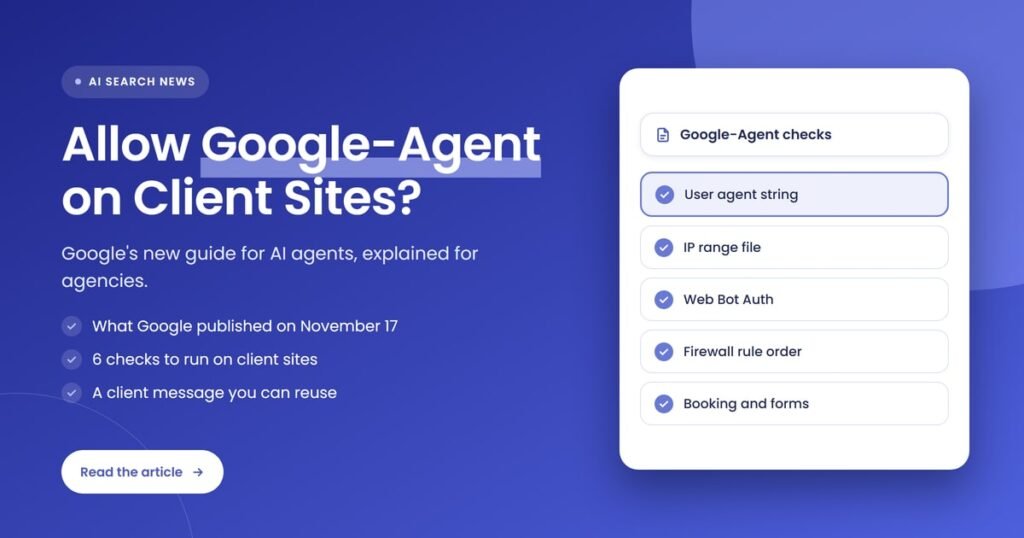
Quick answer: On November 17, 2026, Google published “Allow Google-Agent traffic”, a guide for letting its user-triggered AI agent through CDNs, firewalls and bot protection. Agencies should check that client sites recognise Google-Agent by user agent, IP file and Web Bot Auth, skip challenges for verified requests, and agree an allow or restrict policy with each client.
Key takeaways
- Google-Agent is the name Google uses for agents on its infrastructure that browse sites and take actions on user request.
- Google added Google-Agent on March 20, 2026 and published the guide to allowing it on November 17, 2026.
- Google-Agent identifies itself with 3 signals: a user agent string, IPs in user-triggered-agents.json and, for some requests, Web Bot Auth signatures.
- Google-Agent is one of Google’s user-triggered fetchers, which generally ignore robots.txt rules.
- Booking, ecommerce and lead-form sites behind strict bot protection are the client sites most likely to block it by mistake.
- Agencies should run 6 checks, send clients a short message, and record whether each client allows, monitors or restricts Google-Agent.
What is Google-Agent?
Google-Agent is the user agent for AI agents hosted on Google infrastructure that browse websites and take actions when a person asks them to. Google’s own wording is that “Google-Agent is used by agents hosted on Google infrastructure to navigate the web and perform actions upon user request.” It is not a search crawler: Google-Agent visits a page because a user gave an agent a task, such as comparing products or starting a booking.
Google lists Google-Agent among its user-triggered fetchers, the group of Google tools that fetch a page because a user started the request. Googlebot is different: Googlebot crawls on a schedule for Google Search and follows robots.txt. For an agency, that difference matters because the client sites you manage under your white label SEO services may treat the two bots in very different ways at the firewall.
Search Engine Journal reported on May 17, 2026 that Project Mariner, Google’s experimental browsing agent, was the first product it saw using Google-Agent. Google’s documentation does not name products, so treat Google-Agent as a shared identity for any Google-hosted agent that acts on user request.
What did Google publish about allowing Google-Agent?
Google published a technical guide called “Allow Google-Agent traffic” on November 17, 2026, and logged it in its crawling changelog as “Added guidance on allowing Google-Agent”. The guide explains how Google-Agent identifies requests and how site owners can let that traffic through a CDN, a web application firewall or a bot-detection service without removing existing security controls.
Google-Agent itself is not new. The same changelog shows Google added the Google-Agent user agent on March 20, 2026, along with a separate IP range file for user-triggered agents. Search Engine Roundtable covered the new guide on November 17, 2026 and noted it had first reported on Google-Agent in March.
The 3 parts of the new Google-Agent guide are listed below.
- Identification. How Google-Agent requests can be recognised: the user agent string, the IP range file and experimental Web Bot Auth signatures.
- Allowing Google-Agent traffic. How to allow verified Google-Agent requests in a CDN, firewall or bot-detection service, starting with the provider’s own documentation.
- Troubleshooting. 6 checks for client sites where Google-Agent is still blocked: rule priority, interactive challenges, in-journey actions and APIs, shared-IP rate limits, IP range updates and proxy headers.
How does Google-Agent identify itself?
Google-Agent identifies itself with 3 signals: a user agent string containing “Google-Agent”, an IP address listed in user-triggered-agents.json, and, for a subset of requests, a Web Bot Auth signature from the identity https://agent.bot.goog. A firewall rule that checks all 3 signals is far harder to spoof than a rule that only reads the user agent string.
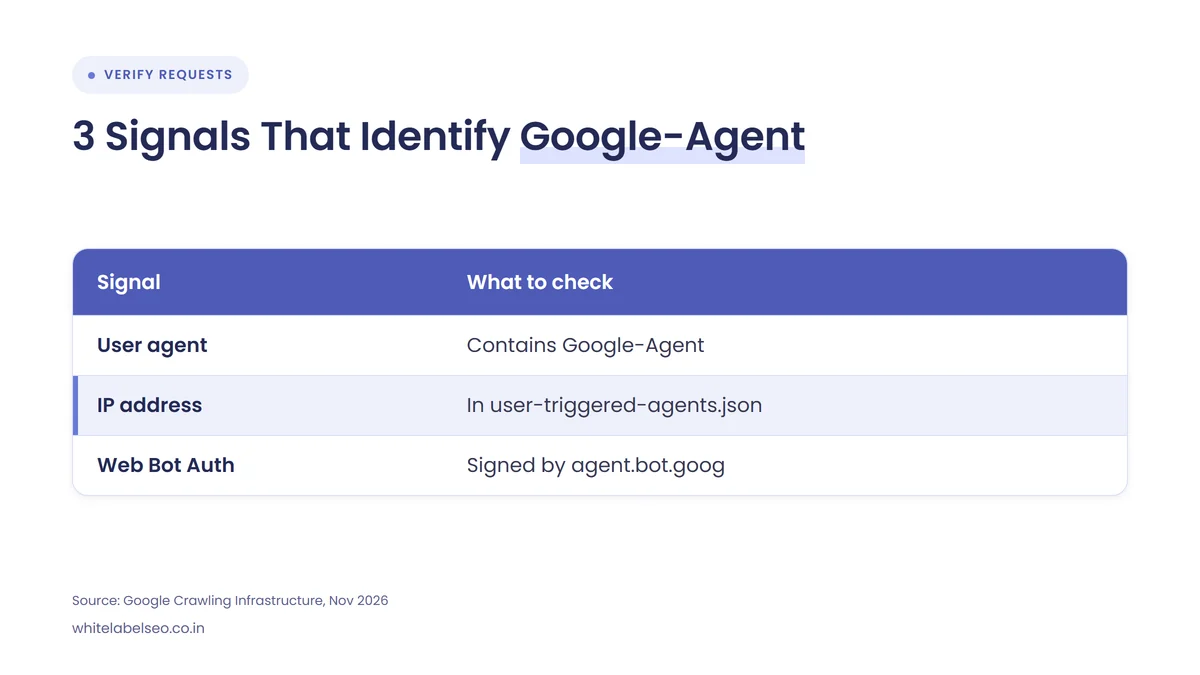
| Signal | What to check | Where Google publishes it |
|---|---|---|
| User agent string | The User-Agent header contains “compatible; Google-Agent” (desktop and mobile versions) | Google’s user-triggered fetchers page |
| IP address | The request IP sits inside the published ranges, kept in sync as they change | user-triggered-agents.json (1 of 3 user-triggered IP files) |
| Web Bot Auth signature | 3 headers (Signature-Agent, Signature, Signature-Input) verify against https://agent.bot.goog under RFC 9421 | Key directory at agent.bot.goog; experimental, page updated October 13, 2026 |
The table shows that only the IP file and the signature can prove a request is really Google-Agent; the user agent string alone can be copied by any scraper. Google’s Web Bot Auth page says Google “is not yet signing every request”, and it recommends keeping IP address, reverse DNS and user agent checks in place while signing rolls out.
The full desktop user agent string ends in “compatible; Google-Agent; +https://developers.google.com/crawling/docs/crawlers-fetchers/google-agent” followed by a Chrome version, so server logs and log tools can filter on the token “Google-Agent”.
Does Google-Agent follow robots.txt rules?
No, Google-Agent generally does not follow robots.txt rules. Google says its user-triggered fetchers “generally ignore robots.txt rules” because the fetch was requested by a user, and Google-Agent is on that list. A Disallow line for Google-Agent in a client’s robots.txt file is therefore not a reliable way to keep the agent out.
This is the point most clients get wrong. They assume robots.txt controls every Google bot. In practice, robots.txt controls Googlebot and other crawlers, while access for Google-Agent is decided at the CDN, the web application firewall, the bot protection layer and the login screen. If a client wants a section kept away from agents, it needs authentication or access rules on the server, not a robots.txt line.
Which client sites are affected by Google-Agent?
Google-Agent affects client sites where a user would want an agent to complete a task, and where strict bot protection may already be stopping it. Informational sites with no forms see little change. Sites that sell, book or capture leads have the most to lose from an accidental block.
The 5 types of client sites most affected by Google-Agent are listed below.
- Booking sites: clinics, salons, restaurants, hotels and service businesses where Google-Agent may try to check availability or start a booking.
- Ecommerce stores: product search, filtering, detail pages and add-to-cart flows, which Google’s guide names directly.
- Lead-form sites: quote, contact and estimate forms with CAPTCHAs that can stop Google-Agent at submission.
- Sites behind strict bot protection: client sites on a CDN or web application firewall that blocks cloud and data center traffic or whole AI agent categories.
- JavaScript-heavy apps: sites whose search or checkout calls XHR, GraphQL or api.* endpoints that sit under separate firewall rules.
What should agencies check on client sites?
Agencies should check 6 things on client sites, taken from the troubleshooting section of Google’s guide: rule priority, interactive challenges, in-journey actions and APIs, shared-IP rate limits, IP range updates and proxy headers. Each check confirms that a verified Google-Agent request reaches the page and can finish the task it was sent to do.
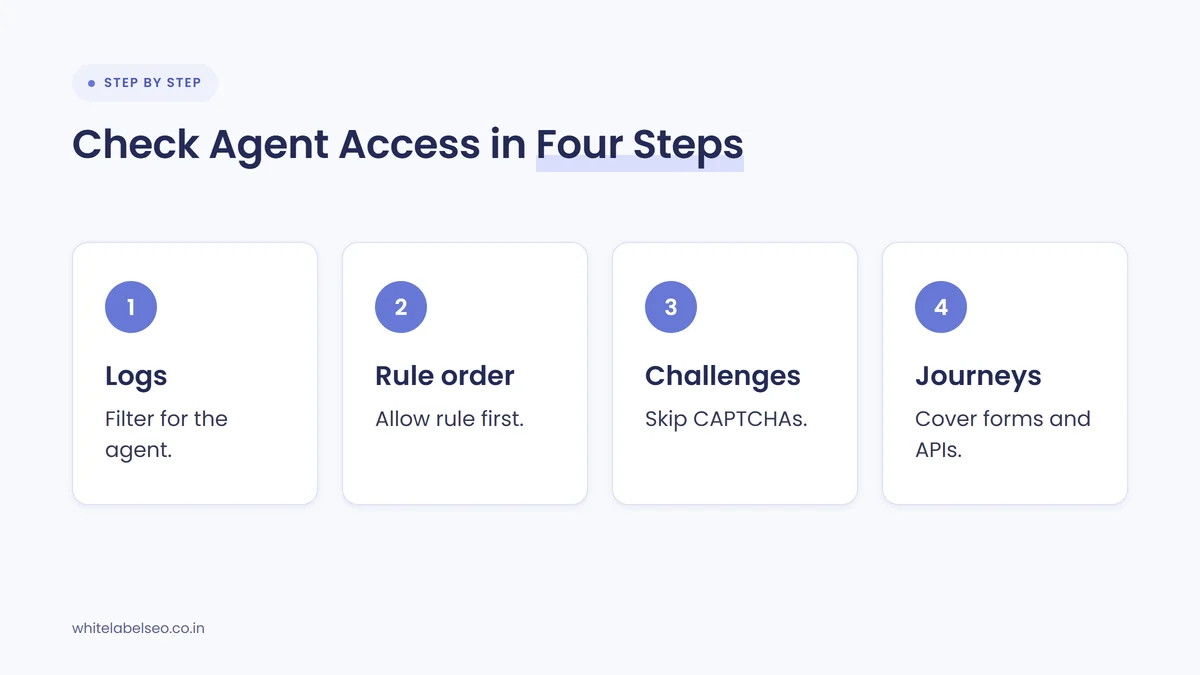
The 6 Google-Agent checks for client sites are listed below, in the order to run them.
- Check rule priority. Make sure the Google-Agent allow rule runs before broad cloud or data center ASN blocks, managed bot rules and AI agent category blocks in the client’s CDN or firewall.
- Skip interactive challenges. Confirm verified Google-Agent requests skip CAPTCHAs and JavaScript challenges, including in-page CAPTCHAs on search and form submission, not only hard HTTP blocks.
- Cover in-journey actions and APIs. Extend the allowance to search, filtering, detail pages, add-to-cart, booking and any XHR, GraphQL or api.* endpoints the client site uses.
- Adjust rate limits. Exempt or raise per-IP rate limits for verified Google-Agent ranges, because Google says many users share the same egress pool.
- Sync IP range updates. Keep IP-based rules matched to user-triggered-agents.json, ideally through the provider’s managed list rather than a hand-typed list.
- Preserve proxy headers. Check that load balancers and proxies pass on the client IP, the user agent string and the 3 Web Bot Auth headers.
Start in the provider’s own documentation, because Google notes that some CDNs and bot-detection services verify and allow these requests automatically. Cloudflare and similar providers manage verified bots in their dashboards, so the client may only need a setting changed, not a custom rule. This is the same failure pattern as Google’s warning about bot protection after a CDN move, applied to agents instead of Googlebot.
Then check the server logs. Filter for “Google-Agent” over the last 30 days and look at the response codes: 403 or 429 responses, or challenge pages served instead of content, mean the bot protection is stopping it.
What should agencies tell clients about Google-Agent?
Agencies should tell clients that Google-Agent is a new kind of visitor that acts for a real person, that robots.txt does not reliably control it, and that the client needs to decide whether to allow it. Keep the message short, factual and free of predictions about traffic, because Google has published no usage numbers.
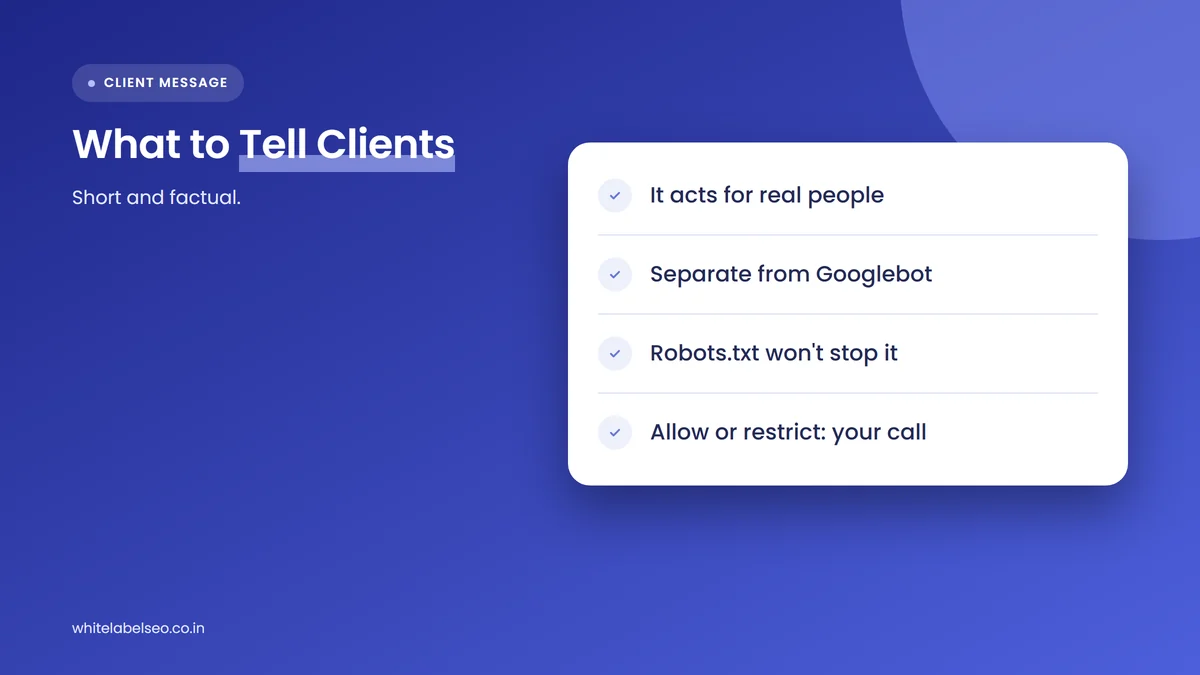
The client message below can be reused as written, with your agency name and the client’s site added.
“On November 17, 2026, Google published guidance on Google-Agent, the visitor its AI agents use when a person asks them to browse a site or start a task, like a booking or a purchase. Google-Agent is separate from Googlebot, so it does not change how your site is indexed or crawled for Google Search. It also generally ignores robots.txt, so access is controlled by your firewall and bot protection. We will check that your site does not block verified Google-Agent visits by mistake on your booking, product and contact pages, and we will confirm the setting with you before changing anything. If you would rather restrict agents, tell us and we will document that choice.”
Send the message with a one-line result from your log check, so the client sees evidence, not a sales pitch. If the client asks how this ties into AI search more broadly, point them to why technical SEO still matters for AI search, because crawlability and agent access sit in the same technical layer.
Should every client allow Google-Agent?
No, not every client should allow Google-Agent everywhere. Most booking, ecommerce and lead-form clients benefit from allowing verified Google-Agent visits on public pages, while account areas, payments and anything behind a login should stay protected by authentication. The decision belongs to the client, and the agency’s job is to set it up correctly and write it down.
Some brands have gone the other way. United now requires written permission for AI agents while keeping search indexing open, which we covered in United now requires permission for AI agents. Use that post when a client asks about restricting agents, and use this one when the goal is to stop blocking them by accident.
Frequently asked questions
Is Google-Agent the same as Googlebot?
No, Google-Agent is not the same as Googlebot. Googlebot crawls pages for Google Search and follows robots.txt. Google-Agent is a user-triggered fetcher that visits only when a person asks a Google-hosted agent to do something, uses its own IP range file and generally ignores robots.txt.
Will blocking Google-Agent hurt a client’s Google rankings?
Google’s documentation does not describe Google-Agent as part of Search crawling or ranking; Googlebot handles that. Blocking Google-Agent stops Google-hosted agents from completing tasks for users on the site, such as a booking or a product comparison, which can cost the client those visits.
How can an agency verify a request really comes from Google-Agent?
Check that the user agent string contains “Google-Agent” and that the IP address sits in Google’s user-triggered-agents.json file. For signed requests, verify the Web Bot Auth headers against https://agent.bot.goog. Never trust the user agent string alone, because scrapers can copy it.
Can a client use robots.txt to block Google-Agent?
Not reliably. Google says user-triggered fetchers generally ignore robots.txt rules because a person requested the fetch. To restrict Google-Agent, use firewall rules, bot protection settings or a login on the pages that need protecting.
Who should change the firewall settings, the agency or the client?
The client’s developer or hosting provider should usually change firewall and CDN settings, because those controls also protect payments and accounts. The agency should run the checks, show the log evidence, recommend the setting and record the client’s decision.
What should agencies do this week?
Pick the 3 client sites with bookings, carts or lead forms, filter their server logs for “Google-Agent”, and run the 6 checks from Google’s guide on any site that returns challenges or 403 errors. Then send each client the short message above and record whether they allow, monitor or restrict Google-Agent.
If you want a partner to run these Google-Agent checks under your brand, see our white label SEO services for agencies at White Label SEO.
Need Google-Agent checks run on your client sites?
At White Label SEO, we review client sites for crawler and agent access, write up the findings in your brand, and hand you a client-ready summary. Tell us how many sites you manage, and we’ll scope the review with you.
Sources
- Google Crawling Infrastructure, “Allow Google-Agent traffic”, November 17, 2026. https://developers.google.com/crawling/docs/crawlers-fetchers/allow-google-agent
- Google Crawling Infrastructure, “Google’s user-triggered fetchers”, accessed November 18, 2026. https://developers.google.com/crawling/docs/crawlers-fetchers/google-user-triggered-fetchers
- Google Crawling Infrastructure, “Authenticate requests with Web Bot Auth (experimental)”, updated October 13, 2026. https://developers.google.com/crawling/docs/crawlers-fetchers/web-bot-auth
- Google Crawling Infrastructure, “Changelog”, accessed November 18, 2026. https://developers.google.com/crawling/docs/changelog
- Search Engine Roundtable (Barry Schwartz), “Google Search Help Document On How To Allow Google-Agent Traffic”, November 17, 2026. https://www.seroundtable.com/google-agent-bot-42559.html
- Search Engine Journal (Slobodan Manic), “Google-Agent: The Web’s New Visitor Just Got An Identity”, May 17, 2026. https://www.searchenginejournal.com/google-agent-the-webs-new-visitor-just-got-an-identity/571508/