Quick answer: Run multi-location local SEO by treating every location as its own entity: one Google Business Profile, one location page, one review flow and one report line per site, rolled up into a group summary for the client. Hand the repeatable production to a white label partner so volume does not eat your margin.
Key takeaways
- Multi-location local SEO is local SEO done once per location, because each site competes against different rivals for searchers in a different place.
- Google’s Business Profile Help names 3 local ranking factors, relevance, distance and prominence, and says no one can request or pay for a better local ranking.
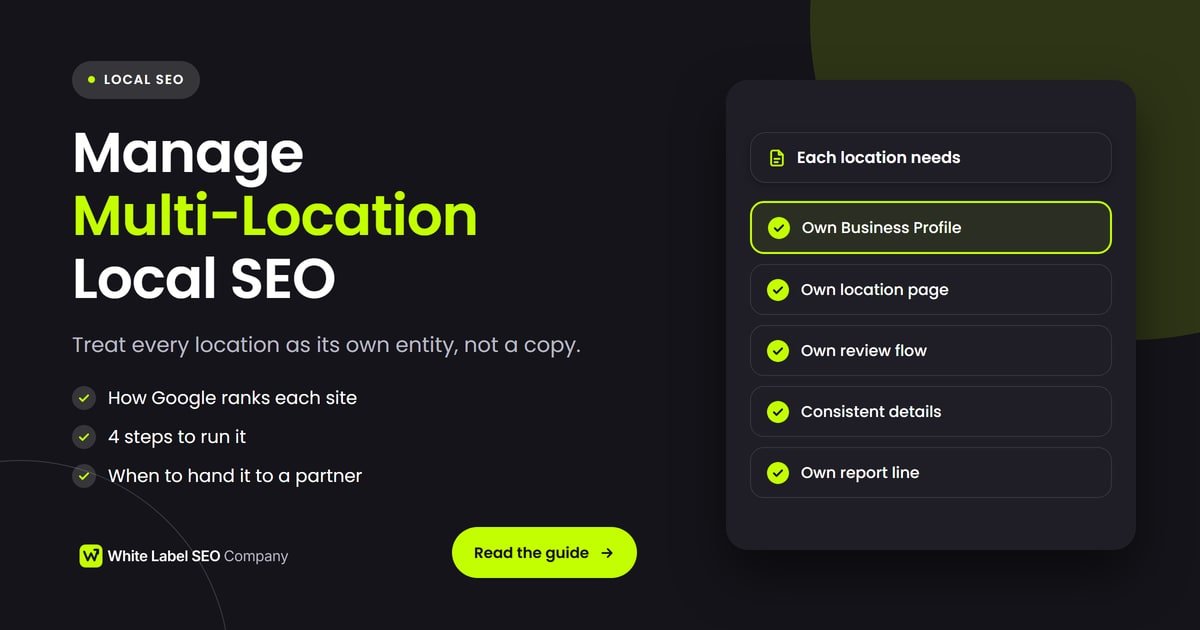
- Each location needs 5 assets: a Google Business Profile, a location page, a review flow, consistent business details and its own line in the report.
- Pages that differ only by city name risk Google’s doorway abuse policy, so every location page needs details that are true for that site.
- In BrightLocal’s 2026 survey of 1,002 US adults, 74% look for reviews written in the last three months and 89% expect owners to respond.
- Run the work in 4 steps (audit, set up, run, report), and hand it to a white label partner when location count outgrows your team’s hours.
What is multi-location local SEO?
Multi-location local SEO is the work of making each physical location of one business visible in Google Search and Google Maps for searches near that location. It covers a Google Business Profile, a location page, reviews, business details and reporting for every site, not one set of tasks for the whole brand.
The difference from single-location work is volume and separation. For example, a client with 12 locations faces 12 separate sets of local competitors, 12 review queues and 12 profiles that can each break on their own. White label local SEO means a partner produces that work under your brand while you keep the client relationship. Our white label SEO services follow that model, and the rest of this guide shows how to apply it to clients with 10 or more sites.
How does Google rank each location in multi-location local SEO?
Google ranks each location in local results using 3 factors: relevance, distance and prominence. Google’s Business Profile Help defines relevance as how well a profile matches the search, distance as how far the business is from the searcher, and prominence as how well known the business is.
Google adds that prominence depends partly on information from across the web, such as links, and that more reviews and positive ratings can help a business’s local ranking. It also states that there is no way to request or pay for a better local ranking. For an agency, the 3 factors translate into the levers listed below.
- Relevance: complete each Google Business Profile with the right categories, services and hours for that location.
- Distance: accept that you cannot change it, and make sure the address on the profile is the real one.
- Prominence: build review volume, recent reviews and links for that location, not only for the brand.
Distance explains why one strong brand cannot lift every location equally. A searcher near location A sees location A’s competitors, so the work has to happen at location level.
What does each location need in multi-location local SEO?
Each location needs 5 assets in multi-location local SEO: its own Google Business Profile, its own location page, its own review flow, consistent business details across the web and its own line in the client report. Skipping any one of them leaves that location behind the rest of the group.
The 5 assets are listed below, with the Google guideline that applies to each.
- A Google Business Profile per location: Google’s guidelines say each location gets one profile and that duplicates can cause display problems.
- A location page per location: one page on the client’s site with that site’s address, phone number, hours, services offered, staff and directions.
- A review flow per location: review requests and review replies run at the site level, so each profile builds its own record.
- Consistent business details: the name matches the real-world name on signage and the website, with no added hours, phone numbers or store codes, as Google’s guidelines require.
- A report line per location: each site’s results sit next to the others, with a group total on top.
Locations that serve customers at their address and locations that travel to customers follow different rules. Google’s guidelines say a service-area business should have one profile for its central office with a designated service area, and it may hide the address if it does not receive customers there. Our guide to how white label GMB management helps agencies win and keep local clients covers the profile work in more depth.
Why does copy and paste fail in multi-location local SEO?
Copy and paste fails in multi-location local SEO because pages and profiles that differ only by city name give Google and customers nothing location-specific to choose. Google Search Central’s spam policies define doorway abuse as pages created to rank for specific, similar search queries that lead users to intermediate pages less useful than the destination.
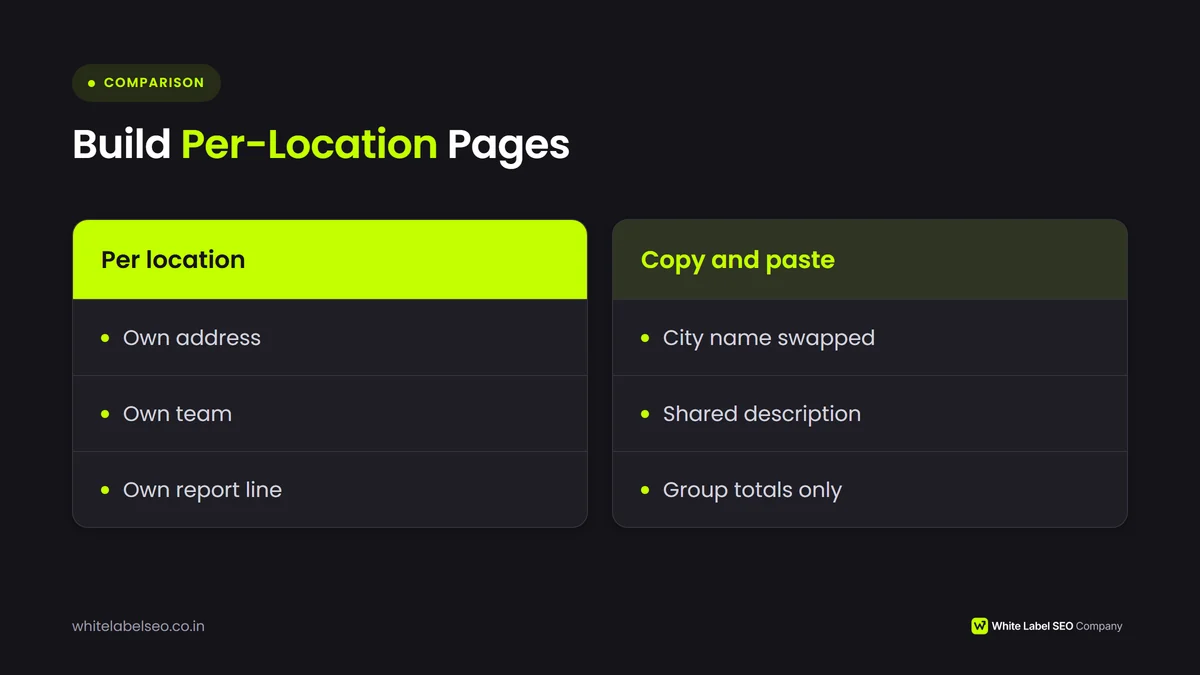
Google’s spam policies list “multiple domain names or pages targeted at specific regions or cities that funnel users to one page” as an example of doorway abuse. A location page that sits at a real address, with real hours and a real team, is different: it is the destination, not a funnel. The difference between the 2 approaches is easy to see in practice.
- Per-location work: a page for each real site, with its own address, services offered, staff, photos and directions.
- Copy-and-paste work: one template with the city name swapped, shared photos and the same description on every profile.
Never build a page for a city where the client has no location. A service-area page without a real presence behind it is the pattern the doorway policy describes. Keep the page count equal to the number of real locations, and put the unique effort into those pages.
How do review habits change multi-location local SEO work?
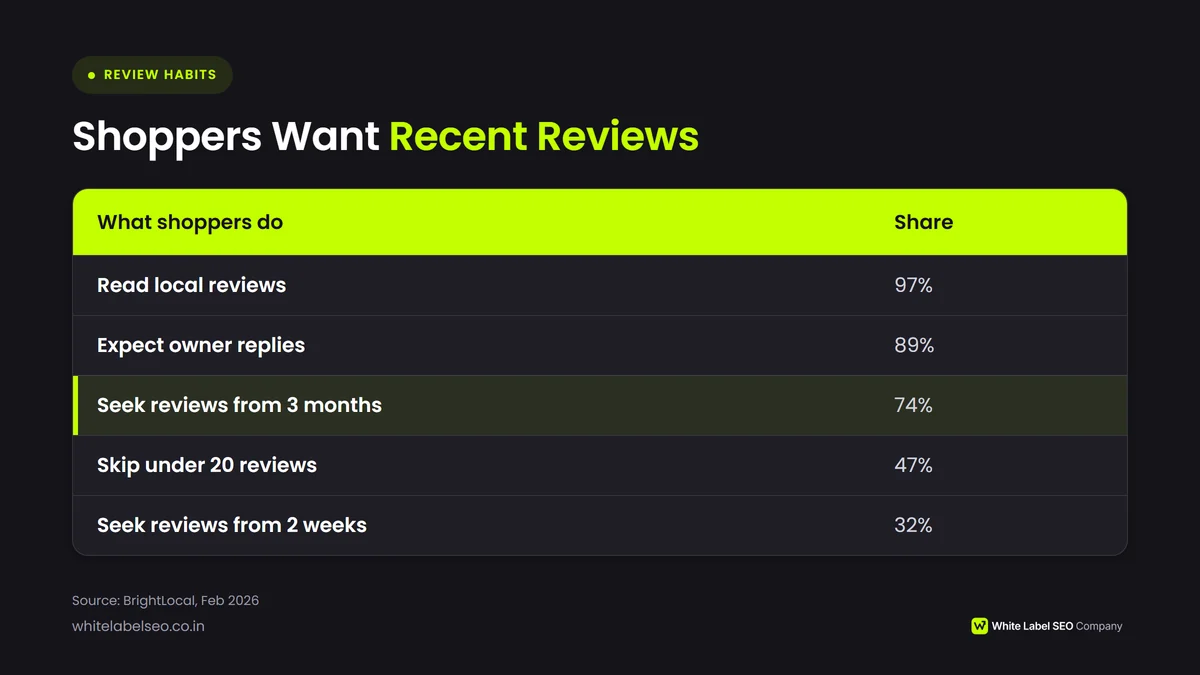
Review habits change multi-location local SEO work because shoppers judge recent, answered reviews at the location they plan to visit. BrightLocal’s Local Consumer Review Survey 2026, which polled 1,002 US adults and was published on February 11, 2026, found that 97% of consumers read reviews for local businesses.
| What consumers do | Share | What it means for each location |
|---|---|---|
| Read reviews for local businesses | 97% | Every profile needs reviews, not just the busiest site |
| Expect owners to respond to reviews | 89% | Assign review replies to each location’s queue |
| Likely to use a business that responds to all its reviews | 80% | Reply to every review, positive and negative |
| Seek reviews written in the last three months | 74% | Keep a steady rhythm of review requests |
| Won’t use a business with fewer than 20 reviews | 47% | Lift new or quiet locations first |
| Look for reviews from the last two weeks | 32% | Check each profile weekly (20% a year earlier) |
The table shows that recency and replies matter as much as star ratings, which is why a one-time review push at launch does not hold up across a group of sites. Source: BrightLocal, “Local Consumer Review Survey 2026”, February 11, 2026. BrightLocal reports these shares for US consumers in general, not by chain size, so read them as a guide to shopper behavior.
A group with one busy flagship and 11 quiet sites will look healthy in an average and weak in the places that matter. Our post on white label review management explains how to package this work for clients.
How do you run multi-location local SEO for a client in 4 steps?
You run multi-location local SEO in 4 steps: audit every location, set up profiles and access, run each location’s review and update rhythm, and report by location and as a group. The same order works for 3 sites or 30.
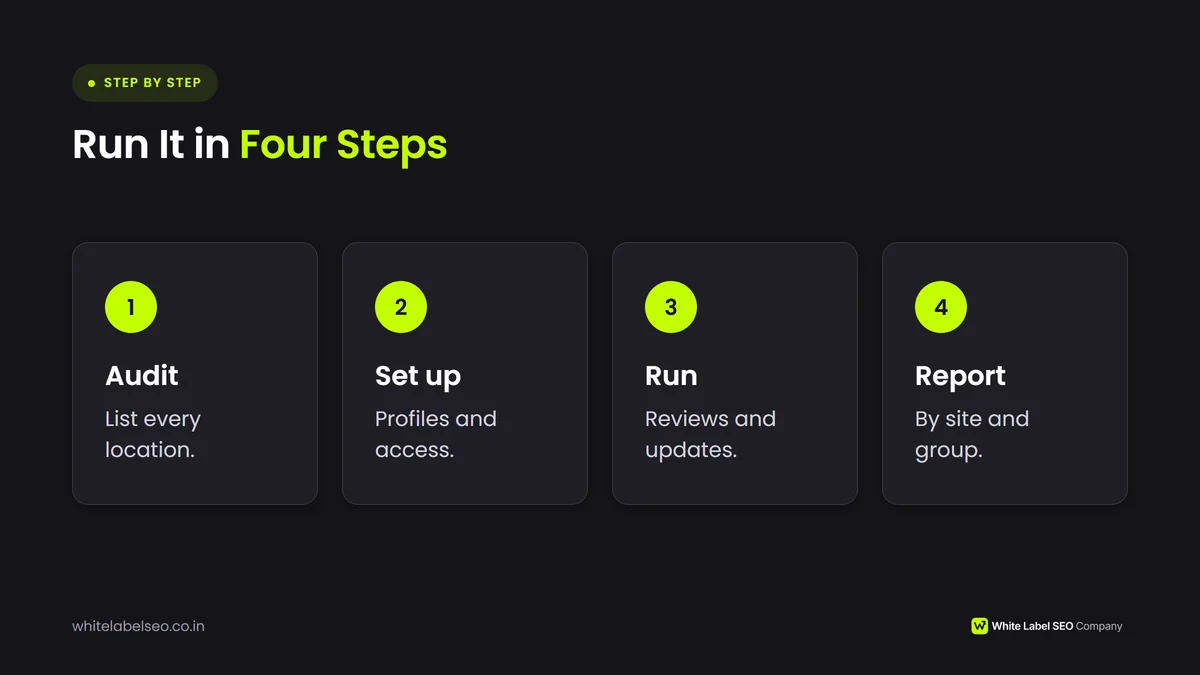
The 4 steps for multi-location local SEO are listed below.
- Audit every location. List each site’s name, address, phone number, hours and category, then find duplicate profiles and mismatches against Google’s guidelines. Fix duplicates first, because Google allows one profile per location.
- Set up profiles and access. Put the locations in a business group and add your team or partner staff as managers. Google describes a business group as a shared folder for profiles and a safer alternative to sharing one account’s username and password. A group needs 2 or more profiles.
- Run each location’s rhythm. Send review requests, answer reviews, keep hours and services current and refresh photos for each site on a set schedule. Build and update the location page for each site.
- Report by location and as a group. Show each site’s results next to the others, with a group total for the client’s head office. Name the weak locations and the cause, so the client sees a plan, not a surprise.
Bulk verification can save time in step 2 when the client is a chain. BrightLocal’s guide to verifying multi-location businesses, last updated in October 2025, states that bulk verification requires 10 or more locations of the same business, that service-area businesses are not eligible and that businesses with fewer than 10 locations verify each one individually. Our white label SEO reports page shows a client-ready format for step 4.
When should an agency hand multi-location local SEO to a white label partner?
An agency should hand multi-location local SEO to a white label partner when location count grows faster than the hours your team can give each profile, page and review queue. The repeatable production moves to the partner, while you keep strategy, the client relationship and the monthly call.
The signs that it is time are listed below.
- Review replies slip: some locations wait weeks for a reply while others get one the same day.
- Profile updates lag: hours and services change at a site and the Google Business Profile still shows the old version.
- Reports take days: building a per-location and group report costs more hours than the retainer covers.
- New locations stall: the client opens a site and your team cannot set up the profile and page in the same week.
- Margin thins: hours per location rise while the retainer stays flat. Our post on protecting agency margins as SEO tools and salaries keep rising covers that squeeze.
Before you pick a partner, ask 5 questions: how they price per location, who answers reviews and in how many business days, how they access profiles through a business group instead of shared passwords, what the report looks like by site and by group, and what they do when a profile is suspended. Written answers to those 5 questions let you repeat the same commitments to the client.
Frequently asked questions
How many locations does a client need before bulk verification applies?
A client needs 10 or more locations of the same business, according to BrightLocal’s guide to verifying multi-location businesses, last updated in October 2025. Service-area businesses are not eligible, and businesses with fewer than 10 locations verify each location individually by methods such as postcard or phone.
Should every location have its own page on the client’s website?
Yes, each location with its own Google Business Profile should have its own location page, with details that are true for that site: address, hours, services offered, staff and directions. Do not build pages for cities where the client has no location, because Google’s spam policies warn against doorway pages.
How should an agency access a client’s Google Business Profiles?
Use a business group, not a shared login. Google describes a business group as a shared folder for profiles, and it lets you add agency employees as managers or owners. Limit each group to one account per business or brand, and use separate groups when different users need different locations.
What if a location is a service-area business?
A service-area business should have one profile for its central office with a designated service area, according to Google’s guidelines. It may hide the address if it does not receive customers there. Do not create extra profiles or pages for each city in the service area, and do not use a virtual office address.
Do replies to reviews matter at each location?
Yes. BrightLocal’s 2026 survey found that 89% of consumers expect owners to respond to reviews, and 80% say they are likely to use a business that responds to all of its reviews. Assign replies to a named owner at each location and answer positive and negative reviews alike.
What should you do next about multi-location local SEO?
Pick one multi-location client and run the 4-step audit this week: list every location, find the duplicates and score each site against the 5 assets above. The gaps you find will show which work to keep in house and which to hand to a partner.
If you want a delivery partner that runs profiles, pages, reviews and reports location by location under your brand, see how White Label SEO works through our white label SEO services and our white label local SEO program.
Have a multi-location client?
Book a free strategy call and we will walk through how we would run profiles, pages, reviews and reports for each site behind your brand.
Sources
- Google Business Profile Help, “Improve your local ranking on Google”, accessed November 28, 2026. https://support.google.com/business/answer/7091
- Google Business Profile Help, “Guidelines for representing your business on Google”, accessed November 28, 2026. https://support.google.com/business/answer/3038177
- Google Business Profile Help, “Create and manage business groups”, accessed November 28, 2026. https://support.google.com/business/answer/6085326
- Google Search Central, “Spam policies for Google web search”, accessed November 28, 2026. https://developers.google.com/search/docs/essentials/spam-policies
- BrightLocal, “Local Consumer Review Survey 2026”, February 11, 2026. https://www.brightlocal.com/research/local-consumer-review-survey/
- BrightLocal, “Verifying a Multi-Location Business on Google”, last updated October 2025. https://www.brightlocal.com/learn/verifying-google-business-profile-for-multiple-locations/
