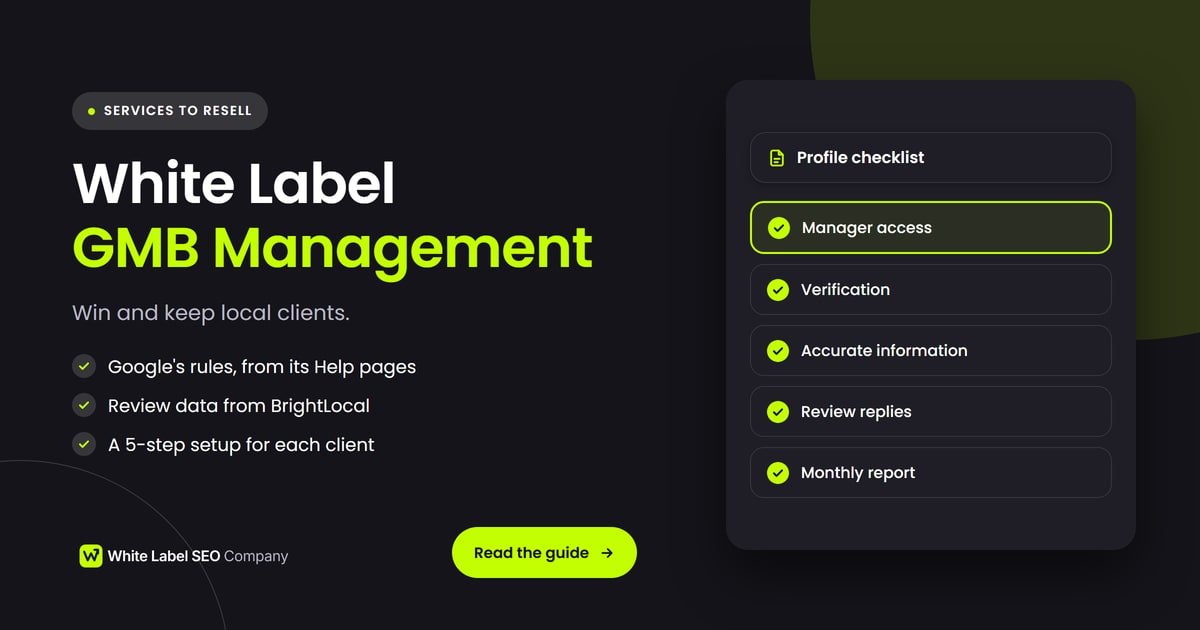
Quick answer: White label GMB management is a partner running your local clients’ Google Business Profiles under your brand. It helps you win local clients with a verified, accurate profile and keep them with steady review replies, while you keep the client relationship and the invoice.
Key takeaways
- White label GMB management means a white label SEO partner manages a client’s Google Business Profile, the listing Google shows on Google Search and Google Maps, under your agency’s brand.
- The work covers 5 areas: access, verification, accurate business information, review requests and replies, and a monthly report.
- BrightLocal’s 2026 survey found that 97% of consumers read reviews for local businesses and 80% say they are likely to use a business that replies to all of its reviews.
- Google’s guidelines limit what a profile can contain: a real-world business name, one profile per business, specific categories and no links in the description.
- You can set it up for a client in 5 steps, starting with an invite from the client’s profile owner.
- Google says there is no way to request or pay for a better local ranking, so promise the work, not the position.
What is white label GMB management?
White label GMB management is a service where a white label SEO partner manages a client’s Google Business Profile while the agency sells it under its own name. The agency owns the client relationship, the branding and the invoice. The partner does the profile work behind the agency.
GMB is the name agencies still use for the listing, and Google’s Help pages call it a Business Profile. Google says a business can have one if it has a physical location customers can visit, or travels to customers where they are. If you resell local SEO and want a partner for the profile work, our white label SEO services page shows the wider service it sits inside.
The partner does not need to own the profile. Google’s owners and managers page says an owner can invite a manager, and that managers have mostly the same access as owners. The only exceptions are that managers cannot add or remove users and cannot remove the profile.
What does white label GMB management cover?
White label GMB management covers 5 areas: access to the profile, verification, accurate business information, review requests and replies, and a monthly report. The list below sets out each area and the Google rule behind it.
- Access: the client’s owner invites the partner as a manager under People and access, because only owners can add users.
- Verification: Google says you need to verify a business to edit its information and to interact with customers, and Google decides which verification methods you can use.
- Business information: the partner keeps the name, address, categories, hours, phone number and website accurate and within Google’s guidelines.
- Review requests and replies: the partner sets up a Google link or QR code for requests and writes short replies, with no incentives offered.
- Monthly report: the agency sends the client a summary of what changed on the profile and what happened with reviews, in the agency’s brand.
Google’s owners and managers page also lists posts, photos, logos and products among the features that managers can use, so the same access covers the day-to-day profile work. Profile work is one part of local visibility, and our white label local SEO service covers the wider scope, such as local pages and citations.
Why do reviews matter when you resell white label GMB management?
Reviews matter in white label GMB management because local clients judge a profile by them, and Google lists reviews among its ranking inputs. Google’s Business Profile Help says more reviews and positive ratings can help a business’s local ranking, and that replying to reviews shows customers you value their feedback.
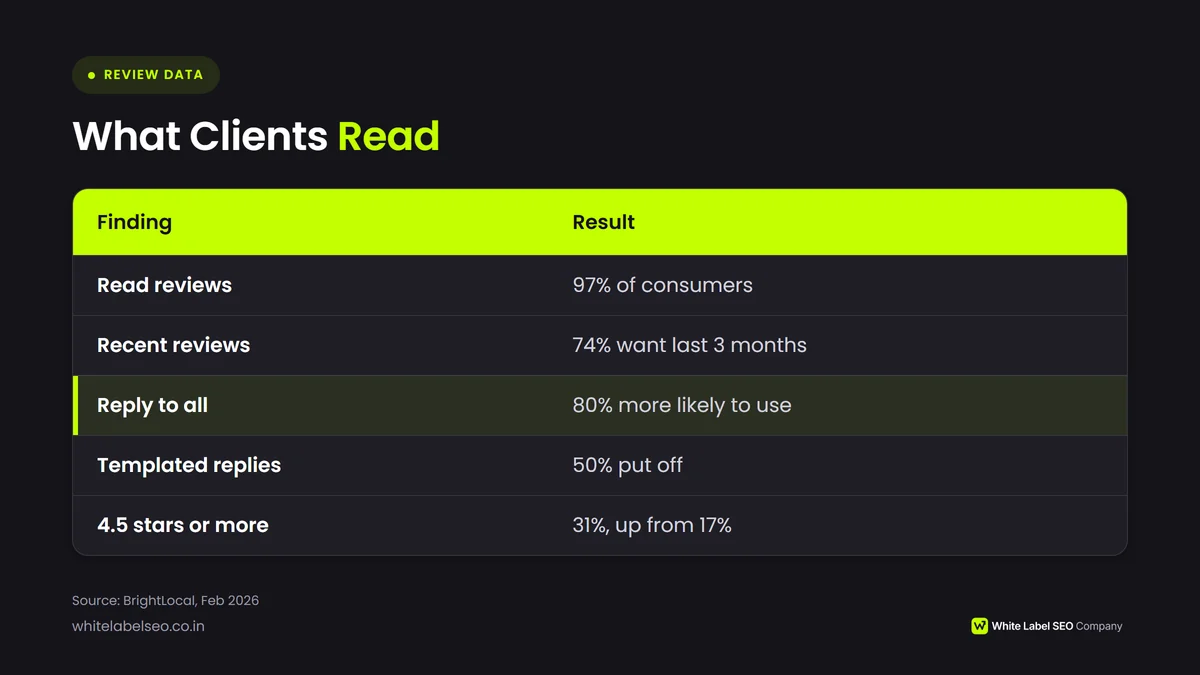
| Review finding | Result | What it means for your local clients | Source |
|---|---|---|---|
| Read reviews for local businesses | 97% of consumers | Almost every prospect checks the reviews before calling | BrightLocal, February 2026 |
| Look for recent reviews | 74% want reviews from the last three months | Review requests have to be steady, not a one-off push | BrightLocal, February 2026 |
| Reply to all reviews | 80% likely to use a business that does | Replies belong in the monthly scope | BrightLocal, February 2026 |
| Generic replies | 50% are put off by templated replies | Write replies that answer the specific review | BrightLocal, February 2026 |
| Rating floor | 31% will only use 4.5 stars or more, up from 17% in 2025 | A rating below the floor loses some prospects before they call | BrightLocal, February 2026 |
The table shows that review volume, recency and reply quality each have a number behind them, which gives you facts to put in a client report instead of promises.
Google’s rules shape how reviews are asked for. Google’s review guidance says you can ask customers to visit a Google link or scan a QR code, that customers must be signed into a Google Account to leave a review, and that offering incentives such as free or discounted goods or services is strictly prohibited. It also says replies should be short and simple, and that a reply is not the place to offer deals. Our article on white label review management as the local SEO upsell your clients already need covers how to sell this as its own service.
Which Business Profile rules should white label GMB management follow?
White label GMB management should follow Google’s guidelines for representing a business on Google, which set rules for the business name, address, categories, hours and description. A profile that breaks them can be suspended, and the client blames the agency, not the guideline.
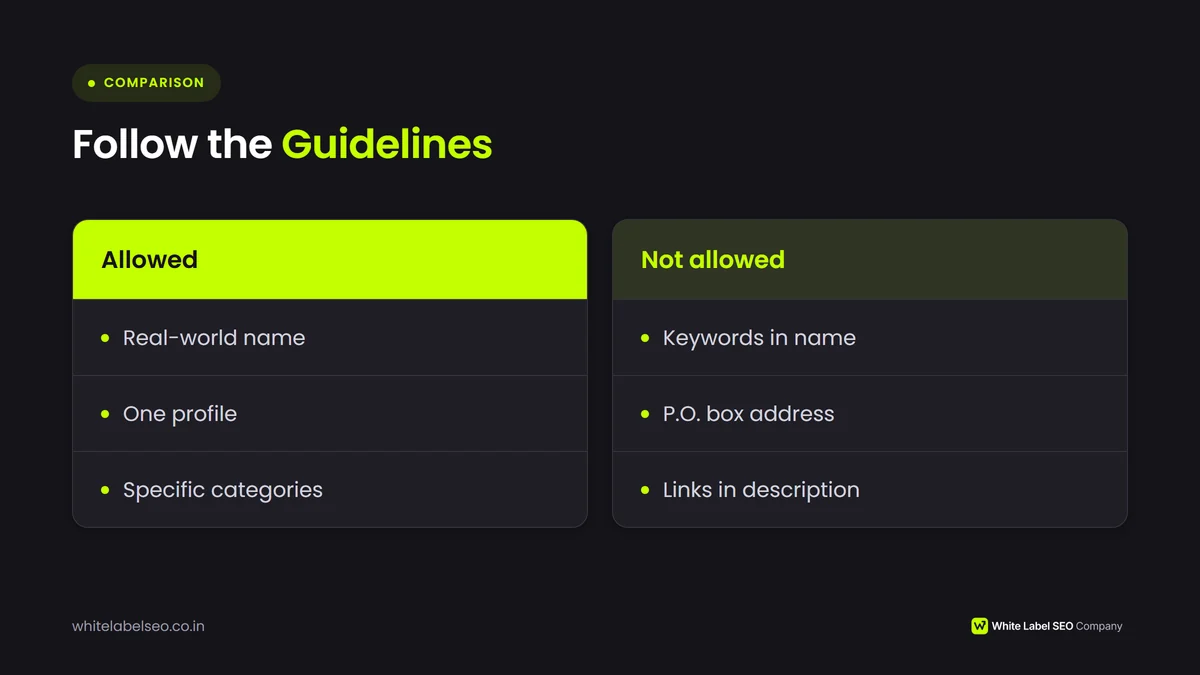
The Business Profile rules a partner should check on every client are listed below.
- Business name: use the real-world name from signage, the website and stationery. Google says including unnecessary information in the name isn’t permitted and can lead to suspension, and lists taglines, hours, phone numbers and URLs as examples.
- One profile per business: Google says duplicate profiles can cause display problems on Maps and Search, and each location should have only one page.
- Address: use an accurate, real-world address. P.O. boxes, remote mailboxes and virtual offices are not acceptable.
- Service-area businesses: use one profile for the central location with a designated service area, and hide the street address. Google says a service area should not extend farther than about 2 hours of driving time from the business.
- Categories: choose as few categories as possible, and the most specific ones. Categories describe what the business is, not what it sells.
- Description: do not include links, prices or sales offers. Google says no links of any type are allowed in business descriptions.
Suspensions still happen, and when one does the response matters more than the cause. Our guide to handling Google Business Profile suspensions for clients through a white label partner sets out that process.
How do you set up white label GMB management for a client in 5 steps?
You set up white label GMB management for a client in 5 steps: get manager access, confirm verification, audit the profile against Google’s guidelines, set up the review process and agree the monthly report. The steps below put the access and verification first, because everything else depends on them.
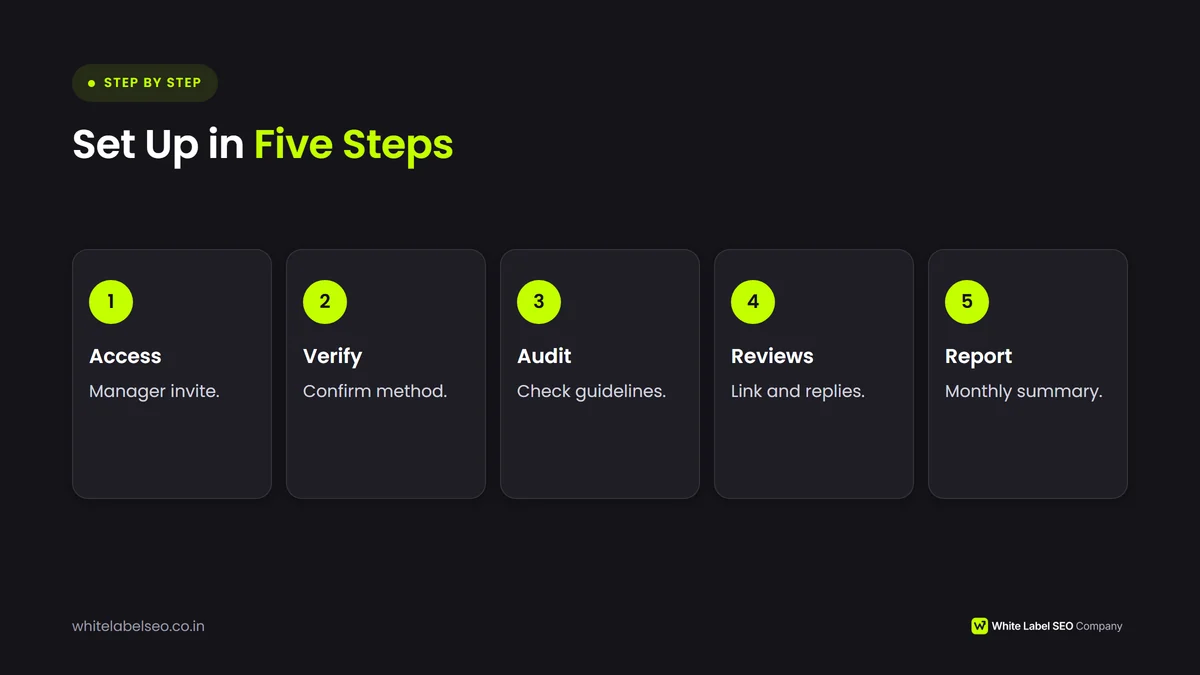
The 5 steps for setting up white label GMB management are listed below.
- Get manager access. Ask the client’s owner to open People and access in Business Profile settings and invite the partner as a Manager. Google says invitees can accept right away.
- Confirm verification. If the profile is not verified, plan for the method Google offers. With a postcard, Google says most codes arrive within 14 days, and the code expires after 30 days.
- Audit the profile. Check the name, address, categories, hours, phone number and description against the guidelines above, and record what you change.
- Set up the review process. Create the Google link or QR code, agree who sends requests and set reply rules: short, specific and with no offers.
- Agree the monthly report. Decide what the client sees each month and send it under your brand.
Step 2 is the one most likely to run past your plan, since Google says verification can take up to 5 business days to review and decides which methods are available. Our list of local SEO tasks to white label shows where profile work sits next to citations and local pages.
What should local clients hear about rankings from white label GMB management?
Local clients should hear that profile work supports local visibility but cannot buy a position. Google’s Help page says there is no way to request or pay for a better local ranking on Google, and that local results are mainly based on relevance, distance and prominence.
Google defines relevance as how well a profile matches what someone searches for, distance as how far each business is from the searcher, and prominence as how well-known a business is. Google also says it keeps the details of its algorithm confidential. Two of those 3 factors, relevance and prominence, are where profile work can help: complete information for relevance, and reviews for prominence. Distance is the one the agency cannot change.
That gives you an honest line for the sales call: we keep the profile accurate, verified and active, and we ask for reviews the way Google allows. We do not promise a position, because Google does not offer one.
Frequently asked questions
What does white label GMB management include?
White label GMB management includes manager access, verification support, accurate business information, review requests and replies, and a monthly report under your brand. Google’s guidelines set the limits on what the profile can contain, so a partner should check every client against them.
Does the partner need to own the client’s Google Business Profile?
No, the partner does not need to own the profile. The client’s owner can invite the partner as a manager, and Google says managers have mostly the same access as owners, except that they cannot add or remove users or remove the profile.
Can we offer clients free products for Google reviews?
No, you can’t offer incentives for reviews. Google’s review guidance says offering incentives, such as free or discounted goods or services, is strictly prohibited, and you can ask customers to leave reviews through a Google link or QR code instead.
How long does Google Business Profile verification take?
Verification time depends on the method Google offers. Google says most postcard codes arrive within 14 days and expire after 30 days, and that a verification review takes up to 5 business days. Verifying through Google Search Console or bulk verification can verify a profile right away.
Can white label GMB management guarantee a map ranking?
No, nobody can promise a map ranking. Google’s Help page says there is no way to request or pay for a better local ranking, so agencies should commit to deliverables such as accurate information, review replies and reports, and not to a position.
What should you do next with white label GMB management?
List your local clients and check each profile against the 6 rules above: name, one profile, address, service area, categories and description. Then decide which of the 5 areas you can deliver yourself and which a partner should take, starting with the review replies that take the most time each month.
If you want a partner for the profile work, see how White Label SEO supports agencies through our white label SEO services.
Add Business Profile work to your agency
Tell us which local clients you serve, and we will talk through the profile work on a free strategy call.
Sources
- BrightLocal, “Local Consumer Review Survey 2026”, February 11, 2026. https://www.brightlocal.com/research/local-consumer-review-survey/
- Google, “Guidelines for representing your business on Google”, Google Business Profile Help, accessed November 28, 2026. https://support.google.com/business/answer/3038177
- Google, “Tips to improve your local ranking on Google”, Google Business Profile Help, accessed November 28, 2026. https://support.google.com/business/answer/7091
- Google, “Tips to get more reviews”, Google Business Profile Help, accessed November 28, 2026. https://support.google.com/business/answer/3474122
- Google, “Verify your business on Google”, Google Business Profile Help, accessed November 28, 2026. https://support.google.com/business/answer/7107242
- Google, “Manage your Business Profile owners & managers”, Google Business Profile Help, accessed November 28, 2026. https://support.google.com/business/answer/3403100
