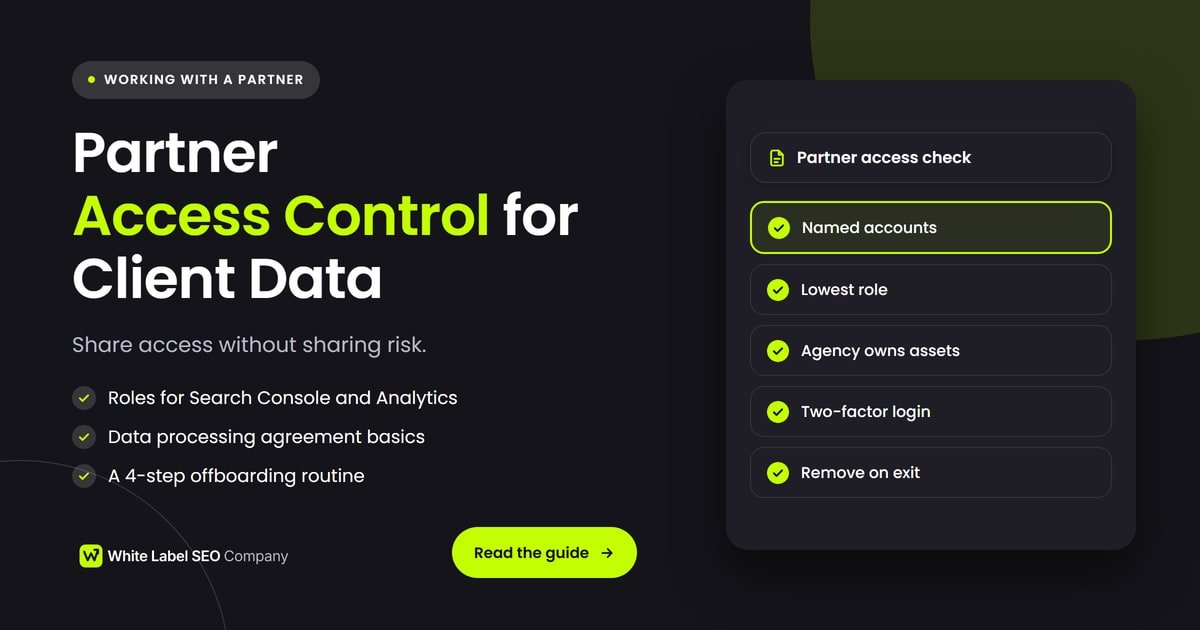
Quick answer: Access control in a white label SEO partnership means every partner team member gets a named account, the lowest role that still does the job, no ownership of client assets, and access that ends the day the work ends. Add a data processing agreement, a password manager and two-factor authentication, and review partner access every month.
Key takeaways
- Access control is the set of rules that decide who on your partner’s team can open which client accounts, with which role, and for how long.
- Third-party involvement in breaches doubled to 30%, according to Verizon’s 2025 Data Breach Investigations Report, so client data is only as safe as your partner’s access habits.
- Give the partner Full user in Google Search Console, Analyst or Editor in Google Analytics and Manager on a Google Business Profile, never Owner.
- Six rules cover almost every case: named accounts, agency or client ownership, the lowest role, a password manager with two-factor authentication, a data processing agreement and a monthly review.
- Remove partner access in 4 steps on the day work ends: list, remove, rotate, confirm.
- Tell clients your delivery team works under your agency’s security policy, and keep the partner behind your brand.
What is access control in a white label SEO partnership?
Access control in a white label SEO partnership is the set of rules that decide which people at your partner can open which client accounts, with which role and for how long. It covers logins to Google Search Console, Google Analytics, Google Business Profile, the client’s website CMS and any reporting tool.
Client data is the information inside those accounts: search queries, traffic, contact form leads, review profiles and site files. Because a white label SEO partner works inside your clients’ accounts every month, access control decides whether that work stays safe. If you are still choosing a delivery partner, our white label SEO services page lists what we handle, which tells you which accounts a partner will need.
The principle is simple: the partner receives access, and your agency or the client keeps ownership. Every rule below follows from that line.
Why does weak access control put client data at risk?
Partner access puts client data at risk because attackers increasingly come in through suppliers: Verizon’s 2025 Data Breach Investigations Report, published on April 23, 2025, states that third-party involvement in breaches doubled to 30%.
The same release names credential abuse (22%) and exploitation of vulnerabilities (20%) as the two leading initial attack vectors. Credential abuse is the risk an agency controls most directly, because logins are what you hand to a partner. A reused password, a login pasted into a task comment or a shared account that a former contractor still knows all fit that 22%.
Your clients can see this trend too, and larger clients ask suppliers how they manage access. An agency with a written answer moves through those questions faster than one that has to improvise.
Which access control role should a white label SEO partner get on each platform?
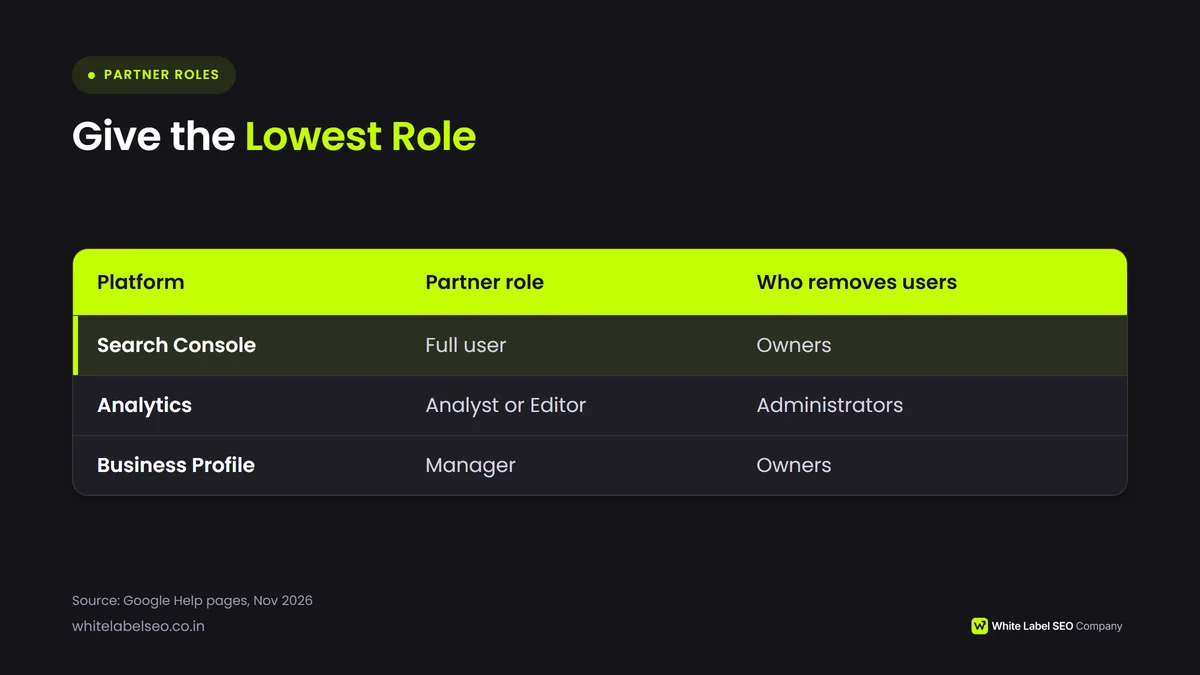
A white label SEO partner should get the lowest role that still lets the work happen: Full user in Google Search Console, Analyst or Editor in Google Analytics and Manager on a Google Business Profile. The table below shows each platform’s roles and who controls them, taken from Google’s help pages.
| Platform | Roles available | Role for the partner | Who adds or removes users | Source |
|---|---|---|---|---|
| Google Search Console | Owner, Full user, Restricted user, Associate | Full user (Restricted user for reporting only) | Owners only; up to 100 non-owner users per property | Google Search Console Help |
| Google Analytics | Administrator, Editor, Marketer, Analyst, Viewer | Analyst or Editor (Viewer for reporting only) | Administrators only | Google Analytics Help |
| Google Business Profile | Owner (1 primary owner), Manager | Manager | Owners only; managers cannot add or remove users | Google Business Profile Help |
The table shows that all 3 platforms keep user management with the top role, so a partner with a working role cannot add people or lock you out of a client’s account.
Search Console’s Full user can use actions such as submitting sitemaps, while a Restricted user has view rights on most data. In Google Analytics, an Editor has full control of settings at the property level, and an Analyst can see data and share explorations. Give the Editor role only when the partner must change settings such as events or key events.
What are the 6 access control rules for a white label SEO partnership?
The 6 access control rules for a white label SEO partnership are listed below, in the order you should set them up before a partner logs in.
- Named accounts: give every partner team member a personal login for each platform.
- Ownership: keep every client asset in your agency’s or the client’s name.
- Lowest role: grant the role from the table above, not the highest one.
- Credentials: store logins in a password manager and turn on two-factor authentication.
- Agreement: sign a data processing agreement with your partner.
- Review: check the access register every month.
1. Give every partner team member a named account
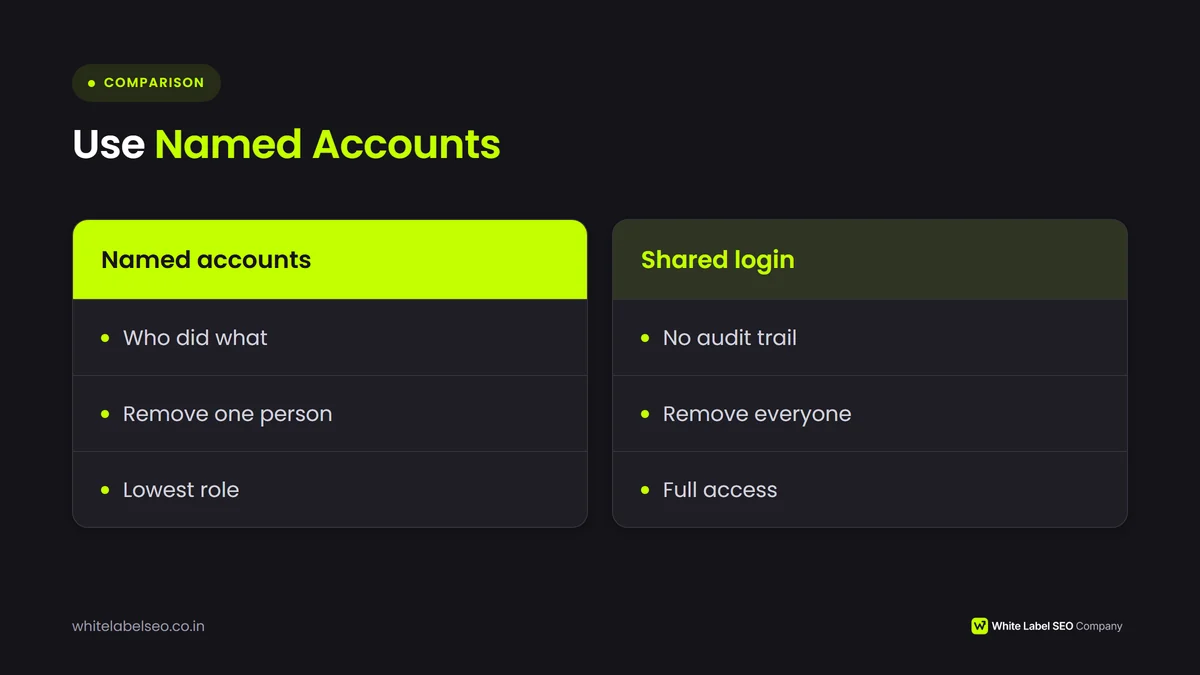
Every partner team member needs a named account because a shared password cannot show who made a change and cannot be removed for one person without disrupting everyone else. Google Search Console takes a Google Account email for each user and does not accept email groups, so one person means one account.
Ask your partner for the full name and work email of each person who will touch a client account, then add them one by one. Our guide to getting new clients live without delays shows where this step sits in a normal first week.
2. Keep ownership of every client asset in your name or the client’s
Your agency or your client should own every account, and the white label SEO partner should only hold access. Google Business Profile allows only one primary owner per profile, and owners are the only people who can remove other owners and managers, so the primary owner decides who stays.
Create or claim each property yourself, or have the client do it, before you invite the partner. Search Console works the same way: only owners can see the Users and permissions page. If a partner ever created a property under its own account, move ownership to your agency or the client before anything else happens.
3. Grant the lowest role that still lets the work happen
The lowest role is the one that covers the monthly scope and nothing more. Match each task to a role: reporting needs view rights, technical and on-page work needs Full user in Search Console, and event changes need Editor in Google Analytics.
For the website itself, give the content team a contributor or editor role in the CMS rather than administrator, and ask the partner to log every plugin or theme change before it goes live. A role that matches the scope limits the damage if one login is ever misused.
4. Store logins in a password manager and use two-factor authentication
A business password manager with a shared vault per client keeps credentials auditable, while spreadsheets, emails and task comments leave logins scattered. Give each partner team member access only to the vaults for the clients they serve.
Turn on two-factor authentication for every account that supports it. The Cybersecurity and Infrastructure Security Agency (CISA) says users who enable multifactor authentication are significantly less likely to get hacked, which matters when credential abuse sits at 22% of initial attack vectors. Rotate any shared credential whenever someone leaves either team.
5. Sign a data processing agreement with your partner
A data processing agreement is a written contract that governs how your partner handles personal data on your behalf. Under Article 28 of the GDPR, a processor contract must be in writing and must cover documented instructions from the controller, confidentiality, security measures, sub-processors, deletion or return of data after the service ends, and audits.
SEO work touches personal data more often than agencies expect: analytics accounts, contact form submissions and review profiles can all hold names and email addresses. If you serve clients in the UK or EU, ask your partner where it stores client data, who can see it and how it deletes it. Our list of questions to ask a white label SEO partner before signing includes these.
6. Review the access register every month
An access register is a single list of every platform, every role and every person with access for each client, and a monthly check of it takes minutes. Compare the list with the partner’s current team and remove anyone who no longer works on the account.
Also review access whenever a client leaves your agency or a partner team member changes role. The register doubles as proof if a client’s security team ever asks who had access and when.
How does access control end when a partner’s work ends?
You remove partner access when work ends in 4 steps, done on the same day: list every login, remove each user, rotate shared credentials and confirm ownership. Offboarding matters as much as onboarding, because every unused login is a door nobody watches.
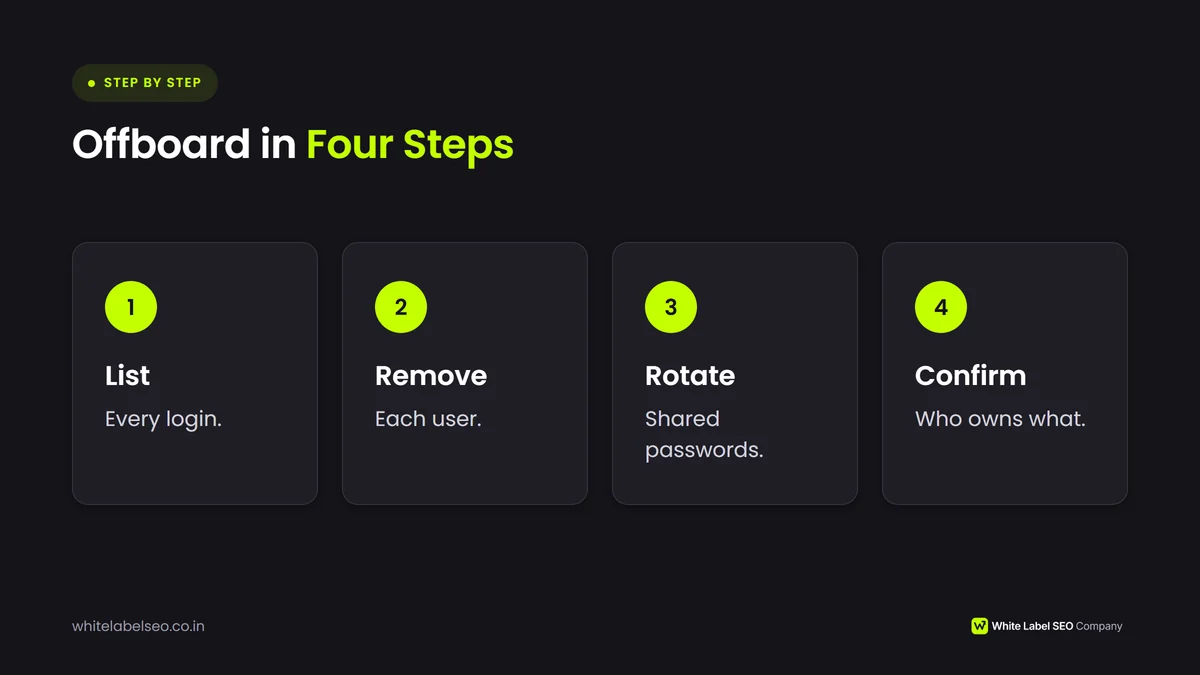
The 4 offboarding steps for partner access are listed below.
- List every login. Use the access register to list each platform, role and password vault the partner can reach for that client.
- Remove each user. In Search Console, open Settings, then Users and permissions, and choose Remove access; in Google Business Profile, an owner removes the manager. If Search Console warns that a user might regain access, remove the verification tokens it lists.
- Rotate shared credentials. Change every password the partner could see, including CMS and reporting logins, and keep the two-factor setup in your own hands.
- Confirm ownership. Check that your agency or the client is still the owner of every account, then store the completed offboarding checklist.
A partner who connects reports to a dashboard or pushes content straight into a CMS needs the same treatment for those connections. Our article on dashboard integration and direct CMS push for white label SEO partners shows which connections to list.
How do you explain access control to clients without breaking white label?
You explain partner access by describing your partner as part of your delivery team, working under your agency’s security policy and your data processing terms. The client keeps one contact, and your security summary covers every person with access.
Prepare a one-page summary of named accounts, role levels, password management and offboarding, and share it with prospects in regulated industries before they ask. The wider question of keeping your brand in front is covered in protecting your agency brand when you work with a white label SEO partner.
Frequently asked questions
What access does a white label SEO partner actually need?
Most partners need Google Search Console, Google Analytics, the website CMS and sometimes a Google Business Profile, depending on the services you resell. Grant the lowest role that covers the monthly scope: Full user in Search Console, Analyst or Editor in Analytics and Manager on the profile.
Do I need a data processing agreement with my white label SEO partner?
Yes, if your clients’ data includes personal information covered by the GDPR, because Article 28 requires a written contract with any processor. Agencies outside Europe often sign one anyway, since it shows clients that partner access is governed by written terms.
Should my partner ever be the owner of a client account?
No, a partner should never be the owner of a client account. In Google Business Profile, the primary owner controls who can add or remove users, and in Search Console only owners manage users, so ownership belongs with your agency or the client.
What should happen to access when a partnership ends?
Revoke every partner login on the final day, rotate any credential the partner could see and confirm that your agency or the client still owns every account. Use the 4 offboarding steps above and keep the completed checklist.
How often should I review partner access?
Review partner access every month, and again whenever a client leaves or a partner team member changes. An access register that lists each platform, role and person turns the monthly review into a check that takes minutes.
What should you do next about partner access control?
Open your current client list and write an access register: one row per client, one column per platform, the role each partner team member holds. Fix the highest roles first, move any shared password into a password manager and sign a data processing agreement if you do not have one.
If you want a delivery partner that works through named accounts and the roles above, see how our white label SEO services run behind your brand at White Label SEO.
Want a partner that protects client data?
We work through named accounts and agency-owned access, so your clients’ data stays under your control. Book a free strategy call and we will walk you through our access process.
Sources
- Verizon, “2025 Data Breach Investigations Report” (press release), April 23, 2025. https://www.verizon.com/about/news/2025-data-breach-investigations-report
- Google Search Console Help, “Add, remove, and change user and owner permissions”, accessed November 28, 2026. https://support.google.com/webmasters/answer/7687615
- Google Analytics Help, “Roles and data restrictions”, accessed November 28, 2026. https://support.google.com/analytics/answer/9305587
- Google Business Profile Help, “Manage Business Profile owners and managers”, accessed November 28, 2026. https://support.google.com/business/answer/3403100
- GDPR, Article 28, “Processor”, accessed November 28, 2026. https://gdpr-info.eu/art-28-gdpr/
- CISA, “Multifactor authentication (MFA)”, accessed November 28, 2026. https://www.cisa.gov/MFA
