Quick answer: Dashboard integration and direct CMS push for white label SEO partners means reporting that pulls from Google Search Console and content that reaches the client’s CMS through a limited login instead of file handoffs. Ask for least-privilege access, drafts that wait for your approval and a record of every change.
Key takeaways
- Direct CMS push means a partner sends content into the client’s CMS through a login or API, not as files for your team to re-upload.
- Dashboard integration means reporting data flows from Google Search Console into a dashboard, within Google’s limits: 1,200 queries a minute per site for Search Analytics.
- A partner usually needs only a Full user role in Google Search Console, and only owners can add users, with a cap of 100 non-owner users per property.
- In WordPress, a Contributor can write posts but cannot publish or upload files, so it suits a draft-for-approval workflow.
- IndexNow notifies participating search engines of changes in batches of up to 10,000 URLs, but a 200 response does not promise indexing.
- Set up access in 4 steps, and ask a partner 5 questions before you sign.
What is direct CMS push in white label SEO?
Direct CMS push in white label SEO is the practice of a partner sending finished content, metadata and images straight into the client’s content management system through a limited login or API, instead of handing over files for your team to copy across. The content can arrive as a draft, a pending post or a live page, depending on the status you set.
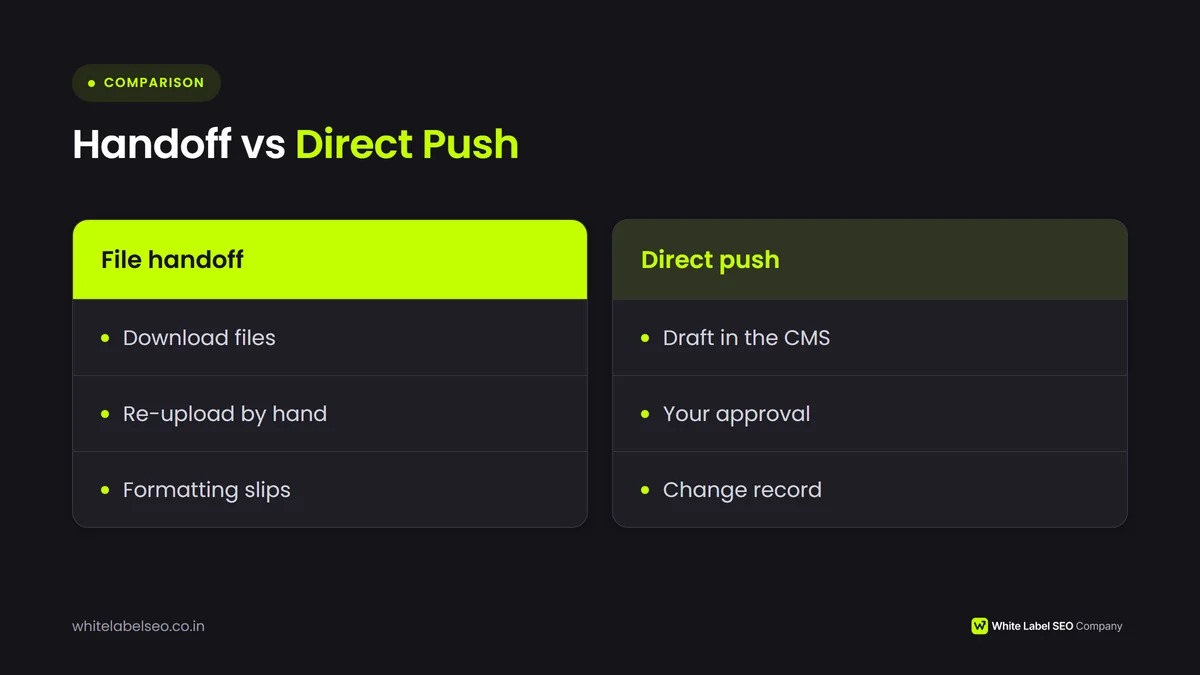
Dashboard integration is the reporting side of the same idea. It connects data sources, such as Google Search Console, to a dashboard, for example one built in Looker Studio, so the client sees current numbers under your brand. We deliver branded reports and a dashboard, and we work to your brief and approval, so you approve content before it goes live. Our white label SEO reports page shows what the reporting looks like.
What can dashboard integration pull from Google Search Console?
Dashboard integration can pull Search Console performance data through the Search Analytics API, but Google caps the request rate: 1,200 queries per minute per site and per user, and 40,000 queries per minute per Google Cloud project. Those caps are generous for one client and tight for a bulk refresh across a large book of clients, so plan the reporting side before you add direct CMS push.
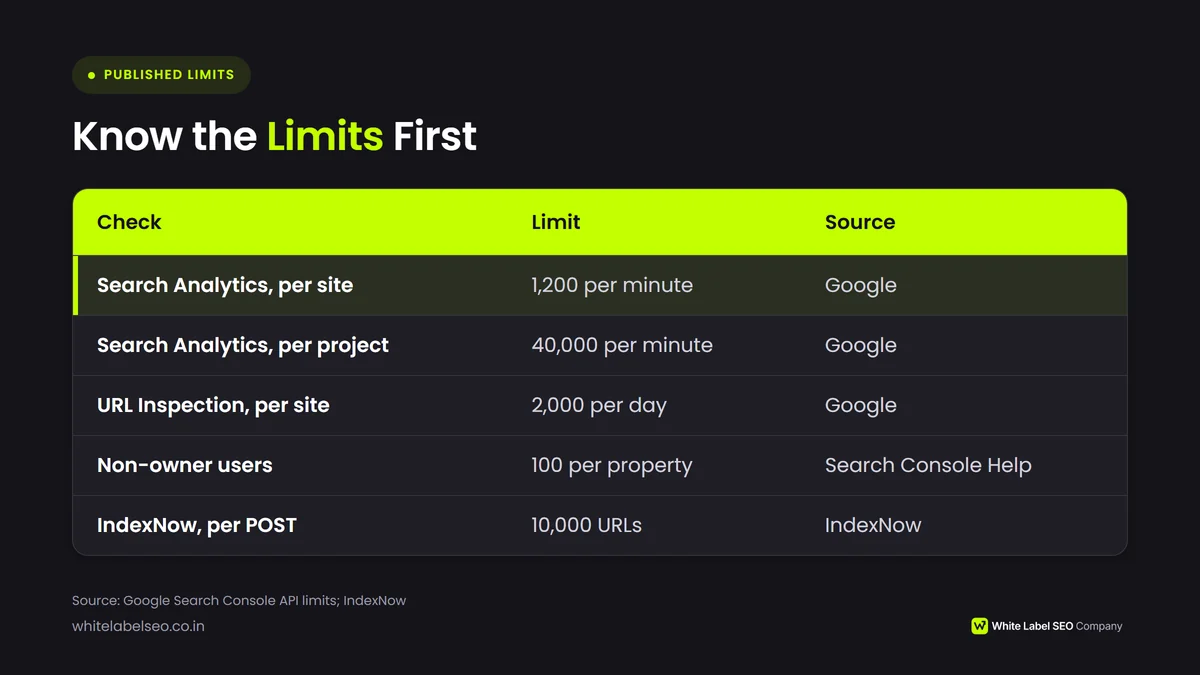
| Check | Published limit | What it means for dashboard integration | Source |
|---|---|---|---|
| Search Analytics, per site | 1,200 queries per minute | Pace refreshes so one client does not use the whole allowance | Google Search Console API usage limits |
| Search Analytics, per project | 40,000 queries per minute; 30,000,000 per day | All clients on one project share this ceiling | Google Search Console API usage limits |
| URL Inspection, per site | 2,000 per day; 600 per minute | A 6,000-URL site takes 3 days to inspect once | Google Search Console API usage limits |
| Non-owner users, per property | 100 full, restricted and associate users | Remove old partner and staff accounts to stay under the cap | Search Console Help, “Add or remove users” |
| IndexNow, per POST request | 10,000 URLs | Batch updates after a large publishing run | IndexNow documentation |
The table shows that 3 of the 5 limits come from Google’s Search Console API page, 1 from Search Console Help and 1 from the IndexNow documentation, so every row can be checked at its source.
Which Google Search Console permission does a partner need?
A white label partner usually needs the Full user permission in Google Search Console, because Full users can view all data and submit sitemaps, while Restricted users cannot submit sitemaps. Only owners can add users, so your agency or the client should hold the Owner role.
Search Console Help describes 4 levels. Owners control settings and can add or remove users. Full users view all data and can take actions such as submitting a sitemap and requesting verification of fixes. Restricted users have mostly view rights, with URL Inspection in “fetch only” mode. Associates act on behalf of a site and cannot open the account directly. Give the partner the lowest level that lets it do the agreed work, alongside any direct CMS push access, and keep Owner with you or the client. Our guide to client data security and access control in white label SEO partnerships covers the wider access rules.
Which CMS permissions does direct CMS push need?
Direct CMS push needs the lowest CMS role that can do the agreed job, and in WordPress that is often Contributor for draft-only work or Author for publishing own posts. WordPress documentation says a Contributor can write and manage their own posts but cannot publish them.
The roles differ in 3 ways that matter here: who can publish, who can edit other people’s posts and who can upload files. The role table below shows the WordPress defaults.
| WordPress role | Publish posts | Edit others’ posts | Upload files |
|---|---|---|---|
| Editor | Yes | Yes | Yes |
| Author | Yes | No | Yes |
| Contributor | No | No | No |
The table shows that the Contributor role cannot publish or upload images, so a draft-for-approval flow that includes images needs Author access or a separate way to add media, and the Author role can publish its own posts without a second pair of eyes.
For automated access, WordPress has supported Application Passwords since version 5.6. Each is tied to one user, can be revoked on its own without affecting others, records when and from which IP address it was last used, and is available by default only over HTTPS. The REST API accepts a post status of draft, pending, publish, future or private, so a push can land as a draft or pending post for your approval. That makes the setup safer: when a partner relationship ends, you revoke one password.
Does IndexNow or a sitemap speed up indexing after a push?
IndexNow can speed up discovery on the engines that take part, but it does not promise indexing. The IndexNow documentation says that a 200 response only shows the search engine received the URL.
IndexNow works with a key file hosted on the site, and one POST request can carry up to 10,000 URLs. Whether a given engine uses the notification is that engine’s decision, so keep submitting an XML sitemap and use Google Search Console’s tools as well. Treat IndexNow as one optional signal after a direct CMS push, not as a reason to choose a partner.
How do you set up dashboard integration and direct CMS push in 4 steps?
You set up dashboard integration and direct CMS push in 4 steps: agree the data and content flow, grant least-privilege access, push drafts for approval and review access every quarter.
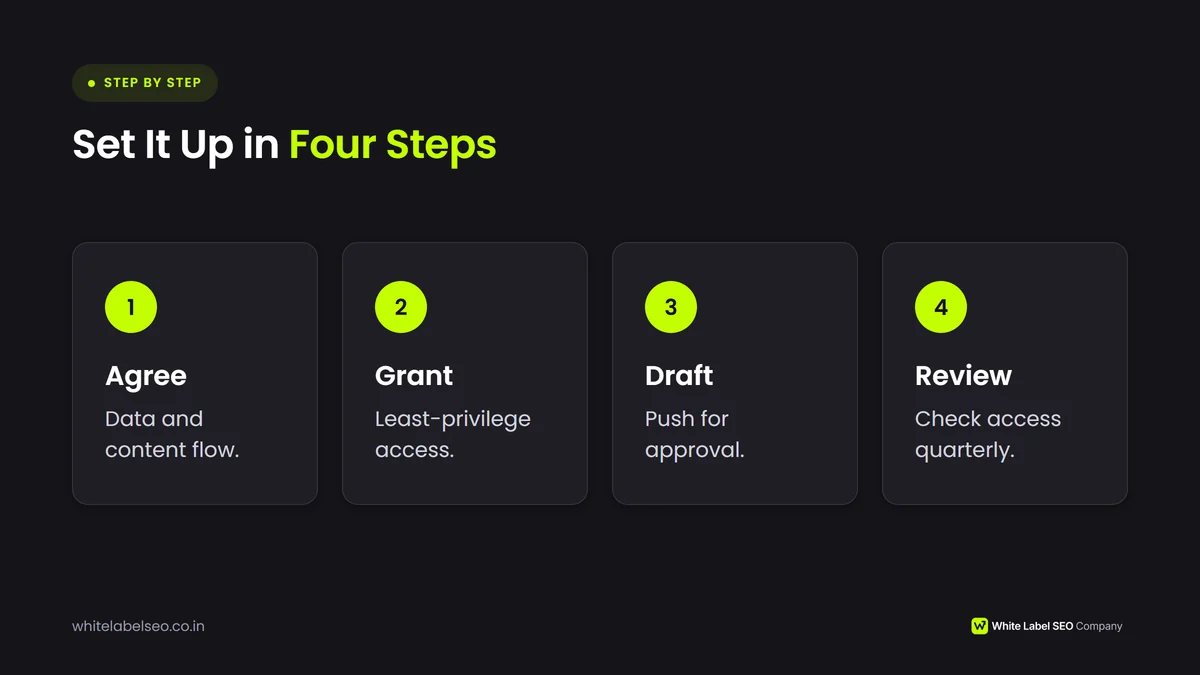
The 4 steps are listed below.
- Agree the flow. Write down which data goes into the dashboard, which content types the partner may push and who approves each one.
- Grant least-privilege access. Give Full user in Google Search Console and the lowest CMS role that works, with a named account for each person.
- Push drafts for approval. Set the status to draft or pending, check the page on the client’s site and publish only after your approval.
- Review access every quarter. Remove accounts and revoke application passwords that are no longer needed, and note the change in your records.
A short change record makes the setup auditable. For each push, note the page, the date, who approved it and the status it arrived in. When a client asks why a page changed, you answer from the record instead of from memory, and the same record shows a new account manager exactly how the workflow runs.
Our onboarding page shows how a new partnership gets started.
How do you judge a white label SEO partner’s integration claims before you sign?
You judge a white label SEO partner’s integration claims by asking what the partner connects to, with which permissions, and what the partner can show you today. Ask the 5 questions below and treat any answer without detail as a no.
- Which systems does the dashboard connect to, and how often does it refresh?
- Which Search Console and CMS roles do you request, and why?
- Can content arrive as a draft, and who publishes it?
- How do you record each change, and can we see that record?
- What happens to access when the partnership ends?
Our list of questions to ask a white label SEO partner before signing covers the rest of the vetting.
Frequently asked questions
Should a white label SEO partner get administrator access to a client’s CMS?
No, a partner should not get administrator access for routine content work. WordPress administrators can manage settings and install plugins, while an Author or Contributor role covers writing and drafting with far less exposure.
Does direct CMS push mean content goes live without our approval?
No, not unless you set it up that way. A push can arrive as a draft or pending post, and you publish after review. We work to your brief and approval, so agree the status before the first push.
Can a dashboard show every search query for a client?
No, a dashboard cannot show everything. It reads Search Console data through the API within Google’s limits, such as 1,200 queries per minute per site, and Search Console’s own reports set what is available.
Does IndexNow get pages into Google faster?
Not on its own. IndexNow notifies participating search engines, and its documentation says a 200 response only confirms receipt. Keep your sitemap submitted and use Google Search Console for Google.
How do we remove a partner’s access when the contract ends?
Remove the partner’s user in Google Search Console, which an owner can do, and delete the partner’s WordPress user or revoke its application password. Revoking an application password does not affect any other password on the account.
What should you do next with dashboard integration and direct CMS push?
List the access your partner has today in Google Search Console and in each client’s CMS, then remove anything above the level in the 4 steps. Add draft-first publishing to your scope of work before the next content batch goes out.
If you want a partner that delivers branded reporting and works to your brief and approval, see how our white label SEO services run behind your brand at White Label SEO.
Want to talk through access and reporting?
Book a free strategy call and we’ll walk through branded reports, the dashboard and how content goes live to your brief and approval.
Sources
- Google for Developers, “Usage limits” (Search Console API), accessed November 28, 2026. https://developers.google.com/webmaster-tools/limits
- Google Search Console Help, “Managing users, owners, and permissions”, accessed November 28, 2026. https://support.google.com/webmasters/answer/7687615
- IndexNow, “Documentation”, accessed November 28, 2026. https://www.indexnow.org/documentation
- WordPress.org Documentation, “Roles and Capabilities”, last modified September 2, 2026. https://wordpress.org/documentation/article/roles-and-capabilities/
- WordPress Core, “Application Passwords: Integration Guide”, November 5, 2020. https://make.wordpress.org/core/2020/11/05/application-passwords-integration-guide/
- WordPress REST API Handbook, “Posts” reference, accessed November 28, 2026. https://developer.wordpress.org/rest-api/reference/posts/
