Quick answer: A white label technical SEO audit is a documented check of a client’s site for crawl, indexing, duplicate-page and speed problems, run in the first month before you sell content packages. It shows what stops new pages from being found, and it gives your agency a written starting point to report against.
Key takeaways
- A white label technical SEO audit is a documented review of how Google crawls, indexes and loads a client’s site, delivered under your brand.
- Run the technical SEO audit before content packages, because pages Google cannot crawl or index cannot earn value from new articles.
- The audit covers 5 checks: crawl access, indexing, duplicate pages, Core Web Vitals and mobile setup.
- Only 48% of mobile sites have good Core Web Vitals, according to the 2025 Web Almanac, so speed is a common finding.
- Run the audit in 4 steps in the first month, then explain each finding in one plain sentence.
- Repeat a lighter technical health check every quarter so new errors show up early.
What is a white label technical SEO audit?
A white label technical SEO audit is a documented review of how search engines crawl, index and load a client’s website, completed by a white label SEO partner and delivered under your agency’s brand. It lists each technical problem that keeps pages from being found or shown, with a fix and a priority.
The audit is separate from content work. A content package assumes that search engines can reach every page, and the audit is the step that proves it. Our white label SEO services treat it as the first deliverable for a new client, and it ends with a fix list your team can send to the client’s developer.
Why should a technical SEO audit come before content packages?
A technical SEO audit should come before content packages because new pages can only rank if Google can crawl, index and load them. Google’s Page indexing report lists the reasons pages are left out, including a robots.txt block, a noindex tag, a soft 404 and a duplicate page without a declared canonical.
A robots.txt file tells crawlers which URLs they can access. Google Search Central also notes that a page blocked this way can still appear in results as a bare URL with no description, so a block is never a clean, visible signal. Nothing on the live page warns the writer or the client that something is wrong.
For an agency the cost is direct. Content packages bill every month, so a blocked or noindexed section turns each delivered article into work that Google never evaluated, and the client will ask you why nothing moved. A written audit in month one documents the starting condition, so you can show what was already broken. Our white label content writing service starts on pages that the audit has cleared.
What are the 5 checks of a technical SEO audit before content starts?
The 5 checks of a technical SEO audit before content starts are crawl access, indexing, duplicate pages, Core Web Vitals and mobile setup. Each check has a clear pass condition that your partner can show in Google Search Console, so you can tell the client what was found and fixed.
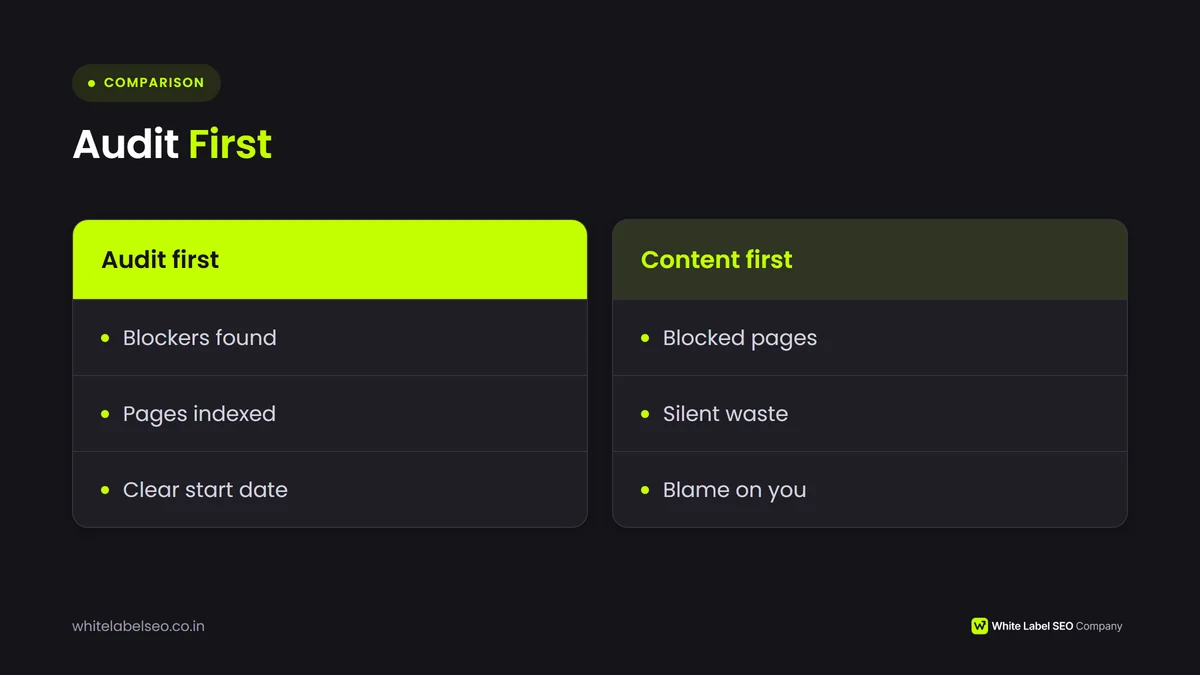
The 5 checks of a technical SEO audit are listed below, in the order we run them. Our white label technical SEO service covers all 5.
- Crawl access: the robots.txt file and the status codes of key URLs.
- Indexing status: the Page indexing report in Google Search Console.
- Duplicate signals: canonical tags, redirects and near-identical URLs.
- Core Web Vitals: loading, responsiveness and layout stability on the main templates.
- Mobile setup: the viewport tag and readable text on phones.
1. How does the audit check crawl access?
The audit checks crawl access by reading the robots.txt file and testing that the client’s key URLs return a 200 status. The 2025 Web Almanac from HTTP Archive found that 85% of robots.txt requests returned a valid 200 and 13% returned a 404, so a missing file is common and a wrongly written one is easy to miss.
Google Search Central describes the robots.txt file as a way to manage crawler traffic, not a way to keep a page out of Google. Read every Disallow rule against the sections you plan to write for, and confirm none of them covers the blog or service pages.
Crawl budget is a different matter and rarely the first problem. Google’s crawl budget guide is aimed at sites with 1 million or more pages that change weekly, or 10,000 or more pages that change daily. A typical client site is far smaller, so look for a blocking rule before you talk about crawl budget.
2. How does the audit check indexing?
The audit checks indexing by reading the Page indexing report in Google Search Console and listing every URL that Google left out, together with the reason Google gives. Common reasons are a robots.txt block, a noindex tag, a soft 404 and a duplicate page without a user-selected canonical.
The noindex tag is rare but costly: the Web Almanac found it on 3.5% of desktop pages and 2.4% of mobile pages in 2025. Check that no page you plan to fill carries one, including pages left over from a staging copy or a past redesign.
3. How does the audit check duplicate pages?
The audit checks duplicate pages by comparing canonical tags, redirects and near-identical URLs across the site. The Web Almanac found a canonical tag on 68% of desktop pages and 67% of mobile pages in 2025, so roughly a third of pages send no clear signal about their preferred URL.
Google’s crawl guide advises eliminating duplicate content so crawling focuses on unique content instead of unique URLs. For clients with several locations, check that each location page has its own address, details and copy before you add articles that link to it.
4. How does the audit check Core Web Vitals?
The audit checks Core Web Vitals by testing the main page templates against 3 Google thresholds: Largest Contentful Paint within 2.5 seconds, Interaction to Next Paint under 200 milliseconds and Cumulative Layout Shift below 0.1. Google says good scores align with what its core ranking systems seek to reward.
These scores are a common finding. The Web Almanac reports that 48% of mobile sites and 56% of desktop sites had good Core Web Vitals in 2025. Report the result as a site condition and a fix list, and avoid promising a ranking change from it.
5. How does the audit check mobile setup?
The audit checks mobile setup by confirming that each template has a viewport meta tag and that text is readable on a phone. The Web Almanac found the viewport tag on 95.2% of mobile pages in 2025, and legible font sizes on 92.07% of mobile home pages.
Most sites pass this check, which makes a failure easy to spot and quick to fix. Run it on a real phone as well as in a tool, because the client’s customers will open the site there.
How do technical SEO audit benchmarks compare with real websites?
Technical SEO audit benchmarks from the 2025 Web Almanac show that most sites pass the basic checks, while fewer than half pass Core Web Vitals on mobile. The table below lists 6 checks with the share of sites that meet each one, so you can show a client where their site stands.
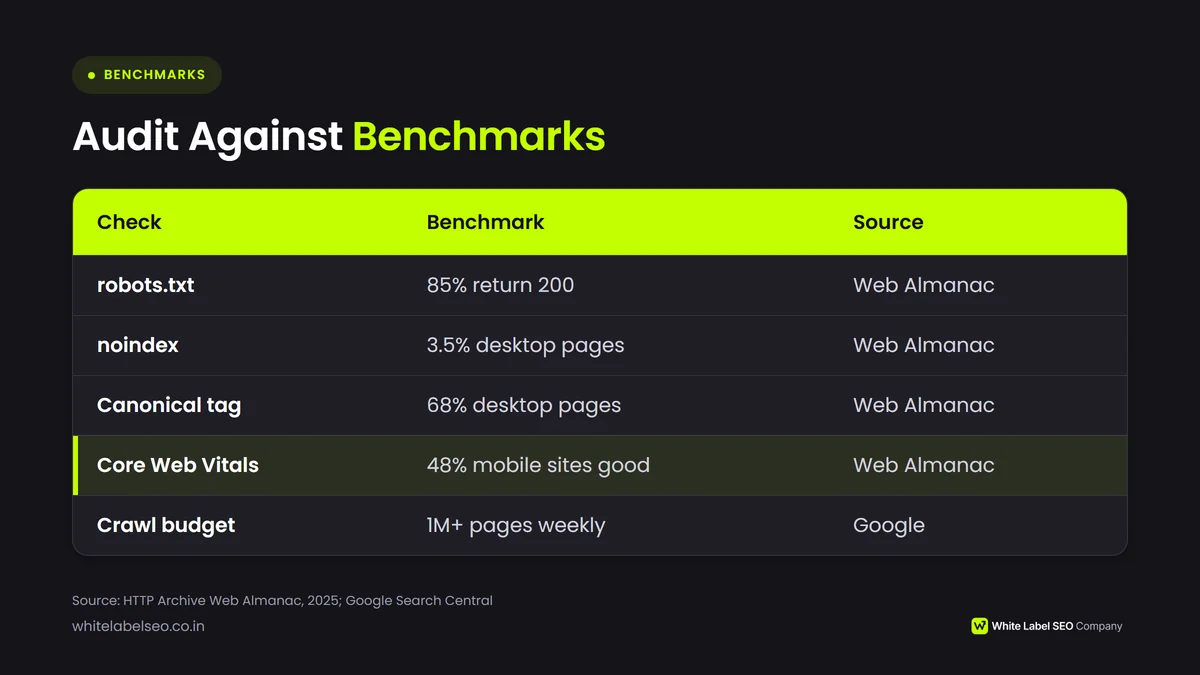
| Audit check | Benchmark | What to do before content | Source |
|---|---|---|---|
| robots.txt file | 85% of requests return 200; 13% return 404 | Confirm the file exists and does not block pages you will write for | HTTP Archive, Web Almanac 2025 (SEO) |
| noindex tag | 3.5% of desktop pages; 2.4% of mobile pages | Remove it from any page you plan to fill | HTTP Archive, Web Almanac 2025 (SEO) |
| Canonical tag | 68% of desktop pages; 67% of mobile pages | Declare a preferred URL on each page | HTTP Archive, Web Almanac 2025 (SEO) |
| Core Web Vitals | 48% of mobile sites and 56% of desktop sites are good | Test the main templates and list fixes | HTTP Archive, Web Almanac 2025 (Performance) |
| Largest Contentful Paint | Good at 2.5 seconds or less: 62% of mobile sites, 74% of desktop sites | Fix the slowest hero image or script first | HTTP Archive, Web Almanac 2025 (Performance) |
| Crawl budget | Google’s guide targets 1 million+ pages weekly or 10,000+ pages daily | Skip crawl budget talk on smaller sites | Google Search Central |
The table shows that 5 of the 6 checks rest on the 2025 Web Almanac and 1 on Google’s own guide, so a client or a developer can verify every row at its source.
How do you run a technical SEO audit before content starts?
You run a technical SEO audit before content starts in 4 steps: crawl the site, read the Page indexing report, test Core Web Vitals and write the fix list. Finish the audit in the first month, and begin content work on the pages that already pass.
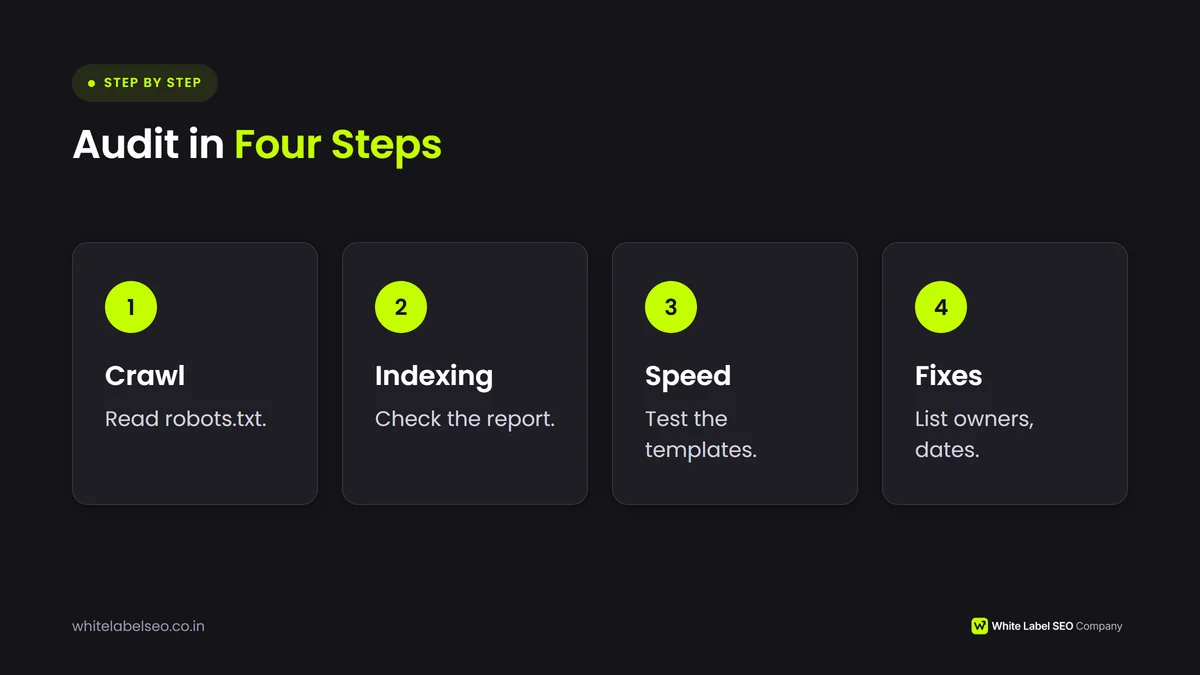
The 4 steps of a technical SEO audit are listed below.
- Crawl the site and read the robots.txt file. List every URL, its status code and any rule that blocks a section.
- Read the Page indexing report. Ask the client for Google Search Console access, then list each excluded URL and its reason.
- Test Core Web Vitals. Check the home page, one service page and one blog template, on mobile first.
- Write the fix list. Give each fix a priority, an owner and a date, and send it with a one-page summary.
Some agencies sell this step on its own, which we cover in paid SEO audits as a front-end offer for agencies. Others fold it into the first month of a retainer, so the cost never becomes a separate sales conversation.
How do you explain technical SEO audit findings to a client?
You explain technical SEO audit findings by stating the problem, the pages it affects and the fix in one plain sentence each, then showing the date it was resolved. Leave out the tool’s jargon, and let your report show the before and after status from Google Search Console.
A useful sentence has 3 parts: “Your blog section carried a noindex tag, so Google left those pages out of search; we removed the tag on this date.” The client hears the effect on visibility, not the tag name. For the timeline, agree what the fixes change and what they do not, using the wording in our guide to how to set SEO expectations with a new client.
How often should a technical health check follow the first technical SEO audit?
A technical health check should follow the first technical SEO audit every quarter, with extra checks after a redesign, a platform change or a large content import. The quarterly check repeats the same 5 items, so any new blocker appears within 3 months instead of months after content stops showing.
The health check is lighter than the first audit. It compares the Page indexing report, the robots.txt file and the Core Web Vitals results with the month-one baseline. Fixes that come out of it fit naturally into a monthly plan, as in 8 website fixes agencies can bundle with white label SEO.
Frequently asked questions
Does every new client need a technical SEO audit before content starts?
Yes, every new client needs at least a light technical SEO audit before content starts. Even a 1-hour check of the robots.txt file and the Page indexing report in Google Search Console can find a block that would stop every new article from being indexed.
Does crawl budget matter for a small client site?
No, crawl budget rarely matters for a small client site. Google’s crawl budget guide is written for sites with 1 million or more pages changing weekly, or 10,000 or more pages changing daily, so look for a blocking rule or a noindex tag first.
Can a robots.txt file keep a page out of Google?
No, a robots.txt file is not a way to keep a page out of Google, according to Google Search Central. A blocked page can still appear in results as a bare URL, so use a noindex tag or password protection for pages that must stay out.
Do Core Web Vitals decide whether new content ranks?
No, Core Web Vitals do not decide on their own whether content ranks. Google says good scores align with what its core ranking systems seek to reward, and the Web Almanac shows that 48% of mobile sites pass, so treat speed as one part of a fix list.
What if the client already has an audit from another agency?
Verify it before you build on it. Re-read the Page indexing report, the robots.txt file and the Core Web Vitals results, and compare them with the old findings. If the old audit is more than a few months old or the site changed since, repeat the audit.
What should you do next about technical SEO audits?
Pick the next client you plan to sell content packages to and run the 4 steps above before you quote. Put the audit into month one, send the fix list with owners and dates, and start content on pages that pass.
If you want a partner that runs the audit under your brand, see how White Label SEO works, and read about our white label SEO services for the audit, content and reporting we deliver behind your name.
Want the audit done before content starts?
We run technical SEO audits under your agency’s brand and send you a fix list your client can follow. Book a free strategy call and tell us about your next client.
Sources
- HTTP Archive, “Web Almanac 2025: SEO”, 2025. https://almanac.httparchive.org/en/2025/seo
- HTTP Archive, “Web Almanac 2025: Performance”, 2025. https://almanac.httparchive.org/en/2025/performance
- Google Search Central, “Introduction to robots.txt”, accessed November 28, 2026. https://developers.google.com/search/docs/crawling-indexing/robots/intro
- Google Search Console Help, “Page indexing report”, accessed November 28, 2026. https://support.google.com/webmasters/answer/7440203
- Google Search Central, “Understanding Core Web Vitals and Google search results”, accessed November 28, 2026. https://developers.google.com/search/docs/appearance/core-web-vitals
- Google Search Central, “Managing crawl budget for large sites”, accessed November 28, 2026. https://developers.google.com/search/docs/crawling-indexing/large-site-managing-crawl-budget
